
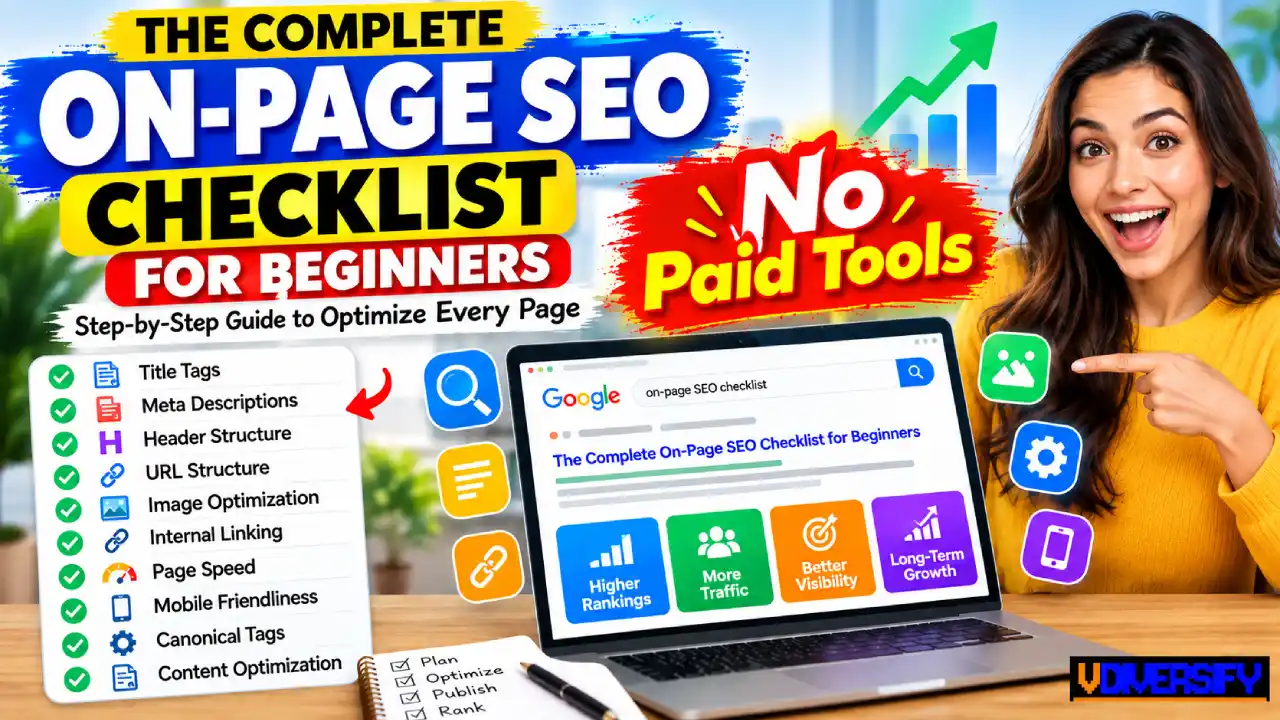
Getting a webpage to rank on Google is not simply a matter of adding a keyword to an article and publishing it. Search engines need to understand what your page is about, while readers need to find the answer they came for quickly, clearly, and comfortably.
This on-page seo checklist for beginners walks through the important page-level elements you can improve, from search intent and titles to content structure, links, images, technical details, and user experience. The goal is not to “trick” Google into ranking a page.
The goal is to make every important page on your website genuinely useful, easy to understand, easy to navigate, and technically accessible.
Google’s current guidance continues to place strong emphasis on helpful, reliable, people-first content rather than content created mainly to manipulate search rankings.
Google also says that the same basic SEO practices remain important for its newer AI search experiences, including AI Overviews and AI Mode. In other words, you do not need a completely separate SEO system for traditional search and AI search. You need strong fundamentals, useful content, clear page structure, and information that adds real value.
Quick answer: On-page SEO is the process of improving the content and HTML elements of an individual webpage so that search engines can understand it and users can get more value from it. A strong page typically has a clear search intent, useful original information, a descriptive title, a logical heading structure, a readable URL, helpful internal links, optimized images, good mobile usability, and a solid page experience.
Contents
- 1 What Is On-Page SEO?
- 2 Why On-Page SEO Still Matters in 2026
- 3 The Complete On-Page SEO Checklist
- 4 The Four Common Types of Search Intent
- 5 How to Identify Search Intent
- 6 2. Choose One Primary Topic for the Page
- 7 3. Put Your Keyword in the Right Places
- 8 4. Write a Strong Title Tag
- 9 5. Write a Useful Meta Description
- 10 6. Create a Clean URL Structure
- 11 7. Build a Clear Header Tag Structure
- 12 8. Make the Introduction Answer the Main Question
- 13 9. Create Content That Actually Satisfies the Query
- 14 10. Add Original Examples and First-Hand Value
- 15 11. Make the Page Easy to Scan
- 16 12. Do Not Force Keywords Into Every Heading
- 17 13. Build a Content Outline Before Writing
- 18 14. Use Internal Links to Connect Related Content
- 19 15. Use Images That Add Real Value
- 20 16. Keep Moving Beyond the Basics
- 21 17. Improve Page Speed and Core Web Vitals
- 22 18. Make Every Important Page Mobile-Friendly
- 23 19. Check Your Canonical Tags
- 24 20. Make Sure the Page Can Be Indexed
- 25 21. Use Google Search Console
- 26 22. Use Structured Data When It Makes Sense
- 27 23. Create Useful Breadcrumbs
- 28 24. Improve Internal Linking With a Topic-Based Structure
- 29 25. Optimize Anchor Text
- 30 26. Optimize Images Beyond Alt Text
- 31 27. Write Image Alt Text for Accessibility
- 32 28. Improve Content With First-Hand Experience
- 33 29. Demonstrate Trust Where It Matters
- 34 30. Add Sources Where They Help
- 35 31. Do Not Obsess Over Keyword Density
- 36 32. Avoid Duplicate or Near-Duplicate Pages
- 37 33. Do Not Create Hundreds of Thin Pages
- 38 34. Be Careful With AI-Generated Content
- 39 35. Optimize for AI Search Without Chasing a “Secret Formula”
- 40 36. Write Clear Definitions
- 41 37. Use Tables When They Make Information Easier
- 42 38. Review Your Page From a Beginner’s Perspective
- 43 39. Remove Filler
- 44 40. Keep Updating Important Pages
- 45 41. Monitor What Happens After Publishing
- 46 42. Use Search Queries to Improve Existing Pages
- 47 43. Look for Pages With High Impressions but Low Clicks
- 48 44. Review Pages That Rank but Do Not Satisfy Users
- 49 45. Build a Strong Content Optimization Checklist
- 50 46. Common On-Page SEO Mistakes Beginners Should Avoid
- 51 47. A Practical On-Page SEO Workflow
- 52 48. A Simple On-Page SEO Example
- 53 49. How Beginners Can Prioritize SEO Tasks
- 54 50. The 10-Minute Pre-Publish Check
- 55 51. Review E-E-A-T and Trust Signals
- 56 52. Make the Author and Website Information Clear
- 57 53. Show When Content Was Updated
- 58 54. Make Your Page Entity-Clear
- 59 55. Use Related Terms Naturally
- 60 56. Understand Topical Coverage
- 61 57. Cover the Important “Next Questions”
- 62 58. Add a Useful FAQ Section When Appropriate
- 63 59. Do Not Create FAQ Content Just to Get Rich Results
- 64 60. Optimize for Featured Snippet-Style Answers Naturally
- 65 61. Use Lists for Processes
- 66 62. Use Comparison Tables for Decisions
- 67 63. Audit Your Page’s Main Heading
- 68 64. Check Your Page’s Opening Section
- 69 65. Optimize Content for Readability
- 70 66. Make Technical Information Beginner-Friendly
- 71 67. Improve Your URLs Before You Build Backlinks
- 72 68. Do Not Change URLs Without a Reason
- 73 69. Review Broken Links
- 74 70. Avoid Excessive Pop-Ups
- 75 71. Be Careful With Ads
- 76 72. Keep Navigation Simple
- 77 73. Identify Orphan Pages
- 78 74. Strengthen Important Pages With Internal Links
- 79 75. Do Not Treat Every Page Equally
- 80 76. Optimize Pages That Are Close to Ranking Better
- 81 77. Compare Against Search Intent, Not Just Competitors
- 82 78. Use Original Data When Available
- 83 79. Be Accurate With Statistics
- 84 80. Use External References Strategically
- 85 81. Use SEO Tools for Validation, Not Blind Decisions
- 86 82. Use Google PageSpeed Insights
- 87 83. Review Core Web Vitals With Real Data When Available
- 88 84. Check Mobile Content Parity
- 89 85. Optimize for Humans Before Bots
- 90 86. The Complete On-Page SEO Pre-Publishing Checklist
- 91 87. The Complete Post-Publishing Checklist
- 92 88. What to Do When a Page Does Not Rank
- 93 89. What to Do When Traffic Drops
- 94 90. On-Page SEO for Service Pages
- 95 91. On-Page SEO for Ecommerce Pages
- 96 92. On-Page SEO for Category Pages
- 97 93. On-Page SEO for Local Business Pages
- 98 94. Optimize for Conversions Without Hurting SEO
- 99 95. Think About the Visitor’s Next Action
- 100 96. Avoid Over-Optimization
- 101 97. Your Master On-Page SEO Framework
- 102 98. A Beginner’s 30-Point On-Page SEO Checklist
- 103 99. The Most Important On-Page SEO Lessons for Beginners
- 104 100. Final On-Page SEO Checklist
- 105 Conclusion: On-Page SEO Is About Making Good Pages Easier to Find
What Is On-Page SEO?
On-page SEO refers to the changes you make directly on a webpage to improve its ability to be understood and discovered in search.
These changes can include:
- The page title
- Main heading
- Subheadings
- Main content
- Keyword placement
- Search intent alignment
- URL
- Meta description
- Internal links
- Image descriptions and alt text
- Structured content
- Page speed
- Mobile usability
- Canonical URL
- Other relevant HTML elements
It is useful to separate on-page SEO from other areas of SEO.
On-page SEO deals mainly with what is on the page.
Technical SEO deals with areas such as crawling, indexing, redirects, structured technical settings, XML sitemaps, JavaScript rendering, and site architecture.
Off-page SEO focuses largely on signals outside your website, such as links and brand mentions.
There is some overlap between these areas. For example, internal linking is both a content and site-architecture concern, while page speed affects both technical performance and the visitor’s experience.
The important point for beginners is that you do not need to master everything at once.
Start with the page itself.
Why On-Page SEO Still Matters in 2026
SEO has changed significantly over the years.
Older SEO advice often focused heavily on exact-match keywords, keyword density, backlinks, and manipulating search results. Modern search is much more focused on understanding what a person wants, whether a page actually satisfies that need, and whether the information is useful and trustworthy.
Google’s Search Essentials recommends using the words people would use to look for your content and placing those words in important locations such as the title, main heading, alt text, and link text. However, this does not mean repeating the same phrase dozens of times.
Google also states that there are very few technical requirements needed for a webpage to qualify for Search, while its broader systems are designed to reward helpful content and good experiences.
That distinction is important.
SEO is not about filling every available field with keywords.
It is about making the page clearer and more useful.
On-Page SEO and AI Overviews
Google’s current documentation says that the established SEO fundamentals remain relevant for AI features in Search. There are no special technical requirements that guarantee inclusion in AI Overviews or AI Mode.
For a page to be eligible as a supporting link in these experiences, it needs to be indexed and eligible to appear in Google Search.
That means your on-page strategy should also support:
- Clear answers to important questions
- Strong topical coverage
- Original information
- Useful examples
- Easy-to-understand explanations
- Clear headings
- Well-organized sections
- Trustworthy claims
- Helpful supporting details
- A good overall page experience
For example, imagine someone searches:
“How do I improve website speed?”
A weak article might provide a 300-word list of generic tips.
A stronger article could explain:
- What makes a website slow
- How to test the page
- How to identify the largest problems
- How to compress images
- How to reduce unnecessary scripts
- How caching works
- What Core Web Vitals mean
- What improvements should be made first
- How to measure the result
The second page gives search engines and users far more useful information to work with.
The Complete On-Page SEO Checklist
Before getting into each element in detail, here is the basic checklist you will work through:
- Identify the primary search intent
- Choose one clear primary topic
- Research related questions and subtopics
- Create a useful page title
- Optimize the title tag
- Write a compelling meta description
- Create a clean URL
- Use one clear main heading
- Build a logical header tag structure
- Place important terms naturally
- Answer the main question early
- Cover the topic completely
- Add original examples or insights
- Avoid unnecessary keyword repetition
- Use descriptive internal links
- Optimize images
- Check image alt text
- Improve page speed
- Check mobile friendliness
- Review canonical tags
- Check indexing and crawl accessibility
- Review page experience
- Add relevant structured data where appropriate
- Proofread and update the page
- Monitor performance after publishing
Now let’s go through the process step by step.
1. Start With Search Intent
The first question should not be:
“Where can I put my keyword?”
The better question is:
“What does the searcher actually want?”
Search intent is the reason behind a search.
Someone searching for “best laptops for college students” is probably looking for recommendations.
Someone searching for “how to clean a laptop keyboard” wants instructions.
Someone searching for “Adobe Photoshop” may be looking for the software, its official website, pricing, or information about the product.
These searches may all contain keywords, but the pages that satisfy them should look very different.
The Four Common Types of Search Intent
Informational intent
The user wants information.
Examples:
- What is on-page SEO?
- How does SEO work?
- What is a canonical tag?
- How do I optimize images?
The best content format is usually an informative guide, tutorial, article, or explanation.
Commercial investigation
The user is researching options before making a decision.
Examples:
- Best SEO tools for bloggers
- Ahrefs vs Semrush
- Best website hosting for WordPress
- Best laptops for graphic designers
Comparison pages, reviews, buying guides, and detailed lists can work well for these searches.
Transactional intent
The person is closer to taking an action.
Examples:
- Buy running shoes
- SEO audit service
- WordPress hosting plans
- Download accounting software
The page should make the next action obvious.
Navigational intent
The user is looking for a specific website, brand, or destination.
Examples:
- Google Search Console
- YouTube
- Amazon login
- Ahrefs blog
Trying to rank an unrelated informational article for a navigational query usually does not make sense.
How to Identify Search Intent
Search your target query on Google and study the results.
Look at:
- The type of pages ranking
- The titles
- The content formats
- The questions being answered
- The depth of the content
- Featured snippets or other search features
- Whether results are mostly guides, product pages, category pages, videos, or tools
Do not copy the ranking pages.
Use them to understand what Google appears to believe the searcher wants.
For example, if the first page for a query is dominated by step-by-step tutorials, creating a sales page may be a poor match even if your keyword appears in the page title.
Beginner rule
Match the page format to the searcher’s goal.
That one decision can prevent many on-page SEO problems before you write a single paragraph.
2. Choose One Primary Topic for the Page
Every important page should have a clear main purpose.
This does not mean a page can target only one keyword.
A well-written article can rank for hundreds or thousands of related searches.
Instead, think in terms of a primary topic and a group of closely related questions.
For example:
Primary topic: on-page SEO
Related topics might include:
- title tags
- meta descriptions
- internal links
- image optimization
- headings
- URLs
- search intent
- content optimization
- page experience
- mobile SEO
These concepts naturally belong together.
However, an article about on-page SEO should not suddenly spend 1,500 words explaining email marketing simply because “email marketing” has search volume.
That creates a confusing page.
Avoid Creating One Page for Every Tiny Keyword
A common beginner mistake is creating separate pages for extremely similar searches.
For example:
- What is on-page SEO?
- On-page SEO definition
- What does on-page SEO mean?
- Meaning of on-page SEO
These may represent essentially the same user need.
Creating four nearly identical articles can make your website harder to manage and may result in overlapping pages competing for similar searches.
Instead, one strong page can answer the main question and its natural variations.
3. Put Your Keyword in the Right Places
Keywords still matter.
But keyword placement matters more than repetition.
Google recommends using words that people would use to search for your content in prominent and descriptive locations.
Important places can include:
- Title
- Main heading
- Introduction
- Relevant subheadings
- Body content
- Image alt text when appropriate
- Internal link text
- URL when natural
This does not mean every keyword needs to appear everywhere.
Suppose your target topic is:
“how to optimize images for SEO”
A natural page could use variations such as:
- optimize images for SEO
- image SEO
- image optimization
- image file size
- descriptive alt text
- compressed images
- image search visibility
The reader does not need to see the exact primary phrase repeatedly.
What About Keyword Density?
Keyword density is the percentage of words on a page that match a particular keyword or phrase.
There is no universal percentage that you should aim for.
Trying to hit an exact number can actually make your writing worse.
For example, imagine a 2,000-word article that contains the phrase “on-page SEO checklist” 50 times.
Even if the page technically has a high number of keyword occurrences, the writing may sound unnatural.
A better approach is to mention the topic where it genuinely helps the reader.
Ask yourself:
If I removed this keyword occurrence, would the sentence become less clear?
If the answer is no, you probably do not need it.
4. Write a Strong Title Tag
Your title is one of the first things a searcher sees.
Google describes title links as an important way to help users understand what a search result is about and decide whether to click it. Google can generate title links from several sources, so the title you provide is influential but not always guaranteed to appear exactly as written.
Good title tag principles
A useful title should be:
- Descriptive
- Relevant
- Specific
- Easy to understand
- Reasonably concise
- Written for humans
Avoid vague titles such as:
“SEO Tips”
That tells the reader very little.
A stronger version might be:
“On-Page SEO Checklist: 25 Steps to Optimize Your Website”
The second title gives the reader a clearer expectation.
Title Tag Optimization
Effective title tag optimization is not simply about inserting your keyword at the beginning.
Consider:
Poor:
On-Page SEO Checklist | On-Page SEO Tips | On-Page SEO Guide | On-Page SEO
This is repetitive and looks written for a search engine rather than a person.
Better:
On-Page SEO Checklist: 25 Steps to Optimize Every Page
It communicates the topic and the benefit without unnecessary repetition.
Title checklist
- Clearly describe the page
- Reflect the actual content
- Include the main topic naturally
- Avoid keyword stuffing
- Avoid misleading claims
- Make the title useful to the searcher
- Keep important information near the beginning when practical
- Make every important page’s title unique
5. Write a Useful Meta Description
A meta description is a short description that can help explain what a page is about in search results.
Google may use the meta description to create a search snippet, but it can also generate the snippet from the page content when another passage better matches the search.
Therefore, do not treat the meta description as a guaranteed piece of text that Google will always display.
Still, writing one is worthwhile.
Meta Description Best Practices
Good meta description best practices include:
- Explain what the page provides
- Match the searcher’s intent
- Give the reader a reason to click
- Keep it natural
- Avoid keyword stuffing
- Avoid making claims the page does not support
For example:
Weak:
On-page SEO checklist. On-page SEO tips. On-page SEO guide. Learn on-page SEO.
Better:
Learn how to optimize titles, headings, URLs, content, images, internal links, and other important on-page SEO elements with this beginner-friendly checklist.
The second description tells the searcher what they will actually find.
Do Meta Descriptions Directly Improve Rankings?
Do not think of the meta description as a direct ranking switch.
Its main value is helping communicate the page’s value in search.
A compelling search snippet can potentially improve how attractive your result is to users, but Google may rewrite the snippet based on the query.
The lesson is simple:
Write for the searcher, not for an imaginary character limit.
6. Create a Clean URL Structure
Your URL should make sense to both users and search engines.
Compare:
example.com/p=78392
with:
example.com/on-page-seo-checklist
The second URL immediately tells you what the page is about.
URL Structure SEO
Good URL structure SEO practices include:
- Keep URLs readable
- Use descriptive words
- Avoid unnecessary parameters when possible
- Use hyphens between words
- Avoid excessive URL length
- Avoid stuffing several keywords into the URL
- Keep the structure consistent across the site
For example:
Good:
example.com/seo/on-page-seo/
Less useful:
example.com/article?id=18374&category=12&source=seo
The cleaner URL is easier to understand when someone sees it in a browser, message, document, or search result.
Do URLs Need Exact Keywords?
No.
If a natural URL contains the primary topic, that can help communicate relevance, but you do not need to force an exact-match keyword into every URL.
For example:
example.com/seo/image-optimization/
is perfectly clear.
You do not need:
example.com/how-to-optimize-images-for-seo-best-image-seo-optimization/
Shorter and clearer is usually better.
7. Build a Clear Header Tag Structure
Headings help organize a page into logical sections.
They also make long articles easier for people to scan.
A typical structure might look like this:
H1: On-Page SEO Checklist
H2: What Is On-Page SEO?
H2: Why On-Page SEO Matters
H2: Keyword and Search Intent Checklist
H3: Understanding Search Intent
H3: Choosing the Primary Topic
H2: Content Optimization Checklist
H3: Writing the Introduction
H3: Creating Useful Subheadings
This is a logical hierarchy.
Header Tag Structure
A good header tag structure should reflect the actual organization of your content.
Do not choose headings simply because they contain keywords.
For example, an article about website speed could use:
H1: How to Improve Website Speed
H2: Why Website Speed Matters
H2: How to Test Website Speed
H2: Common Causes of Slow Websites
H3: Large Images
H3: Too Many Scripts
H3: Poor Hosting
H2: How to Fix a Slow Website
The headings tell the reader what each section is about.
Google’s SEO documentation also makes an important point that beginners often misunderstand: there is no magical number of headings that a page must contain, and heading order itself is not a secret ranking formula.
Use headings because they improve structure and readability.
8. Make the Introduction Answer the Main Question
Do not spend the first 300 words talking around the subject.
Give the reader useful information early.
If someone searches:
“How to write a meta description”
the opening should explain what a meta description is and what makes one useful.
A strong introduction can do three things:
- Confirm that the reader is in the right place.
- Give a quick answer.
- Explain what the rest of the article covers.
For example:
A good meta description briefly explains what a page offers and gives searchers a reason to consider clicking. It should match the page content, sound natural, and avoid unnecessary keyword repetition. In this guide, you will learn how to write, review, and improve meta descriptions for important pages on your website.
That is more useful than beginning with a long history of search engines.
9. Create Content That Actually Satisfies the Query
This is the heart of on-page SEO.
You can have:
- A perfect title
- A clean URL
- Excellent headings
- Optimized images
- Internal links
and still have a weak page if the actual content does not solve the user’s problem.
Google’s current people-first guidance asks creators to consider whether their content provides original information, substantial coverage, and a satisfying experience.
That means your content optimization checklist should go beyond keyword placement.
Ask:
- Does the page answer the main question?
- Does it explain the topic clearly?
- Does it cover important subtopics?
- Does it provide examples?
- Does it add information that is actually useful?
- Does it avoid unnecessary filler?
- Is the information accurate?
- Does the page make it easy to find the answer?
Do Not Chase a Word Count
A common SEO myth is that every article needs to be 2,000, 3,000, or 5,000 words.
There is no universal ideal word count.
A simple question may need 500 words.
A complex tutorial may need 4,000 words.
The correct length is the amount of content needed to satisfy the user’s need without adding meaningless filler.
For example, if someone searches:
“What is a canonical tag?”
you do not need 5,000 words simply to appear comprehensive.
But if someone searches:
“Complete technical SEO audit checklist”
a detailed guide may reasonably require thousands of words because the topic contains many individual tasks.
The goal is not “long.”
The goal is complete enough to be useful.
10. Add Original Examples and First-Hand Value
One of the easiest ways to make an SEO article more useful is to add examples.
Instead of saying:
Use descriptive URLs.
Show the difference:
Weak URL:
example.com/p?id=9281
Better URL:
example.com/seo/on-page-seo/
Instead of saying:
Improve your title.
Show:
Weak:
SEO Tips
Better:
On-Page SEO Checklist: 25 Steps to Optimize Your Website
Examples reduce confusion.
They also make the article more useful to beginners who may understand a concept only after seeing it applied.
Google’s guidance for generative AI search also emphasizes valuable, unique content and points toward the importance of original perspectives and first-hand experience rather than simply repeating information that already exists everywhere.
11. Make the Page Easy to Scan
Most readers do not read every sentence immediately.
They scan.
That means your article should support different reading styles.
Use:
- Short paragraphs
- Clear headings
- Bullet lists
- Tables when useful
- Examples
- Bold emphasis
- Descriptive links
- Relevant images
- Clear summaries
However, do not turn every paragraph into one sentence.
A page can become just as difficult to read if it feels like a collection of disconnected fragments.
Use paragraph length naturally.
A short paragraph can emphasize an important point.
A longer paragraph can explain a complex concept.
The goal is comfortable reading, not a specific paragraph length.
12. Do Not Force Keywords Into Every Heading
This deserves special attention because it is one of the most common beginner mistakes.
Suppose the target topic is:
on-page SEO
You do not need headings such as:
- On-Page SEO Title Tag
- On-Page SEO Meta Description
- On-Page SEO URL
- On-Page SEO Internal Linking
- On-Page SEO Image SEO
- On-Page SEO Content Optimization
That sounds repetitive.
Instead, use natural headings:
- How to Write a Better Title
- Creating a Search-Friendly URL
- Writing Meta Descriptions
- Improving Internal Links
- Optimizing Images
- Creating Helpful Content
The page remains clearly about on-page SEO because the overall context makes that obvious.
13. Build a Content Outline Before Writing
A strong outline can prevent thin or repetitive content.
Before writing, list the questions your page needs to answer.
For an article about on-page SEO, the outline could include:
- Definition of on-page SEO
- Why it matters
- Search intent
- Keyword planning
- Title tags
- Meta descriptions
- URLs
- Headings
- Content quality
- Internal links
- Images
- Page speed
- Mobile usability
- Canonical URLs
- Structured data
- Indexing checks
- Page experience
- AI search considerations
- Final checklist
This makes it easier to see gaps before publishing.
It also prevents the common problem where the writer reaches the end of the article and realizes that several important questions were never answered.
14. Use Internal Links to Connect Related Content
Internal links are links from one page on your website to another page on the same website.
They help users discover related information and can help search engines understand relationships between pages.
For example, an article about on-page SEO could naturally link to pages about:
- Keyword research
- Technical SEO
- Local SEO
- Image SEO
- Internal linking
- SEO audits
- Search Console
Internal Linking On-Page
Good internal linking on-page practices include:
- Link when the destination genuinely helps
- Use descriptive anchor text
- Link from relevant sections
- Avoid adding links simply to increase the number of links
- Connect closely related content
- Make important pages easy to discover
Example
Instead of:
Click here to learn more.
Use:
Learn how to perform keyword research for free before creating your content plan.
The second version gives the reader a much clearer idea of what the destination page is about.
Internal linking should feel like guidance.
Not decoration.
15. Use Images That Add Real Value
Images can make a long article easier to understand.
But adding stock images simply because an article “needs images” does not automatically improve SEO.
Use images when they help explain something.
Useful image types include:
- Screenshots
- Diagrams
- Original charts
- Before-and-after examples
- Process illustrations
- Product screenshots
- Annotated examples
- Original photographs
For example, an article explaining title tags could include a screenshot showing where a title appears in a Google result.
An article explaining internal linking could show a simple diagram of how three related articles connect to a main topic page.
Image Alt Text SEO
Image alt text SEO is about describing the purpose or meaningful content of an image in text.
For example, suppose you have an image showing a Google Search result with a title, URL, and snippet.
A useful alt text might be:
Google Search result showing a page title, URL, and search snippet
A poor alt text would be:
SEO image SEO Google title keyword on-page SEO image
The second example is stuffed with terms and does not describe the image naturally.
Alt text is primarily about accessibility and helping systems understand images when appropriate.
Do not add keywords to alt text if they do not describe the image.
16. Keep Moving Beyond the Basics
At this stage, the page should have a strong foundation:
- Clear search intent
- One primary topic
- Natural keyword usage
- A useful title
- A strong meta description
- A clean URL
- Logical headings
- Helpful content
- Internal links
- Relevant images
But on-page SEO does not stop there.
Your page also needs to perform well from a technical and user-experience perspective.
That includes areas such as page speed, mobile usability, canonicalization, indexing, structured data, image performance, and overall page experience.
These elements will be covered in the next sections of this guide.
The most important principle to remember before moving forward is this:
Do not optimize a weak page.
First make the page useful.
Then make it easy for search engines and users to understand.
Then improve the technical details.
That order keeps SEO focused on the reader rather than turning the page into a collection of search-engine signals.
17. Improve Page Speed and Core Web Vitals
A page can have excellent content and still provide a poor experience if it takes too long to load or becomes difficult to use.
This is why page speed on-page SEO deserves attention.
Page speed refers to how quickly a webpage loads and becomes usable. Core Web Vitals go a step further by measuring important aspects of page experience, including loading performance, responsiveness, and visual stability.
Google’s current Core Web Vitals focus on three primary metrics:
- Largest Contentful Paint (LCP): measures loading performance.
- Interaction to Next Paint (INP): measures responsiveness to user interactions.
- Cumulative Layout Shift (CLS): measures visual stability.
Google’s current recommended thresholds are generally:
Metric | Good target |
LCP | 2.5 seconds or less |
INP | 200 milliseconds or less |
CLS | 0.1 or less |
These measurements should not be treated as a ranking game where achieving a perfect score automatically guarantees higher rankings.
The bigger goal is to make your website fast, stable, and pleasant to use.
Why Speed Matters
Imagine a visitor clicks your result from Google.
The page starts loading.
Then:
- A large image appears.
- The page jumps.
- Several scripts load.
- A pop-up covers the screen.
- The visitor waits.
- The page finally becomes usable.
That is a poor experience.
Now imagine another page where the main content appears quickly, the layout remains stable, and the visitor can interact with the page almost immediately.
The second experience is clearly better.
How to Improve Page Speed
Start with the biggest problems rather than trying to optimize every tiny detail.
Common improvements include:
- Compress large images.
- Use modern image formats where appropriate.
- Avoid unnecessarily large images.
- Reduce unnecessary JavaScript.
- Remove unused plugins.
- Reduce excessive third-party scripts.
- Enable effective browser caching.
- Use a content delivery network when appropriate.
- Improve server response time.
- Minimize unnecessary redirects.
- Lazy-load images that are below the initial viewport when appropriate.
Example
Suppose your blog post contains a 4 MB hero image.
The image may look beautiful on a desktop computer, but loading several megabytes before the main content appears can hurt the user experience.
If the same visual can be delivered at a much smaller file size without a noticeable quality loss, that is a practical optimization.
Optimize for the visitor first.
The SEO benefit comes from creating a better page experience, not from chasing a particular speed score simply because a tool displays it.
18. Make Every Important Page Mobile-Friendly
Most modern websites need to work well on phones.
A visitor should not need to pinch, zoom, rotate the screen, or scroll sideways just to read an article.
Google’s mobile-first indexing means Google primarily uses the mobile version of a site’s content for indexing and ranking.
That makes mobile friendliness on-page an essential part of your checklist.
Test Your Page on an Actual Phone
Do not rely only on your desktop browser.
Open the page on a smartphone and check:
- Can you read the text comfortably?
- Are buttons easy to tap?
- Does the navigation work?
- Are images properly sized?
- Does the page fit the screen?
- Are important elements hidden?
- Does a pop-up cover the content?
- Can forms be completed easily?
- Does the page shift while loading?
A page that looks perfect on a 27-inch monitor may be frustrating on a 6-inch smartphone.
Common Mobile SEO Problems
Watch for:
- Tiny text
- Horizontal scrolling
- Buttons placed too close together
- Oversized images
- Intrusive pop-ups
- Slow-loading scripts
- Desktop-only navigation
- Content hidden on mobile
- Layout shifts
- Poorly designed tables
Example
Suppose you publish a comparison table with eight columns.
On desktop, it looks excellent.
On mobile, the table forces users to swipe sideways for every row.
Instead of simply accepting this, consider whether the information could be presented as:
- A smaller table
- Stacked cards
- A summary list
- Separate sections
- A horizontally scrollable component with clear visual cues
The objective is to make the information usable on the device the reader actually has.
19. Check Your Canonical Tags
Canonical tags can be confusing when you first encounter them.
The basic idea is simple.
A canonical URL tells search engines which URL you consider the preferred version of a page when multiple URLs contain the same or very similar content.
For example, a website might accidentally make the same product page available through several URLs:
example.com/shoes/blue-running-shoes
example.com/product/blue-running-shoes
example.com/shoes/blue-running-shoes?color=blue
If these URLs represent essentially the same page, canonicalization can help indicate which URL should be treated as the main version.
Canonical Tags
Canonical tags are not a magic command that forces Google to use a specific URL in every situation.
Google describes canonicalization as a process where it chooses a representative URL among duplicate or very similar pages.
Your declared canonical is an important signal, but Google can choose another URL when its systems determine that another version is more appropriate.
Beginner Canonical Checklist
- Important pages have an intentional canonical setup.
- The canonical points to the preferred URL.
- The canonical URL is accessible.
- The canonical is not accidentally pointing to an unrelated page.
- HTTPS and HTTP versions are handled consistently.
- Duplicate URL variations are reviewed.
- Pagination, parameters, filters, and similar URL variations are handled intentionally.
- Internal links generally point toward preferred URLs.
Common Mistake
A website owner may copy a page template and accidentally leave the canonical URL pointing to another page.
That can create confusion.
Always inspect your page source or use an SEO auditing tool when reviewing canonicalization.
20. Make Sure the Page Can Be Indexed
A perfectly optimized page is useless in Google if Google cannot properly access or index it.
This is why your on-page checklist should include a basic indexing review.
Check the Following
- Is the page accessible?
- Is it returning a normal HTTP response?
- Is it blocked by robots.txt?
- Does it have an accidental noindex directive?
- Is it accessible to Google’s crawler?
- Does the canonical point somewhere unexpected?
- Is important content hidden behind interactions that search engines cannot properly access?
- Is the page internally linked?
Noindex Is Not the Same as a Ranking Problem
A noindex directive tells search engines not to index a page.
That can be completely intentional.
For example, you may intentionally keep:
- Internal search pages
- Certain account pages
- Thank-you pages
- Test pages
- Duplicate utility pages
out of search.
The mistake is accidentally applying noindex to an important article.
Beginner Example
You publish:
example.com/best-seo-tools/
You expect it to appear in Google.
But your SEO plugin or template accidentally adds:
noindex
Google may not include the page in its index.
No amount of keyword optimization can fix an accidental indexing block.
21. Use Google Search Console
Google Search Console is one of the most useful free tools for website owners.
It can help you understand how Google sees your website and how your pages perform in Google Search.
Depending on the report and feature, you can inspect information such as:
- Search queries
- Clicks
- Impressions
- Average position
- Indexed pages
- Page indexing issues
- Core Web Vitals
- Mobile usability information
- URL inspection details
- Search appearance
The URL Inspection Tool
The URL Inspection tool is particularly useful after publishing or updating an important page.
You can use it to check information about how Google knows about a URL and whether it has indexing-related issues.
For example, imagine you publish:
example.com/seo-audit-checklist/
After submitting and linking the page, you can inspect the URL in Search Console.
If something is wrong, Search Console may reveal useful information that you would not discover by simply looking at the page in your browser.
Important Reminder
Requesting indexing is not a guarantee that Google will index a page immediately or rank it.
It simply provides a way to ask Google to recrawl the URL.
22. Use Structured Data When It Makes Sense
Structured data is code that provides explicit information about the content of a page.
It can help search engines understand entities and page elements more clearly.
Common structured data types include:
- Article
- Breadcrumb
- Product
- Organization
- LocalBusiness
- Event
- Recipe
- Review
- Video
However, beginners sometimes make the mistake of adding every possible schema type to every page.
Do not do that.
Use structured data that accurately represents the page.
Example
Suppose you have a recipe page.
The page contains:
- Recipe name
- Ingredients
- Cooking time
- Preparation time
- Instructions
- Image
- Nutrition information
Appropriate recipe structured data may help search engines understand those details.
But adding Product structured data to the same recipe simply because it might produce a search feature would be misleading.
Structured Data Rule
Only mark up information that actually exists on the page and follows Google’s guidelines.
Structured data can make your content easier for machines to interpret, but adding it does not guarantee a rich result.
23. Create Useful Breadcrumbs
Breadcrumbs show where a page sits within a website’s structure.
For example:
Home → SEO → On-Page SEO → On-Page SEO Checklist
This helps users understand their location.
Breadcrumbs can be especially useful on:
- Ecommerce websites
- Large blogs
- News sites
- Documentation websites
- Category-heavy websites
They also help communicate relationships between pages.
A clean site hierarchy might look like:
Home
→ SEO
→ On-Page SEO
→ Title Tags
→ Meta Descriptions
This creates a logical path through your content.
24. Improve Internal Linking With a Topic-Based Structure
Internal links should not be added randomly.
Think about your website as a network of related information.
Suppose you run an SEO blog.
You could have a main guide:
Complete SEO Guide
Supporting pages:
- Keyword Research
- On-Page SEO
- Technical SEO
- Local SEO
- Link Building
- Content Marketing
Then your supporting pages can connect to more specific guides.
For example:
On-Page SEO
→ Title Tag Optimization
→ Internal Linking
→ Image SEO
→ Content Optimization
→ Core Web Vitals
This structure helps users move from broad topics to specific answers.
Use Contextual Internal Links
A contextual internal link appears naturally within relevant content.
For example:
Before optimizing your article, learn how to identify the right search intent through keyword research.
This is more useful than adding ten unrelated links at the bottom of the article.
25. Optimize Anchor Text
Anchor text is the clickable text of a link.
Compare:
Click here
with:
Learn how to perform keyword research
The second tells the reader what they will find after clicking.
Good anchor text should be:
- Descriptive
- Relevant
- Natural
- Concise
Avoid turning every anchor into an exact-match keyword.
If five links all use the exact same phrase when natural language would vary, the page can look overly optimized.
Use descriptive wording that makes sense in context.
26. Optimize Images Beyond Alt Text
Image SEO is more than writing alt text.
You should also consider:
- File size
- Dimensions
- File format
- Image filename
- Responsive delivery
- Lazy loading
- Compression
- Context
- Captions when useful
Example
Instead of uploading:
IMG_928381.jpg
you could use:
on-page-seo-title-tag-example.jpg
if that accurately describes the image.
Do not turn filenames into keyword lists.
The filename should describe the image naturally.
Use the Right Image Size
If an image is displayed at 800 pixels wide, there is usually little reason to load a massive 5,000-pixel source image for every visitor.
Delivering appropriately sized images can reduce unnecessary data transfer.
This is particularly important for mobile visitors.
27. Write Image Alt Text for Accessibility
Alt text should explain the image when the image carries useful information.
Consider an image showing a website’s navigation menu.
Useful alt text:
Website navigation menu showing SEO, Content, Tools, and Resources categories
Poor alt text:
SEO website SEO menu SEO navigation SEO categories
The second version attempts to manipulate relevance rather than describe the image.
Decorative Images
If an image is purely decorative and adds no meaningful information, it may not need descriptive alt text.
The exact implementation depends on the HTML and accessibility approach being used.
The principle is:
Describe meaningful images. Do not stuff keywords into them.
28. Improve Content With First-Hand Experience
If you have personally tested a tool, followed a process, compared products, or solved a problem, explain what happened.
For example, instead of writing:
Compressing images can improve page performance.
you could explain:
On a test page, the hero image was originally several megabytes. After resizing it to the dimensions actually required by the page and compressing it, the file became dramatically smaller while remaining visually clear.
That provides practical context.
The same idea works for product reviews.
Instead of:
This SEO tool is good for keyword research.
Explain:
- What you tested
- What type of keywords it found
- What the interface was like
- What worked well
- What did not
- Who should use it
- Who should avoid it
That creates more useful content than repeating product specifications.
29. Demonstrate Trust Where It Matters
For topics involving money, health, safety, legal matters, finance, or other high-impact decisions, trust matters even more.
Even for ordinary SEO content, readers should be able to understand:
- Who created the content
- Whether the information is current
- Where important claims came from
- Whether examples are real
- Whether products or tools were actually tested
- When the article was updated, where appropriate
An author bio can help establish context.
References can help support factual claims.
Clear disclosures can help readers understand commercial relationships.
Do Not Add Fake Expertise
Do not claim:
We tested 50 SEO platforms.
if you did not.
Do not claim:
Our team analyzed 10,000 websites.
if that research was never conducted.
Trust is damaged when a page exaggerates its experience.
30. Add Sources Where They Help
You do not need to cite every ordinary statement.
But authoritative sources are useful for:
- Statistics
- Google’s policies
- Technical definitions
- Research findings
- Industry benchmarks
- Official product specifications
- Regulatory information
- Original studies
For SEO articles, strong references often include Google’s own documentation.
For example, when explaining title links, canonicalization, Search Essentials, or Core Web Vitals, linking to Google Search Central is more useful than citing a random SEO blog that simply repeats Google’s documentation.
Use External Links Naturally
An external link should help the reader.
For example:
Google’s official documentation explains how its systems select canonical URLs.
That is useful because the reader can verify the concept directly.
External links are not something you should add merely to make an article appear authoritative.
31. Do Not Obsess Over Keyword Density
Let’s return to this because it is worth repeating.
There is no magical keyword-density number that guarantees a ranking.
If your article naturally explains a subject, related terms will usually appear naturally.
For example, an article about local SEO may naturally mention:
- Google Business Profile
- local rankings
- reviews
- citations
- local search
- business location
- NAP information
- maps
You do not need to calculate exactly how many times each phrase appears.
A Better Question
Instead of asking:
“Did I use my keyword 12 times?”
ask:
“Did I clearly explain the topic and answer the questions the reader is likely to have?”
That is a much more useful editorial standard.
32. Avoid Duplicate or Near-Duplicate Pages
Duplicate content can become a problem when multiple URLs contain substantially similar information.
Examples include:
- Printer-friendly versions
- URL parameters
- Tracking parameters
- Duplicate category pages
- HTTP and HTTPS variations
- WWW and non-WWW variations
- Multiple paths to the same product
- Similar location pages with almost identical text
Not every duplicate page causes a penalty.
The bigger concern is making your site difficult for search engines and users to understand.
Where appropriate, use:
- Canonicalization
- Redirects
- Consistent internal links
- Appropriate indexing controls
- Better site architecture
33. Do Not Create Hundreds of Thin Pages
Another common SEO shortcut is creating large numbers of pages that contain almost no useful information.
For example, imagine a company creates 1,000 location pages:
Best SEO Services in City A
Best SEO Services in City B
Best SEO Services in City C
But every page contains almost exactly the same paragraph, with only the city name changed.
Those pages do not provide much local value.
A better location page might include genuinely useful local information, such as:
- Services available in that area
- Relevant customer examples
- Local projects
- Service limitations
- Business information
- Local FAQs
- Genuine location-specific details
The principle is simple:
Create pages because they serve a real user need, not because you found another keyword variation.
34. Be Careful With AI-Generated Content
AI tools can help with brainstorming, outlining, editing, research organization, and other legitimate tasks.
But publishing large amounts of low-quality generated content simply to capture search traffic is a poor strategy.
Google’s guidance focuses on the quality and purpose of content rather than whether a particular tool was used to produce it.
The key questions are:
- Is the information accurate?
- Is it useful?
- Is it original?
- Does it demonstrate real understanding?
- Has it been reviewed?
- Does it satisfy the reader?
- Does it add value beyond what already exists?
Use AI as a Tool, Not a Replacement for Judgment
For example, an editor could use AI to generate a list of questions readers might ask.
Then the writer can:
- Verify those questions.
- Research reliable sources.
- Add original examples.
- Test the advice.
- Remove incorrect claims.
- Add first-hand insights.
- Rewrite the content naturally.
- Fact-check statistics.
- Review the final page manually.
That process can produce much stronger content than publishing a raw generated article.
35. Optimize for AI Search Without Chasing a “Secret Formula”
AI Overviews, AI Mode, and other generative search systems have changed how users may discover information.
But there is no reliable shortcut such as:
“Use exactly 12 headings and Google AI will cite your article.”
Avoid claims like that.
Instead, focus on fundamentals that help both people and search systems understand your page.
Make Important Answers Easy to Find
Suppose your article answers:
“What is on-page SEO?”
Do not hide the definition halfway down the page.
Give a clear explanation near the beginning.
Then expand on it.
This structure works for:
- Traditional search
- Featured snippets
- Voice-style questions
- AI-assisted search
- Human readers who want a quick answer
Use Question-and-Answer Sections Naturally
If readers commonly ask:
What is on-page SEO?
you can use that as a heading if it makes sense.
Then answer it clearly in a concise paragraph before expanding.
This makes the page easier to navigate.
36. Write Clear Definitions
Definitions are especially useful for AEO and AI-oriented content.
Suppose the heading is:
What Is a Canonical Tag?
A direct answer could be:
A canonical tag is an HTML element that indicates the preferred URL for a page when multiple URLs contain duplicate or very similar content. It helps search engines understand which version you want treated as the main URL, although search engines can choose a different canonical when their systems find another version more appropriate.
That paragraph works because it:
- Defines the term
- Explains why it matters
- Avoids unnecessary jargon
- Includes an important qualification
Do not write:
Canonical tags are very important SEO elements that help with canonical SEO canonicalization and duplicate canonical content.
That contains terminology without useful explanation.
37. Use Tables When They Make Information Easier
Tables are excellent for comparisons.
For example:
Element | What to Check | Common Mistake |
Title | Clear and descriptive | Keyword stuffing |
Meta description | Useful summary | Repeating keywords |
URL | Readable | Random parameters |
H1 | Main page topic | Multiple confusing titles |
Images | Size and relevance | Huge files |
Alt text | Descriptive | Keyword stuffing |
Internal links | Relevant destinations | Excessive links |
Canonical | Preferred URL | Wrong destination |
Mobile | Easy to use | Horizontal scrolling |
Speed | Fast and stable | Heavy scripts |
A table like this lets beginners understand the checklist quickly.
But do not turn every piece of information into a table.
Tables work best when the reader needs to compare multiple attributes.
38. Review Your Page From a Beginner’s Perspective
Before publishing, pretend you know nothing about the subject.
Read the article again.
Ask:
“Would someone who has never heard this term understand it?”
If not, explain it.
For example, if your article suddenly mentions:
INP
without explanation, a beginner may stop reading.
Instead:
INP, or Interaction to Next Paint, measures how quickly a page responds to user interactions such as clicks, taps, and keyboard input.
That single sentence removes unnecessary confusion.
39. Remove Filler
Filler is one of the easiest ways to make an article longer without making it better.
Examples include:
In today’s rapidly changing digital world…
As we all know, SEO is very important…
There are many different ways that you can improve your SEO…
These sentences often delay the useful information.
Replace them with something direct.
Instead of:
In today’s highly competitive digital landscape, it is extremely important for website owners to understand the importance of page speed.
Write:
Slow pages can frustrate visitors, especially on mobile connections. Start by identifying your largest files and scripts before making smaller speed improvements.
The second version gives the reader something useful immediately.
40. Keep Updating Important Pages
Publishing is not the end of SEO.
Some pages should be reviewed regularly.
This is especially true for:
- Statistics
- Software tutorials
- Product comparisons
- SEO guides
- Pricing information
- Industry reports
- Regulations
- Technology documentation
But do not change a page every month simply because someone says “fresh content ranks better.”
Update content when there is a genuine reason.
A Useful Update Process
Review:
- Outdated statistics
- Broken links
- Old screenshots
- Changed interfaces
- New official guidance
- Incorrect claims
- Missing sections
- Poor examples
- Outdated recommendations
If nothing meaningful has changed, there may be no reason to rewrite the page.
41. Monitor What Happens After Publishing
SEO is not finished when you press Publish.
Give search engines time to discover and evaluate the page.
Then monitor performance.
Useful measurements include:
- Impressions
- Clicks
- Click-through rate
- Average search position
- Indexed status
- Organic traffic
- Conversions
- Engagement
- Business outcomes
Search Console can show search performance data.
Your analytics platform can help you understand what visitors do after arriving.
The important question is not just:
“Did traffic increase?”
Also ask:
“Did the traffic produce useful outcomes?”
A page that receives 10,000 visits but produces no meaningful engagement may be less valuable than a page receiving 1,000 highly relevant visits.
42. Use Search Queries to Improve Existing Pages
One of the best on-page SEO opportunities comes after a page begins receiving impressions.
Suppose you publish an article about:
How to Optimize Images for SEO
After several months, Search Console shows impressions for queries such as:
- image SEO best practices
- image file size SEO
- how to write image alt text
- best image format for websites
- image optimization for Google
Some of these may already be answered.
Others might reveal useful gaps.
You can improve the article by adding a section that genuinely answers an important missing question.
This is much better than randomly adding keywords.
43. Look for Pages With High Impressions but Low Clicks
Imagine a page receives:
50,000 impressions
but only:
500 clicks
That is a 1% click-through rate.
The exact interpretation depends on the query mix, position, SERP features, and many other factors, so there is no universal CTR target.
But high impressions with weak clicks can prompt you to investigate:
- Search intent
- Title
- Meta description
- SERP competition
- Search position
- Brand recognition
- Whether the page actually matches the query
Perhaps the title is too generic.
Changing:
SEO Tips
to:
15 Practical SEO Tips for Small Business Websites
could make the result much clearer if that accurately represents the page.
Never change a title simply to make it more sensational.
The title must match the page.
44. Review Pages That Rank but Do Not Satisfy Users
A page can rank and still be weak.
For example, your article may rank for:
“best SEO tools”
but the article only lists five tools with two sentences each.
A visitor expecting a detailed comparison may leave quickly.
You could improve the page by adding:
- Who each tool is best for
- Pricing information where current
- Major strengths
- Limitations
- Use cases
- Feature comparisons
- Real testing observations
- Alternatives
This is an important mindset shift:
Ranking is not the final goal. Satisfaction is.
45. Build a Strong Content Optimization Checklist
Before you publish any important page, run through this content review.
Topic
- Does the page have one clear main topic?
- Does it match search intent?
- Does it answer the main question?
- Does it cover important subtopics?
Writing
- Is the content easy to understand?
- Are explanations accurate?
- Are examples included where useful?
- Is unnecessary filler removed?
- Are claims supported where appropriate?
- Is the content original or meaningfully improved?
SEO
- Is the title descriptive?
- Is the meta description useful?
- Is the URL clean?
- Is the main heading clear?
- Are subheadings logical?
- Are keywords used naturally?
- Are internal links relevant?
User experience
- Is the page easy to scan?
- Are images useful?
- Is the page mobile-friendly?
- Does it load efficiently?
- Are pop-ups reasonable?
- Are buttons and links easy to use?
Technical
- Is the page indexable?
- Is the canonical correct?
- Are important resources accessible?
- Are redirects working?
- Is structured data accurate where used?
- Are broken links fixed?
46. Common On-Page SEO Mistakes Beginners Should Avoid
Understanding what not to do is just as important as knowing what to do.
Mistake 1: Keyword Stuffing
Repeating a phrase unnaturally makes content harder to read.
Fix: Write naturally and cover the topic thoroughly.
Mistake 2: Writing for Search Engines Instead of People
If every sentence feels like it was written to satisfy an algorithm, the content becomes awkward.
Fix: Write for the person who searched.
Mistake 3: Using the Same Title on Multiple Pages
Each important page should have a title that clearly describes its own content.
Fix: Make titles specific and unique.
Mistake 4: Using Generic URLs
URLs such as:
/page123
communicate very little.
Fix: Use readable, descriptive URLs.
Mistake 5: Ignoring Mobile
A page that works only on desktop is not providing a modern user experience.
Fix: Test every important page on mobile.
Mistake 6: Uploading Huge Images
Large image files can unnecessarily increase page weight.
Fix: Resize and compress images appropriately.
Mistake 7: Adding Alt Text Packed With Keywords
Alt text is not a keyword storage field.
Fix: Describe the meaningful image content naturally.
Mistake 8: Adding Internal Links Everywhere
More links do not automatically make a page better.
Fix: Link where the destination genuinely helps.
Mistake 9: Publishing Thin Pages at Scale
A website with 5,000 nearly identical pages is not automatically stronger than one with 500 excellent pages.
Fix: Build pages around genuine user needs.
Mistake 10: Believing There Is One Perfect Word Count
There isn’t.
Fix: Write enough to satisfy the query.
47. A Practical On-Page SEO Workflow
If you are a beginner, use this workflow instead of trying to optimize everything simultaneously.
Step 1: Understand the Query
Ask:
What does the searcher want?
Step 2: Study the Search Results
Look at the types of pages Google shows.
Step 3: Plan the Page
Create the main heading and major sections.
Step 4: Write for the Reader
Answer the main question early.
Step 5: Add Supporting Information
Cover important related questions.
Step 6: Optimize the Page Elements
Review:
- Title
- Meta description
- URL
- Headings
- Internal links
- Images
Step 7: Check Technical Details
Review:
- Indexability
- Canonical
- Mobile experience
- Page speed
- Structured data
Step 8: Proofread
Remove:
- Repetition
- Filler
- Unsupported claims
- Broken links
- Confusing explanations
Step 9: Publish
Make the page available to users and search engines.
Step 10: Monitor
Use Search Console and analytics to see how the page performs.
Step 11: Improve
Use real search data and user behavior to identify useful updates.
This process is much more sustainable than repeatedly changing keywords because a competitor ranks above you.
48. A Simple On-Page SEO Example
Imagine you run a website about home gardening.
You want to create an article targeting:
“how to grow tomatoes in pots”
Here is how the checklist could be applied.
Search intent
The searcher wants practical instructions.
Page title
How to Grow Tomatoes in Pots: Beginner’s Step-by-Step Guide
URL
example.com/gardening/grow-tomatoes-in-pots/
H1
How to Grow Tomatoes in Pots
H2 sections
- Choosing the Right Tomato Variety
- Picking the Right Pot
- Choosing Soil
- Planting Tomatoes
- Watering
- Feeding
- Supporting the Plant
- Common Problems
- Harvesting
Images
Use original photographs showing:
- Pot size
- Soil preparation
- Seedling placement
- Plant support
- Mature tomatoes
Internal links
Link naturally to:
- Best soil for container gardening
- How often to water plants
- Beginner vegetable gardening guide
Content
Give exact practical instructions.
For example:
Choose a container large enough for the tomato variety you are growing. Larger plants generally need more root space, so check the requirements for your specific variety rather than assuming every tomato plant needs the same container.
That is more useful than repeating:
Grow tomatoes in pots.
throughout the article.
49. How Beginners Can Prioritize SEO Tasks
You may look at this checklist and think:
“There are too many things to fix.”
Do not try to do everything at once.
Prioritize.
Highest priority
Start with:
- Search intent
- Content quality
- Page title
- Main heading
- Content structure
- Indexability
- Mobile usability
- Internal linking
- Important images
- Page speed
Next priority
Then review:
- Meta descriptions
- Canonical tags
- Structured data
- Breadcrumbs
- Image filenames
- Advanced technical issues
Ongoing priority
Continue with:
- Content updates
- Search performance analysis
- Internal link improvements
- New supporting content
- User experience improvements
This order keeps you from spending three hours perfecting an image filename while the article itself fails to answer the searcher’s question.
50. The 10-Minute Pre-Publish Check
If you need a quick final review before publishing, ask these ten questions:
- Does this page answer a real search need?
- Does the title clearly describe it?
- Does the introduction answer the main question quickly?
- Is the URL readable?
- Are the headings logical?
- Is the content useful without unnecessary repetition?
- Are the internal links relevant?
- Are the images useful and optimized?
- Does the page work well on mobile?
- Can Google access and index the page?
If you can confidently answer these questions, you have covered a large part of the practical on-page SEO foundation.
But there are still several advanced checks worth completing before calling a page fully optimized.
The final stage is where you bring the entire process together: advanced content quality checks, E-E-A-T signals, page-level entity clarity, topical depth, conversion-focused optimization, a complete pre-publishing audit, post-publishing improvements, and a master checklist that can be reused for every page on your website.
51. Review E-E-A-T and Trust Signals
One of the most useful concepts to understand when creating high-quality content is E-E-A-T:
- Experience
- Expertise
- Authoritativeness
- Trustworthiness
Google explains that E-E-A-T is part of how its Search Quality Raters are asked to assess content quality. It is not a simple ranking factor where you can add an “E-E-A-T score” to a webpage and instantly improve rankings.
Instead, think of E-E-A-T as a useful framework for asking:
Why should someone trust this page?
For an SEO article, that might mean clearly explaining the concepts, using accurate information, referencing official documentation, and giving practical examples.
For a product review, it could mean showing that the product was actually tested.
For a local business page, it could mean providing real business details, photographs, services, and customer information.
Experience
Experience is especially useful when first-hand knowledge matters.
For example, suppose you are reviewing an SEO platform.
A generic article might say:
This tool provides keyword research features.
A more useful review could explain:
We used the keyword research feature to compare broad topics, long-tail queries, and competitor terms. The tool was particularly useful for identifying related questions, although some of the suggestions required additional filtering before they were suitable for an editorial plan.
The second example gives the reader actual context.
Expertise
Expertise is about demonstrating knowledge appropriate to the subject.
You can show expertise through:
- Accurate explanations
- Relevant examples
- Clear processes
- Proper terminology
- Reliable references
- Original analysis
- Practical recommendations
Do not make your writing unnecessarily complicated to sound knowledgeable.
Simple explanations often demonstrate expertise better than jargon.
Authoritativeness
Authority can come from the reputation of the creator, website, organization, or sources supporting the information.
For example, an article explaining Google Search behavior should ideally reference Google’s own documentation where appropriate.
Trustworthiness
Trust is the most important part of E-E-A-T according to Google’s guidance.
Trust can be supported through:
- Accurate information
- Clear authorship
- Transparent business information
- Correct contact details
- Secure browsing
- Honest product claims
- Clear disclosures
- Reliable references
- Updated information
Do not invent credentials.
If an author has no professional SEO certification, do not describe them as a certified SEO professional.
Accuracy is more valuable than impressive-sounding claims.
52. Make the Author and Website Information Clear
For informational websites, especially sites publishing large amounts of expert content, readers may want to know who is behind the information.
Consider adding:
- Author name
- Short author bio
- Relevant experience
- Publication date
- Updated date when meaningful
- Editorial policy
- Contact information
- About page
This does not mean every article needs a giant biography.
A concise author box can be enough.
For example:
Written by Alex Morgan
Alex has worked in technical SEO and content strategy for more than eight years, focusing on ecommerce and publishing websites.
Only make claims that can be supported.
53. Show When Content Was Updated
An update date can be useful when the content genuinely changes over time.
This is especially relevant for articles covering:
- SEO
- Software
- Technology
- Pricing
- Statistics
- Search engine features
- Regulations
- Product specifications
But changing the date without meaningfully updating the article is not a useful SEO strategy.
If an article says:
Updated August 2026
the page should actually contain information that was reviewed or improved in August 2026.
A meaningful update could include:
- Replacing outdated screenshots
- Correcting old information
- Adding new official guidance
- Removing discontinued tools
- Updating statistics
- Improving examples
- Expanding missing sections
54. Make Your Page Entity-Clear
Search engines increasingly need to understand not only individual words but also the entities and relationships represented on a page.
An entity could be:
- A person
- A company
- A product
- A place
- An organization
- A book
- A software product
- A concept
For example, an article about Google Search Console should make it clear that Google Search Console is a website-management and search-performance service provided by Google.
Do not rely entirely on vague pronouns.
Instead of:
It lets you check your website’s performance.
you can write:
Google Search Console lets website owners monitor how their pages perform in Google Search and identify certain indexing and technical issues.
That is clearer for both humans and machines.
55. Use Related Terms Naturally
Modern SEO is not based on repeating one exact phrase.
A page about internal linking may naturally contain terms such as:
- anchor text
- internal links
- site structure
- navigation
- related content
- topic clusters
- contextual links
- website hierarchy
- orphan pages
These words help explain the subject.
But there is an important difference between covering related concepts and stuffing semantic keywords into paragraphs.
If a term does not help the reader, you do not need to add it.
Example
Suppose you are writing:
Internal links help visitors discover related pages.
It is natural to continue:
They can also help search engines understand how different pages on your website relate to one another.
You do not need to force ten additional SEO terms into that paragraph.
56. Understand Topical Coverage
Topical coverage means addressing the important aspects of a subject rather than writing a shallow page around one phrase.
Imagine someone searches:
“How to start a blog”
A genuinely useful guide may need to discuss:
- Choosing a topic
- Choosing a platform
- Domain names
- Hosting
- Website setup
- Design
- Content planning
- Keyword research
- Publishing
- Promotion
- Analytics
- Monetization
- Maintenance
You do not need to mention every possible blogging keyword.
You need to answer the questions that naturally arise when someone actually tries to start a blog.
That is the difference between topic coverage and keyword collection.
57. Cover the Important “Next Questions”
A strong page often answers the question that comes after the first question.
For example:
Primary question
What is a canonical tag?
Natural follow-up questions
- Why are canonical tags used?
- How do canonical tags work?
- Where should a canonical tag be placed?
- What happens if the canonical is wrong?
- Can Google ignore a canonical?
- How do I check a canonical URL?
If your article answers these questions naturally, the reader does not have to leave your website immediately after learning the definition.
This can create a more complete experience.
58. Add a Useful FAQ Section When Appropriate
FAQ sections can improve usability when the questions genuinely belong to the page.
For example, an on-page SEO guide could answer:
Is keyword density still important?
There is no universal keyword-density percentage that guarantees rankings. Focus on writing naturally, using relevant terms where they help explain the subject, and making the page useful rather than trying to hit a specific repetition target.
Does meta description improve rankings?
A meta description is mainly used to help describe the page in search results. Google may use it to generate the search snippet, although Google can also choose text directly from the page.
How many internal links should a page have?
There is no universal number that applies to every page. Add internal links when they help users discover relevant information and make the site’s structure easier to understand.
Notice that these answers are direct.
That is useful for both readers and systems that need to extract information.
59. Do Not Create FAQ Content Just to Get Rich Results
FAQ content should answer genuine user questions.
Do not add dozens of artificial questions simply because you believe they might generate search visibility.
For example:
What is SEO?
What is SEO marketing?
What does SEO stand for?
What is search engine optimization?
If all four questions receive essentially the same answer, you are not adding meaningful value.
Combine related questions when appropriate.
60. Optimize for Featured Snippet-Style Answers Naturally
You cannot guarantee a featured snippet.
However, you can make information easy to understand and extract.
For definition searches, provide a concise definition.
For process searches, use numbered steps.
For comparison searches, use a clear table.
For list searches, use organized bullet points.
Example
If the query is:
How do you optimize a title tag?
A concise answer could be:
To optimize a title tag, describe the page accurately, include the main topic naturally, keep the wording clear, avoid keyword stuffing, and make the title useful enough to encourage the right searchers to click.
Then explain each point in detail.
This gives the reader a quick answer without sacrificing depth.
61. Use Lists for Processes
When explaining a process, numbered steps often work better than large blocks of text.
For example:
How to Audit a Page
- Check the search intent.
- Review the title.
- Review the main heading.
- Check the URL.
- Evaluate content quality.
- Check internal links.
- Review images.
- Test mobile usability.
- Check page speed.
- Inspect canonical and indexing settings.
- Review structured data.
- Publish or update.
- Monitor performance.
The reader can immediately understand the workflow.
62. Use Comparison Tables for Decisions
Tables can also improve pages where the user needs to compare options.
For example:
SEO Element | Main Purpose | Beginner Priority |
Search intent | Match the user’s goal | Very high |
Content | Solve the problem | Very high |
Title | Describe the page | Very high |
URL | Clarify page location/topic | High |
Headings | Organize information | High |
Internal links | Connect related content | High |
Images | Improve understanding | Medium |
Meta description | Describe search result | Medium |
Canonical | Manage duplicate URLs | High when applicable |
Structured data | Describe page information | Depends on page |
Page speed | Improve experience | High |
Mobile usability | Support mobile visitors | Very high |
The “priority” column is especially useful for beginners because it prevents them from spending equal time on every SEO task.
63. Audit Your Page’s Main Heading
A page should have a clear primary heading.
For example:
H1: The Complete On-Page SEO Checklist for Beginners
That immediately communicates the page’s subject.
Avoid:
H1: Welcome to Our Website
if the page is actually a detailed SEO guide.
Your H1 should accurately describe what the visitor is looking at.
H1 and Title Do Not Have to Be Identical
They can be similar.
For example:
Title: On-Page SEO Checklist: 30 Steps to Optimize Your Website
H1: The Complete On-Page SEO Checklist for Beginners
Both communicate the same subject while giving you some flexibility.
Do not make them completely unrelated.
64. Check Your Page’s Opening Section
The first section should confirm that the visitor has found the right answer.
A good opening usually includes:
- The topic
- The main problem
- A quick explanation
- What the reader will learn
Avoid taking too long to get to the point.
For example, if your page is titled:
How to Fix a Slow WordPress Website
the opening should not begin with the entire history of WordPress.
Start with the problem.
A slow WordPress site can make pages frustrating to use, especially on mobile connections. The fastest way to improve it is to identify the biggest sources of delay, such as oversized images, unnecessary plugins, slow hosting, and heavy scripts.
Now the reader immediately knows what the article will help them solve.
65. Optimize Content for Readability
SEO-friendly content should be easy to understand.
That does not mean every sentence must be extremely short.
Instead, vary sentence length naturally.
Use clear words.
Instead of:
Implementation of comprehensive optimization methodologies can facilitate enhancement of website performance.
Write:
A few focused optimizations can make a website faster and easier to use.
The second version is easier to understand.
Practical Readability Tips
- Prefer familiar words.
- Explain technical terms.
- Avoid unnecessary jargon.
- Use active voice when natural.
- Break long sections with headings.
- Use examples.
- Avoid repetitive introductions.
- Keep instructions specific.
66. Make Technical Information Beginner-Friendly
SEO includes technical concepts.
That does not mean your article needs to sound like a programming manual.
For example, instead of saying:
Canonicalization resolves URL-level duplication through an explicit rel=”canonical” declaration.
you can say:
A canonical tag tells search engines which URL you consider the preferred version when several URLs contain the same or very similar content.
Then, if necessary, explain the technical implementation later.
Start simple.
Add complexity only when the reader needs it.
67. Improve Your URLs Before You Build Backlinks
If you are launching a new page, choose the URL carefully before promoting it.
For example:
example.com/seo/on-page-seo-checklist/
is better than:
example.com/blog/article-29183/
if the first structure accurately represents the content.
Changing URLs later can create unnecessary redirects and tracking problems.
That does not mean you should never change a URL.
If a URL is genuinely poor, fixing it may be worthwhile.
But plan important URLs before publication whenever possible.
68. Do Not Change URLs Without a Reason
URL changes can create unnecessary complexity.
Suppose a page has:
example.com/on-page-seo/
and already has:
- Organic traffic
- Backlinks
- Internal links
- Search visibility
- External references
Changing it to:
example.com/complete-on-page-seo-checklist/
may not be worth doing simply because the second URL contains more words.
If you do change a URL, make sure the old URL redirects properly to the new one and update important internal links.
69. Review Broken Links
Broken internal links create a poor user experience.
Imagine the reader reaches a section saying:
Learn more about keyword research.
They click.
The page returns:
404 Not Found
That is frustrating.
Regularly review important pages for broken links.
Check both:
- Internal links
- Important external references
External websites can change their URLs, remove pages, or reorganize content.
If an external source is important to a claim, replace outdated links when necessary.
70. Avoid Excessive Pop-Ups
Pop-ups can have legitimate uses.
For example:
- Newsletter signup
- Cookie consent
- Age verification where legally required
- Important announcements
- Account actions
But intrusive overlays can make content difficult to access, particularly on mobile devices.
A visitor should not have to close three pop-ups before reading the first paragraph.
Ask:
Does this interruption help the user?
If not, reduce it.
71. Be Careful With Ads
Advertising can support a website.
But ads should not overwhelm the actual content.
A page covered in advertisements may become difficult to read, especially on mobile.
Consider:
- Ad density
- Placement
- Layout shifts
- Intrusive overlays
- Loading impact
- Content visibility
The page should remain useful even when monetized.
72. Keep Navigation Simple
Good navigation helps visitors find related information.
A large site might organize content like:
SEO
- Keyword Research
- On-Page SEO
- Technical SEO
- Local SEO
- Link Building
Then:
On-Page SEO
- Title Tags
- Meta Descriptions
- Internal Links
- Image SEO
- Content Optimization
This structure makes it easier for both users and search engines to understand relationships between pages.
73. Identify Orphan Pages
An orphan page is a page with little or no internal linking from other pages on your website.
Imagine publishing an excellent article and then never linking to it.
Google may still discover it through other methods, such as an XML sitemap or external links, but your site’s internal structure is not helping the page.
Look for important pages that have:
- No internal links
- Very few internal links
- No links from related articles
- No obvious category path
Then add useful contextual links.
74. Strengthen Important Pages With Internal Links
Suppose you have a highly valuable guide:
Complete SEO Guide
and dozens of related articles.
Your supporting articles can naturally link back to the main guide.
For example:
If you are new to SEO, start with our complete SEO guide before moving into technical audits.
This can help users navigate the subject from beginner to advanced material.
It also gives your site a clearer content structure.
75. Do Not Treat Every Page Equally
Not every page on your website deserves the same level of optimization.
Prioritize:
- Pages that generate revenue
- Pages with strong organic potential
- Pages already receiving impressions
- Pages that convert visitors
- Core service pages
- Important category pages
- High-value evergreen guides
A five-page local business website should not spend weeks optimizing a low-value archive page while its main service page has a poor title and unclear content.
SEO is also a resource-allocation problem.
76. Optimize Pages That Are Close to Ranking Better
Sometimes a page is already ranking on page two.
That can be an excellent optimization opportunity.
Suppose a page ranks around positions 11–20 for several relevant queries.
Review:
- Search intent
- Content depth
- Missing subtopics
- Title
- Internal links
- Page experience
- Supporting evidence
- Examples
- Search-result competition
Do not automatically rewrite the entire page.
Find the actual weakness.
Maybe the article already has strong content but lacks internal links.
Or perhaps the title does not clearly communicate the benefit.
Or maybe a competitor answers an important question your article ignores.
Make improvements based on evidence.
77. Compare Against Search Intent, Not Just Competitors
Competitor analysis can help.
But do not ask:
“How can I make my article look exactly like theirs?”
Ask:
“What useful information are searchers receiving from the pages that rank?”
Then improve the experience in your own way.
For example, if the top results all contain:
- Definitions
- Step-by-step instructions
- Screenshots
you probably need to address those expectations.
But you might improve the page further by adding:
- A downloadable checklist
- A troubleshooting section
- Original examples
- A decision table
- A short video
- First-hand testing
The objective is to create a better resource, not a clone.
78. Use Original Data When Available
Original research can make content significantly more useful.
For example, a website could analyze:
- 1,000 title tags
- 500 ecommerce product pages
- 200 local business websites
- 100 page-speed tests
and publish the findings.
Original research gives readers something they cannot get simply by reading another summary article.
If you publish statistics, explain:
- Sample size
- Method
- Date
- Limitations
Do not present a small personal observation as universal industry data.
79. Be Accurate With Statistics
Statistics make articles more interesting, but only when they are reliable.
For example:
According to Google’s published Core Web Vitals guidance, a good LCP result is generally 2.5 seconds or less.
This is specific and attributable.
Avoid vague statements such as:
87% of users leave slow websites.
unless you have a reliable source that actually supports that exact claim.
When using statistics:
- Verify the source.
- Check the publication date.
- Check the methodology.
- Avoid changing the meaning of the original research.
- Link to the original study where practical.
80. Use External References Strategically
High-quality external references can strengthen an article’s usefulness.
Good sources for SEO topics include:
- Google Search Central
- Google Search Console documentation
- Google Developers
- Official documentation from software providers
- Original research
- Recognized industry publications
- Academic research where relevant
For broader SEO research, respected resources from organizations such as Ahrefs, Semrush, Search Engine Journal, and Search Engine Land can provide useful context, but primary sources should generally be preferred for claims about Google’s own systems.
81. Use SEO Tools for Validation, Not Blind Decisions
SEO tools can make audits easier.
Common tools include:
- Google Search Console
- Google PageSpeed Insights
- Google Analytics
- Screaming Frog
- Ahrefs
- Semrush
- Sitebulb
- Bing Webmaster Tools
Each tool has limitations.
For example, an SEO plugin might warn:
Keyword appears only three times.
That does not mean you should add the keyword ten more times.
The tool is identifying a pattern.
You make the editorial decision.
This is an important distinction.
82. Use Google PageSpeed Insights
PageSpeed Insights can help you understand performance issues.
You can test a page and investigate areas such as:
- Loading performance
- Responsiveness
- Layout stability
- Image delivery
- JavaScript
- CSS
- Server response
- Render-blocking resources
Do not treat the score as the goal.
A page with a score of 95 is not automatically better for users than a page with a score of 90.
Look at the underlying problems.
83. Review Core Web Vitals With Real Data When Available
Laboratory tests can be useful for diagnosing performance.
But field data can show how real users experience a page across different devices and network conditions.
This distinction matters.
A page might load quickly on your high-end laptop and fast internet connection but perform poorly for someone using an older smartphone on a slower connection.
Whenever available, review both:
- Lab diagnostics
- Real-user field data
That gives you a more complete picture.
84. Check Mobile Content Parity
Because Google uses mobile-first indexing, make sure important content exists on the mobile version of your site.
Do not create a desktop page containing:
- Full product descriptions
- Important headings
- Internal links
- Images
- Reviews
and then hide most of that information on mobile.
Your mobile version should provide the important content users and search engines need.
Responsive design usually makes this easier.
85. Optimize for Humans Before Bots
This principle deserves to be the center of the entire checklist.
Imagine you had no access to Google.
Would your page still be useful?
If yes, you are likely building something valuable.
If the answer is:
“No, but maybe Google will rank it because I used the keyword 30 times.”
you are approaching SEO from the wrong direction.
Search optimization should make useful content easier to discover.
It should not be the reason the content exists.
86. The Complete On-Page SEO Pre-Publishing Checklist
Use this checklist every time you publish an important page.
Search Intent
- I know what the searcher wants.
- My page format matches the search intent.
- The page provides the expected type of answer.
- I have reviewed the current search results.
- The page has a clear purpose.
Keyword and Topic
- I have identified the primary topic.
- Important related concepts are covered.
- Keywords appear naturally.
- I have avoided keyword stuffing.
- I am not targeting multiple unrelated topics on one page.
- I have avoided creating unnecessary pages for minor keyword variations.
Title
- The title accurately describes the page.
- The main topic is clear.
- The title is written for people.
- The title is not stuffed with keywords.
- The title is unique.
Meta Description
- The meta description summarizes the page.
- It matches search intent.
- It gives users a reason to consider the result.
- It is natural and readable.
- It does not contain keyword repetition.
URL
- The URL is readable.
- It describes the page.
- It uses hyphens where appropriate.
- It avoids unnecessary parameters.
- It does not contain keyword stuffing.
- The URL structure is consistent with the site.
Headings
- The page has a clear main heading.
- The H1 accurately describes the content.
- H2 sections organize the major topics.
- H3 headings are used where they genuinely help.
- Headings are descriptive.
- Headings are not stuffed with keywords.
Content
- The introduction gets to the point.
- The main question is answered clearly.
- The content is accurate.
- The article provides useful examples.
- Important subtopics are covered.
- The content adds original value.
- Unsupported claims have been removed or verified.
- Filler has been removed.
- The article is easy to understand.
- The content is long enough to satisfy the topic but not padded unnecessarily.
Internal Links
- Important related pages are linked.
- Anchor text is descriptive.
- Links appear naturally in context.
- Important pages are not orphaned.
- Broken internal links have been checked.
Images
- Images add genuine value.
- Images are appropriately sized.
- Images are compressed.
- Relevant images have useful alt text.
- Decorative images are handled appropriately.
- Image filenames are descriptive when useful.
- Images do not unnecessarily slow the page.
Technical SEO
- The page can be crawled.
- The page is not accidentally marked noindex.
- The canonical URL is correct.
- Important resources are accessible.
- Redirects work correctly.
- Structured data is accurate where appropriate.
- HTTPS is working correctly.
Page Experience
- The page loads efficiently.
- Important content appears quickly.
- The layout is stable.
- The page responds well to interactions.
- The page works on mobile.
- Buttons are easy to use.
- Pop-ups do not block the main content unnecessarily.
- Ads do not overwhelm the page.
Trust
- Author information is clear where appropriate.
- Claims are accurate.
- Sources are provided where useful.
- Commercial relationships are disclosed where necessary.
- Contact and business information are clear where appropriate.
- The content does not make false experience or expertise claims.
87. The Complete Post-Publishing Checklist
SEO does not end when the page goes live.
After publication:
- Confirm the page loads correctly.
- Check the live URL.
- Confirm internal links work.
- Inspect the page in Search Console.
- Confirm indexing status over time.
- Add links from related older pages.
- Monitor impressions.
- Monitor clicks.
- Review search queries.
- Check conversions.
- Review user behavior.
- Fix technical problems.
- Update the page when information changes.
Do not expect every page to rank immediately.
Search visibility can take time, and results vary by website, topic, competition, authority, crawling, indexing, and many other factors.
88. What to Do When a Page Does Not Rank
If a page receives little or no organic visibility, do not immediately assume:
“I need more keywords.”
Work through the possibilities.
Question 1: Is the page indexed?
If not, investigate technical or indexing issues first.
Question 2: Does the page match intent?
If Google shows product pages and you published a general article, the mismatch may be the problem.
Question 3: Is the content genuinely useful?
Compare the page against what users need, not just word count.
Question 4: Is the page discoverable internally?
Add relevant internal links.
Question 5: Is the title clear?
Make sure the title accurately communicates the page.
Question 6: Does the page provide anything useful beyond existing results?
Add original examples, data, testing, experience, or better explanations where appropriate.
Question 7: Is the topic highly competitive?
A strong page may still require time and broader authority signals.
Do not expect on-page SEO alone to solve every ranking challenge.
89. What to Do When Traffic Drops
Traffic declines require diagnosis.
Do not immediately rewrite everything.
Check:
- Search Console
- Major query changes
- Ranking changes
- Indexing
- Technical errors
- Recent site changes
- Competitor changes
- Search-result changes
- Content freshness
- Seasonality
- Algorithm updates
- Broken internal links
- Redirects
- Canonical changes
For example, if traffic drops because the page accidentally became noindex, rewriting the article will not solve the problem.
Find the actual cause first.
90. On-Page SEO for Service Pages
On-page SEO is not only for blog posts.
Service pages also need optimization.
Suppose you run a website offering:
Web Design Services
A strong service page might include:
- Clear service title
- Service description
- Who the service is for
- Problems solved
- Process
- Pricing approach where appropriate
- Portfolio examples
- Testimonials where genuine
- FAQs
- Service area
- Contact options
- Relevant internal links
Avoid turning the page into a keyword list such as:
Web design services, web design company, website design, web designer, website development, web design agency…
Write naturally.
Explain what the customer actually receives.
91. On-Page SEO for Ecommerce Pages
Product pages require a different approach.
Important elements include:
- Product name
- Clear product description
- Specifications
- Price
- Availability
- Product images
- Variations
- Reviews where genuine
- Shipping information
- Return information
- Relevant structured data
- Internal category links
Avoid copying the manufacturer’s description word for word if you can provide better original information.
For example, instead of only repeating:
Lightweight running shoe with breathable mesh upper.
you could provide useful buyer-focused information:
The breathable upper makes this model better suited to warm-weather running, while the cushioning is designed for everyday road use. Runners looking for a firmer, race-focused feel may prefer a different model.
That adds decision-making value.
92. On-Page SEO for Category Pages
Category pages are often overlooked.
A category page should help visitors understand:
- What products or content belong here
- How items are organized
- Which options are available
- What makes the category useful
For example:
Men’s Running Shoes
could include a useful introductory section explaining:
- Road running shoes
- Trail running shoes
- Racing shoes
- Stability shoes
- Neutral shoes
Then provide the product listings.
Do not add a giant block of keyword-heavy text above the products simply because you believe category pages need “SEO content.”
93. On-Page SEO for Local Business Pages
Local businesses should make location information clear.
Important information may include:
- Business name
- Address
- Phone
- Service areas
- Opening hours
- Services
- Directions
- Photos
- Reviews
- Local details
- Contact options
A page titled:
Best Plumber
is less informative than:
Emergency Plumbing Services in Austin, TX
provided that this accurately describes the service.
For local pages, real local information matters more than repeating a city name dozens of times.
94. Optimize for Conversions Without Hurting SEO
Traffic is useful only if it supports your larger goal.
Depending on the page, your goal may be:
- Newsletter signup
- Product purchase
- Contact form
- Phone call
- Demo request
- Download
- Appointment
- Store visit
Place calls to action where they make sense.
For example, a detailed service guide could include:
Need help implementing these SEO changes? Request an SEO audit.
The call to action should be relevant to the page.
Do not cover every paragraph with sales messages.
95. Think About the Visitor’s Next Action
A strong page answers the current question and helps the reader decide what to do next.
For an informational article:
Read the related guide.
For a product page:
Compare models.
For a service page:
Request a consultation.
For a tutorial:
Follow the next step.
This creates a natural journey through the website.
96. Avoid Over-Optimization
At some point, more SEO stops helping.
Signs of over-optimization include:
- Repeated exact-match keywords
- Awkward headings
- Keyword-heavy alt text
- Unnatural anchor text
- Excessive internal links
- Repetitive introductions
- Unnecessary schema
- Huge blocks of SEO text
- Duplicate location pages
- Forced semantic terms
If your page sounds unnatural when you read it aloud, review it.
A useful test is:
Would I write this sentence if search engines did not exist?
If the answer is no, ask whether the sentence actually helps the reader.
97. Your Master On-Page SEO Framework
You can simplify the entire process into six stages.
Stage 1: Understand
Understand:
- Search intent
- Audience
- Topic
- User problem
- Search result expectations
Stage 2: Plan
Plan:
- Primary topic
- Page format
- Title
- URL
- Headings
- Supporting questions
- Internal links
Stage 3: Create
Create:
- Helpful content
- Original examples
- Useful visuals
- Clear explanations
- Accurate information
Stage 4: Optimize
Optimize:
- Title tag
- Meta description
- URL
- Headings
- Images
- Internal links
- Structured data
- Canonical
- Mobile experience
- Page performance
Stage 5: Validate
Check:
- Indexability
- Mobile usability
- Speed
- Broken links
- Canonical
- Structured data
- Content quality
- Trust signals
Stage 6: Improve
Monitor:
- Search Console
- Organic traffic
- Search queries
- Rankings
- Conversions
- User behavior
Then improve based on evidence.
98. A Beginner’s 30-Point On-Page SEO Checklist
If you want a shorter version to save or print, use this:
- Identify search intent.
- Choose one primary topic.
- Research related questions.
- Create a useful title.
- Write a unique title tag.
- Create a helpful meta description.
- Use a clean URL.
- Create a clear H1.
- Organize H2 and H3 headings.
- Use keywords naturally.
- Avoid keyword stuffing.
- Answer the main question early.
- Cover important subtopics.
- Add original examples.
- Remove filler.
- Add relevant internal links.
- Use descriptive anchor text.
- Optimize image sizes.
- Write useful alt text.
- Check page speed.
- Review Core Web Vitals.
- Test mobile usability.
- Check the canonical URL.
- Check indexing.
- Review structured data.
- Fix broken links.
- Check intrusive pop-ups.
- Review trust signals.
- Add reliable references where appropriate.
- Monitor performance after publishing.
- Update the page when meaningful changes occur.
99. The Most Important On-Page SEO Lessons for Beginners
If the entire guide feels like a lot to remember, focus on these principles.
1. Search intent comes first
Before writing, understand what the searcher wants.
2. Content quality matters more than keyword repetition
Use keywords naturally while actually solving the user’s problem.
3. Make important information easy to understand
Clear titles, headings, definitions, examples, and structure help everyone.
4. Optimize the entire page
Do not focus only on the article text.
Review the:
- Title
- URL
- Meta description
- Headings
- Images
- Links
- Mobile experience
- Speed
- Indexing
- Canonical
5. Build for humans
A search engine may bring the visitor.
Your content has to convince them to stay.
6. Use data to improve
Search Console can show what people actually search for.
Use that information to improve pages rather than guessing.
7. Do not chase shortcuts
There is no reliable trick that replaces useful content, good site structure, technical accessibility, and a satisfying user experience.
100. Final On-Page SEO Checklist
Before you consider an important page finished, run through this final review:
Search Intent
- Does the page match what the searcher wants?
- Does the content format match the query?
- Does the page solve the actual problem?
Content
- Is the information accurate?
- Is it useful?
- Is it complete enough?
- Does it contain original value?
- Does it include helpful examples?
- Is filler removed?
- Is the content written naturally?
Keywords
- Is the main topic clear?
- Are important terms used naturally?
- Have you avoided keyword stuffing?
- Are related concepts covered where useful?
- Have you avoided obsessing over keyword density?
Title and Meta
- Is the title descriptive?
- Is the title unique?
- Is the meta description useful?
- Do both accurately represent the page?
Structure
- Is there a clear H1?
- Are H2s and H3s logical?
- Can users scan the article easily?
- Are important answers easy to find?
URLs and Canonicalization
- Is the URL clean?
- Is the URL readable?
- Is the canonical correct?
- Are duplicate URL versions handled properly?
Internal Links
- Are relevant pages connected?
- Is anchor text descriptive?
- Are important pages discoverable?
- Are there broken internal links?
Images
- Are images relevant?
- Are image files appropriately sized?
- Are images compressed?
- Is alt text descriptive when needed?
- Are decorative images handled correctly?
Technical
- Can Google crawl the page?
- Is the page indexable?
- Is noindex absent unless intentional?
- Is the canonical correct?
- Is structured data accurate?
- Are redirects working?
- Is HTTPS working?
Performance
- Does the page load efficiently?
- Is LCP within the recommended threshold?
- Is INP within the recommended threshold?
- Is CLS within the recommended threshold?
- Have large images and unnecessary scripts been addressed?
Mobile
- Does the page work properly on smartphones?
- Is the text readable?
- Are buttons easy to tap?
- Is there no unnecessary horizontal scrolling?
- Is important content available on mobile?
Trust
- Is authorship clear where appropriate?
- Are claims accurate?
- Are sources provided where useful?
- Are commercial relationships disclosed where necessary?
- Are experience and credentials represented honestly?
After Publishing
- Is the page submitted or discoverable?
- Has the URL been checked in Search Console?
- Are related pages linking to it?
- Are impressions being monitored?
- Are search queries being reviewed?
- Are meaningful improvements being made over time?
Conclusion: On-Page SEO Is About Making Good Pages Easier to Find
On-page SEO can seem complicated when you look at every individual element separately.
Title tags.
Meta descriptions.
URLs.
Headings.
Keywords.
Images.
Internal links.
Canonical tags.
Page speed.
Mobile usability.
Structured data.
Indexing.
Core Web Vitals.
E-E-A-T.
AI search.
It can feel like there are hundreds of separate rules to remember.
But the underlying idea is much simpler.
Create the best useful page you can for the person searching.
Then make it easy for search engines to understand that page.
Start with search intent.
Build useful content.
Use clear titles and headings.
Create readable URLs.
Connect related pages with internal links.
Use images when they add value.
Make the page fast and mobile-friendly.
Check indexing and canonicalization.
Support important claims with reliable sources.
Show genuine experience where you have it.
Then monitor the page and improve it based on real evidence.
Do not obsess over a particular keyword-density percentage. Do not add keywords to every heading. Do not publish hundreds of thin pages because a tool found hundreds of keyword variations. Do not assume that a perfect SEO-plugin score guarantees rankings.
Search is constantly evolving, especially as AI-powered search experiences become more common. But the basic principle remains remarkably stable: useful information, clear structure, technical accessibility, and a good experience give your content a much stronger foundation for being discovered and understood.
If you are a beginner, do not try to optimize your entire website in one day.
Choose your most important page.
Run through this checklist.
Fix the biggest problems first.
Then move to the next page.
Over time, these small improvements can turn on-page SEO from something confusing into a repeatable process you can use for blog posts, service pages, product pages, category pages, and nearly every important URL on your website.
Quick Takeaway
The best on-page SEO strategy is not to optimize for a search engine instead of a person. It is to make the page so clear, useful, accessible, and well-structured that both the person and the search engine can understand its value.
That is the foundation you can build your entire SEO strategy on.

“Hey, I am Sachin Ramdurg, the founder of VDiversify.com.
I am QA/QC Manager, Certified Lead Auditor and Quality Champion. I am an Engineer and Passionate Blogger with a mindset of Entrepreneurship. I have been experienced in Blogging for more than 15+ years and following as a youtuber along with blogging, online business ideas, affiliate marketing, and make money online ideas since 2012.