
Ransomware attacks can bring a business to a standstill within hours, leaving employees unable to access files, customers unable to use services, and management struggling to make urgent decisions.
A well-prepared ransomware attack response plan businesses can use helps organizations respond quickly, limit damage, protect sensitive information, and restore normal operations safely.
Whether you manage a small business, lead an IT department, work in a Security Operations Center (SOC), or are building a career in cybersecurity, understanding how to prepare for and respond to ransomware is essential.
This guide explains how ransomware attacks happen, what businesses should do before an incident occurs, how to respond when an attack is discovered, and how to recover without exposing the organization to further risk.
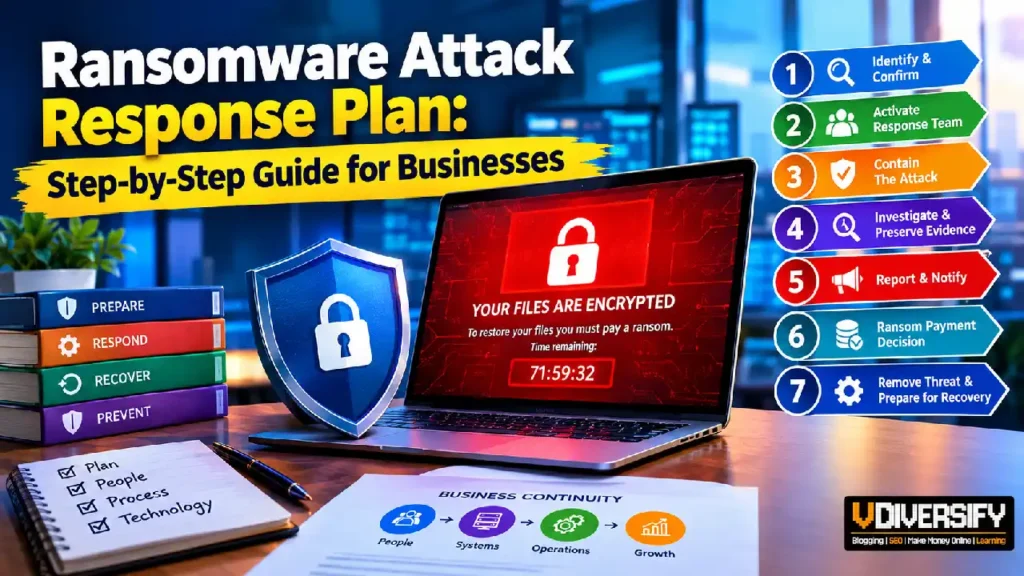
Contents
- 1. What Is a Ransomware Attack?
- 2. Why Every Business Needs a Ransomware Response Plan
- 3. What Should a Ransomware Incident Response Plan Include?
- 4. How to Prepare Before a Ransomware Attack
- 5. Step-by-Step Ransomware Incident Response During an Active Attack
- 6. Step 1: Identify and Confirm the Ransomware Incident
- 7. Step 2: Activate the Incident Response Team
- 8. Step 3: Isolate Infected Systems and Contain the Attack
- 9. Step 4: Investigate the Attack and Preserve Evidence
- 10. Step 5: Report the Incident and Notify Relevant Parties
- 11. Step 6: Evaluate the Ransom Payment Decision
- 12. Step 7: Remove the Threat and Prepare for Recovery
- 13. Preparing for the Recovery Phase
- 14. Step 8: Restore Systems Using Backup and Recovery Procedures
- 15. Step 9: Maintain Business Continuity During Recovery
- 16. Step 10: Assess Damage and Meet Legal Obligations
- 17. Step 11: Conduct a Post-Incident Review
- 18. How to Prevent Another Ransomware Attack
- 19. Ransomware Response Checklist for Businesses
- 20. Conclusion: Build a Response Plan Before Ransomware Strikes
- 21. References and Further Reading
- 22. FAQs
What Is a Ransomware Attack?
Ransomware is a type of malicious software that prevents people from accessing their files, systems, or devices until the attacker demands payment. In many cases, attackers encrypt business files and provide a ransom note containing instructions for payment. However, modern attacks often involve more than encryption.
Cybercriminals may first steal confidential information, compromise administrator accounts, disable security tools, and move through the organization’s network. They may then encrypt important files and threaten to publish stolen information if the victim refuses to pay. This method is commonly known as double extortion.
Some attackers also contact customers, employees, or business partners to increase pressure on the victim. As a result, ransomware is no longer simply a problem involving locked files. It can become a wider security incident involving data theft, operational disruption, financial loss, and legal obligations.
How Does a Ransomware Attack Happen?
Ransomware incidents often begin with a security weakness that allows an attacker to enter a business network. The exact method varies, but several entry points appear repeatedly in real-world incidents.
Common entry points include:
- Phishing emails: Employees receive messages containing malicious attachments or links to fraudulent websites.
- Stolen credentials: Attackers use compromised usernames and passwords to access email, remote access services, or business applications.
- Unpatched systems: Attackers exploit known software vulnerabilities that organizations have not corrected.
- Exposed remote access: Poorly secured remote desktop services, virtual private networks, and remote management tools can provide opportunities for unauthorized access.
- Compromised third parties: An attacker enters through a supplier, service provider, or software environment connected to the victim.
- Malicious software downloads: Employees accidentally install infected applications or tools from untrusted sources.
Once inside, attackers may spend time exploring the network before launching the ransomware. They might identify important servers, search for backup systems, obtain higher privileges, and steal valuable data.
The encryption stage may be only the final step of a much longer attack. This is why responding to a ransom note alone is not enough. Businesses must investigate how the attacker entered, what systems were accessed, and whether the attacker still has access to the environment.
Example: Imagine a US-based accounting firm receives an email that appears to come from a trusted supplier. An employee opens the attachment, allowing malware to execute on the workstation. The attacker subsequently obtains access to the employee’s account, uses stolen credentials to reach a shared file server, and attempts to access client records.
If the firm has weak access controls and no reliable monitoring, the incident may affect several departments before anyone recognizes the warning signs. If it has strong authentication, endpoint monitoring, network segmentation, and a tested response process, the security team may be able to detect and contain the activity much earlier.
Why Are Ransomware Attacks Difficult to Handle?
Ransomware attacks are challenging because businesses must often manage several problems at the same time.
First, employees may lose access to essential applications, customer records, financial systems, or production equipment. Second, the organization may not immediately know whether confidential information has been stolen. Third, the security team must investigate the incident while protecting evidence and preventing further damage.
There may also be pressure from customers, senior management, regulators, insurers, and law enforcement.
A business that reacts without a clear process may accidentally destroy useful evidence, restore infected systems, or allow attackers to retain access through compromised accounts.
A structured ransomware response helps organizations make informed decisions under pressure rather than relying on guesswork.
Why Every Business Needs a Ransomware Response Plan
Ransomware affects organizations of different sizes and across many industries. Hospitals, manufacturers, financial institutions, schools, professional services firms, retailers, and local businesses all depend on digital systems that may become targets.
Smaller organizations are not automatically safer than large enterprises. They may have fewer security specialists, limited backup resources, outdated equipment, and less time available for incident preparation. At the same time, a large organization may face a more complicated recovery because of its many interconnected applications, suppliers, offices, and business units.
The consequences extend beyond the immediate cost of repairing computers.
A serious incident can lead to:
- Business interruption: Employees cannot access the systems required to perform their jobs.
- Financial losses: Revenue may fall while recovery costs, overtime, and specialist fees increase.
- Data exposure: Confidential customer, employee, or business information may be stolen.
- Regulatory obligations: The organization may need to assess whether notification or other legal duties apply.
- Reputational damage: Customers and partners may lose confidence in the business.
- Operational delays: Orders, payments, production, and customer support may be disrupted.
- Insurance complications: Coverage may depend on policy terms, notification requirements, exclusions, and the circumstances of the incident.
The scale of cybercrime provides further reason to prepare. The FBI’s 2024 Internet Crime Report recorded more than $16 billion in reported losses across 859,532 complaints involving suspected internet crime. This figure covers internet crime broadly, not ransomware alone, but it illustrates the financial impact of cybercrime reported in the United States.
Businesses should also recognize that ransomware incidents do not always produce the same results. One organization may restore its systems within days because its backups are isolated and regularly tested.
Another may experience a much longer disruption because its backups are damaged, its recovery procedures are outdated, or its IT team cannot determine whether the attacker has been removed.
Preparation directly affects how effectively an organization can respond and recover.
What Does a Ransomware Response Plan Help a Business Achieve?
A documented plan gives employees and decision-makers a clear process to follow when an incident occurs.
Its main objectives are to:
- Protect people and essential services by identifying systems that require special handling.
- Detect and contain the attack before it spreads to additional devices or business units.
- Preserve evidence needed for investigation, insurance claims, and potential legal proceedings.
- Limit data exposure by identifying compromised accounts and systems.
- Restore critical operations through controlled recovery procedures.
- Meet reporting obligations that apply to the organization and incident.
- Prevent repeat incidents by addressing the weaknesses that allowed the attack.
The plan should also identify who has authority to make major decisions. For example, an IT administrator may isolate a compromised workstation, but a decision to shut down a critical production environment may require coordination with operations leadership and safety personnel.
Similarly, decisions involving customer notifications, public statements, and ransom demands should not be left to a single technical employee acting alone.
What Should a Ransomware Incident Response Plan Include?
An effective incident response plan should be practical enough to use during a real emergency. A document that contains general security advice but no contact details, decision-making authority, or recovery instructions is unlikely to help when employees are under pressure.
Businesses should create a plan that matches their size, technical environment, legal obligations, and operational risks.
1. Clearly Defined Roles and Responsibilities
The plan should identify the people responsible for coordinating the response.
A typical response team may include:
Role | Main responsibility |
Incident commander | Coordinates the response and tracks key decisions. |
SOC or security analyst | Investigates alerts, reviews evidence, and identifies affected systems. |
IT operations team | Isolates systems, manages infrastructure, and supports restoration. |
IT leadership | Approves major technical actions and allocates resources. |
Legal counsel | Assesses legal risks, notification duties, and evidence-handling requirements. |
Executive leadership | Makes business-level decisions and approves emergency spending. |
Communications team | Prepares consistent updates for employees, customers, and other stakeholders. |
HR representative | Supports employee communications and relevant workforce matters. |
External incident response provider | Provides specialist investigation, containment, or recovery assistance when needed. |
Not every company needs a separate employee for every role. In a small business, one person may have several responsibilities. However, the organization should still identify a primary contact and a backup for every critical function.
Contact details should be available offline. If the company’s email, identity provider, or collaboration platform is compromised, the response team may lose access to its usual communication tools.
2. An Emergency Communication Plan
Attackers may compromise corporate email accounts or monitor communication channels. The response plan should therefore explain how the team will communicate securely during an incident.
Useful preparations include:
- Maintain an emergency contact list outside the main business network.
- Identify an approved alternative communication method.
- Verify the identities of people requesting sensitive information.
- Establish procedures for executive and employee updates.
- Prepare clear messages for customers and business partners.
- Define who can approve public statements.
For example, if Microsoft 365 accounts are suspected of compromise, the response team should not automatically assume that ordinary email conversations are safe. The organization should use a previously approved alternative channel while the security team investigates the affected accounts.
3. A System and Data Inventory
Businesses cannot protect or restore systems effectively if they do not know what they own.
Maintain an inventory of:
- Servers, laptops, desktops, and mobile devices.
- Cloud applications and storage services.
- Business-critical databases and file servers.
- Network equipment and security appliances.
- Privileged accounts and service accounts.
- Backup systems and recovery infrastructure.
- Third-party services that support important business functions.
The inventory should also explain which applications depend on other systems.
For example, a retail company may need its identity service, inventory database, payment platform, and order management application to work together before it can resume normal operations.
Knowing these dependencies helps the recovery team restore systems in a sensible order rather than bringing individual applications online without considering the wider environment.
4. Backup, Recovery, and Disaster Recovery Procedures
Backups are a central part of ransomware preparedness, but simply having backup software is not enough.
Attackers may attempt to delete backups, encrypt connected storage, compromise backup administrator accounts, or damage the systems used to manage recovery. A business should therefore maintain protected backup copies and verify that its recovery process works.
A strong backup and recovery approach should include:
- Regular backups of critical data.
- Offline or appropriately isolated backup copies.
- Immutable storage where suitable.
- Separate protection for backup administration accounts.
- Documented restoration procedures.
- Regular tests using actual recovery scenarios.
- Defined recovery time objectives and recovery point objectives.
Recovery time objective (RTO) describes how quickly a business aims to restore a service after disruption. Recovery point objective (RPO) describes how much data loss, measured in time, the business can tolerate.
Suppose a company processes customer orders throughout the day. If its RPO is four hours, its recovery arrangements should aim to limit data loss to that period or less. If its RTO is eight hours, the company aims to restore the relevant service within eight hours, although actual recovery time will depend on the incident.
These targets should be realistic, documented, and tested.
The organization should also maintain a disaster recovery plan that covers the restoration of essential technology services after a major disruption. Business continuity procedures should explain how employees will continue critical work while systems remain unavailable.
For additional guidance, businesses can consult the Cybersecurity and Infrastructure Security Agency’s official StopRansomware Guide and the National Institute of Standards and Technology’s Computer Security Incident Handling guidance, SP 800-61 Revision 3.
5. Legal, Insurance, and Reporting Requirements
Before an attack happens, businesses should identify the legal and contractual requirements that could apply to a ransomware incident.
These may depend on the organization’s industry, location, type of information involved, and contractual relationships. For example, a business that handles personal information may need to determine whether the incident triggers notification duties under applicable state or federal law.
Organizations should also understand their cyber insurance policy before an emergency occurs.
Review the policy for:
- Incident reporting deadlines.
- Approved incident response providers.
- Requirements for obtaining insurer approval before engaging certain services.
- Coverage limits and deductibles.
- Applicable exclusions and conditions.
- Procedures for documenting expenses and losses.
Insurance policies differ, and coverage should never be assumed. Companies should review the actual policy with their broker, insurer, and legal advisers.
The response plan should also identify how to contact appropriate law enforcement agencies. In the United States, businesses can report suspected cybercrime through the FBI’s Internet Crime Complaint Center (IC3) and can seek assistance from relevant federal agencies as appropriate.
Reporting procedures should be documented before an incident, not researched for the first time while critical systems are unavailable.
How to Prepare Before a Ransomware Attack
Preparation is one of the most effective ways to reduce the impact of a ransomware incident. Businesses should not wait until files become inaccessible to decide who will respond, where backups are stored, or how essential services will continue operating.
The goal is to make the first hours of an incident as organized as possible. Employees should understand how to report suspicious activity, security teams should know which systems require immediate attention, and management should understand who has the authority to make urgent decisions.
Establish Strong Security Controls
Start by addressing the weaknesses that commonly allow attackers to enter business networks.
- Enable multifactor authentication (MFA): Require additional verification for email, remote access, administrator accounts, and other critical services.
- Apply security updates: Patch operating systems, business applications, network devices, and remote access services according to risk.
- Restrict administrator privileges: Give employees only the access necessary to perform their jobs.
- Secure remote access: Disable unnecessary services and use strong authentication and appropriate access restrictions.
- Protect endpoints: Deploy suitable endpoint security tools and investigate alerts rather than ignoring repeated warnings.
- Segment critical networks: Limit unnecessary connections between employee devices, servers, production systems, and backup infrastructure.
These controls work together. For example, MFA can make stolen passwords less useful to an attacker, while network segmentation can limit the attacker’s ability to move between systems if an account is compromised.
Test Backups and Recovery Procedures
A backup is useful only if the organization can restore the required information when it matters.
Schedule regular recovery tests that involve restoring selected files, databases, and business applications. Where possible, simulate a ransomware scenario in which ordinary production systems are unavailable and the response team must use protected backups.
During these exercises, verify that:
- Backup copies are available and have not been altered.
- Backup administration accounts are appropriately protected.
- Recovery instructions are accurate and accessible.
- Restored systems can operate without relying on compromised infrastructure.
- Critical applications can be recovered within agreed business targets.
Document the results and fix any problems discovered during testing.
Train Employees and Run Tabletop Exercises
Employees should know how to report suspicious emails, unexpected login prompts, unusual computer behavior, and ransom notes. Training should explain what employees must do if they suspect an incident and why they should avoid deleting evidence or attempting unapproved repairs.
Businesses should also run tabletop exercises. These are guided discussions in which participants respond to a simulated incident without actually disrupting production systems.
For example, the exercise might begin with an alert showing that multiple file servers are encrypting data. The team must decide who to notify, which systems to isolate, how to contact leadership, whether to activate business continuity procedures, and how to communicate with customers.
After the exercise, document gaps in decision-making, communication, and technical readiness. Assign owners and deadlines for correcting them.
A response plan that has never been tested may fail when the business needs it most.
With these preparations in place, an organization is better positioned to respond when suspicious activity becomes a confirmed security incident. The next stage is to move from preparation to action: identifying the attack, activating the response team, and containing the threat before it causes further damage.
Step-by-Step Ransomware Incident Response During an Active Attack
Preparation gives a business a starting point, but the real test begins when ransomware is detected. During an active incident, employees may lose access to important systems, security alerts may appear across multiple devices, and management may face pressure to restore operations immediately.
The priority is to contain the attack, protect critical information, preserve evidence, and prevent further damage. Businesses should follow a coordinated process rather than making rushed decisions based on the ransom note alone.
The following steps provide a practical framework for responding to a suspected or confirmed incident. The exact sequence may change depending on the environment. For example, isolating an infected laptop is usually straightforward, while disconnecting a hospital system or industrial control network may require additional safety and operational checks.
Step 1: Identify and Confirm the Ransomware Incident
The first step is to determine whether the organization is experiencing a ransomware attack or another type of security incident.
An organization may discover the problem through an employee complaint, an endpoint security alert, unusual file activity, or a message demanding payment. In other cases, customers or business partners may report that the company’s services are unavailable.
Recognize the Warning Signs
Common indicators include:
- Files suddenly becoming inaccessible or receiving unfamiliar extensions.
- Ransom notes appearing on computers or shared drives.
- Unusual spikes in file modification activity.
- Endpoint protection tools reporting suspicious encryption behavior.
- Unexpected administrator account activity.
- Security tools being disabled without authorization.
- Unusual connections between internal systems.
- Failed backups or unexpected changes to backup configurations.
- Unexplained data transfers to external destinations.
- Multiple employees reporting that they cannot access shared resources.
No single indicator proves that ransomware is responsible. However, several related indicators occurring at the same time should trigger an urgent investigation.
For example, if several workstations begin renaming files while the security platform reports suspicious activity under a privileged account, the security team should treat the situation as a potential major incident.
Confirm the Scope Without Delaying Containment
The incident response team should collect enough information to understand the immediate threat, but it should not delay urgent protective actions while trying to establish every detail.
Record:
- The time the incident was first detected.
- The systems and users reporting problems.
- The alerts generated by security tools.
- The ransom note or suspicious files, where safe to preserve.
- Recent changes to accounts, applications, and network configurations.
- Any evidence of data theft or unauthorized access.
Create a central incident timeline and record significant actions taken by the response team.
Important: Do not open suspicious attachments, execute unknown files, or attempt to test ransomware samples on ordinary business systems. Evidence collection should follow approved procedures, and potentially malicious files should be handled by qualified personnel in an appropriate environment.
If ransomware is actively encrypting files or spreading across the network, containment should begin immediately. A complete investigation can continue after the immediate threat has been limited.
Step 2: Activate the Incident Response Team
Once a serious incident is suspected, notify the designated incident commander and activate the organization’s incident response procedures.
A delayed response can allow attackers to compromise additional systems, damage backups, or obtain access to more sensitive information.
The incident commander should establish a clear operating structure so that technical teams, business leaders, legal advisers, and external specialists can coordinate their work.
Assign Clear Responsibilities
The team should identify who is responsible for each major activity.
Response function | Immediate responsibility |
Incident commander | Coordinates the response, priorities, and decisions. |
Security operations team | Reviews alerts, identifies affected assets, and investigates suspicious activity. |
IT infrastructure team | Isolates affected systems and assesses infrastructure dependencies. |
Identity and access team | Investigates compromised accounts and secures authentication systems. |
Legal counsel | Advises on legal exposure, reporting duties, and evidence handling. |
Executive leadership | Makes major business decisions and approves emergency resources. |
Communications team | Coordinates approved internal and external messages. |
External incident responders | Provide specialist investigation, containment, and recovery support when needed. |
In a small organization, several responsibilities may belong to the same person. The important point is that every task has a clearly identified owner.
Establish a Secure Communication Channel
Do not assume that the organization’s usual email and messaging services remain trustworthy.
If corporate accounts or cloud identity services may be compromised, attackers could potentially monitor communications or impersonate legitimate employees. Use an approved alternative channel when necessary, verify identities, and restrict sensitive information to authorized participants.
The response team should maintain a record of major decisions, including who approved them, when they were made, and why they were considered necessary.
For a major incident, management should receive regular updates covering:
- What is known about the attack.
- Which business functions are affected.
- What containment measures have been taken.
- Whether data theft is suspected.
- Which services remain available.
- What decisions require management approval.
- What the team plans to do next.
Updates should distinguish confirmed facts from assumptions. This helps prevent rumors and avoids presenting an incomplete investigation as a final conclusion.
Step 3: Isolate Infected Systems and Contain the Attack
Containment is one of the most urgent parts of ransomware response. Its purpose is to stop the attack from spreading and reduce the attacker’s ability to continue operating inside the environment.
An effective containment strategy considers both the systems already affected and the systems that may be exposed.
Perform Endpoint Isolation
Endpoint isolation means restricting a device’s network communications to prevent it from communicating with other systems while allowing approved security management or investigation functions to continue where supported.
Depending on the environment, the security team may:
- Use endpoint detection and response (EDR) tools to isolate an infected workstation.
- Disconnect an affected device from wired and wireless networks.
- Block malicious network traffic.
- Restrict access to affected file servers.
- Disable compromised accounts or revoke active sessions.
- Suspend suspicious remote access connections.
- Restrict access to critical network segments.
- Protect backup infrastructure from potentially compromised systems.
Whenever possible, use security management tools that allow the team to contain a device without unnecessarily disrupting the collection of evidence.
If remote isolation is unavailable and an endpoint is actively spreading ransomware, physically disconnecting its network connection may be appropriate. The response team should follow established procedures and consider the effect on evidence, device state, and essential services.
Avoid Containment Mistakes
Poorly planned containment can cause additional problems.
For example, disconnecting an entire production network may stop an attack but also interrupt critical operations. In a manufacturing plant, a hospital, or another environment with safety-sensitive equipment, network changes may require coordination with operational technology specialists and responsible managers.
The team should avoid making broad changes without understanding their potential consequences. However, concerns about disruption should not become an excuse for allowing an active attack to spread.
The goal is to reduce the attacker’s reach while protecting people, essential services, and evidence.
Protect Backup Systems Immediately
Backups deserve special attention because they may be the organization’s most important recovery resource.
If attackers gain access to backup management accounts or connected storage, they may attempt to delete or encrypt recovery copies. The response team should assess whether backup systems are exposed to the compromised environment.
Where necessary and technically appropriate, restrict access to backup administration interfaces, suspend suspicious backup jobs, and isolate affected management systems. Avoid deleting backups or making irreversible changes before their condition and role in recovery have been assessed.
Contain Cloud and Identity Threats
Ransomware incidents do not always remain within the office network. An attacker may use compromised accounts to access cloud storage, email, collaboration platforms, or remote management services.
The response team should examine identity logs and take appropriate action to secure affected accounts. This may include revoking sessions, resetting credentials, removing unauthorized authentication methods, and reviewing application permissions.
If an administrator account is compromised, changing only the password may not be sufficient. Investigators may also need to review active sessions, authentication tokens, delegated access, and other mechanisms that could allow the attacker to return.
Example: A professional services firm discovers ransomware on several employee laptops. The security team isolates the affected devices, restricts access to a shared file server, and disables a compromised account. During the investigation, the team discovers suspicious access to a cloud storage service. Because the response includes cloud identity controls as well as endpoint isolation, the firm can address a wider part of the attack rather than focusing only on encrypted computers.
Containment is not the end of the investigation. The next task is to establish how the attacker gained access, what happened before detection, and whether sensitive information was stolen.
Step 4: Investigate the Attack and Preserve Evidence
After immediate containment begins, the security team must investigate the incident to understand how the attacker entered, which systems were compromised, and whether sensitive information was accessed or stolen.
This process is often called incident investigation and digital forensics. It helps the organization identify the extent of the compromise and avoid restoring systems while the attacker still has access.
A ransom note does not tell the full story. Attackers may have been inside the network for hours or days before encryption began, and they may have created additional accounts or established other ways to regain access.
Determine the Initial Entry Point
Investigators should examine the evidence to identify how the incident began.
Potential sources include:
- Email security logs and suspicious messages.
- Endpoint detection and response alerts.
- Authentication and identity provider logs.
- Firewall and network security logs.
- Remote access and VPN records.
- Cloud application audit logs.
- Server and application logs.
- Vulnerability and patch management records.
- Backup system activity.
- Records of recently installed software or configuration changes.
The team should look for unusual activity before the first confirmed ransomware alert. For example, a successful login from an unfamiliar location, followed by unexpected privilege changes and unusual file access, may help explain how an attacker moved through the environment.
Investigators should also determine whether the attacker exploited a software vulnerability, used stolen credentials, or gained access through a third-party service.
Identifying the initial entry point is essential because removing the ransomware without fixing the original weakness may allow another attack.
Determine Whether Data Was Stolen
Businesses must investigate both data encryption and potential data theft.
Attackers may copy confidential information before encrypting systems. They may threaten to publish the stolen material if the victim refuses to pay, creating additional risks for customers, employees, and business partners.
The investigation should assess:
- Whether large or unusual data transfers occurred.
- Which accounts accessed sensitive files.
- Whether cloud storage or collaboration services were accessed unexpectedly.
- Whether attackers created unauthorized archive files.
- Whether external destinations received suspicious traffic.
- Whether confidential records were accessed outside normal business patterns.
Investigators should distinguish between confirmed data theft, evidence suggesting possible theft, and situations where the available evidence is insufficient to determine what happened.
For example, if an attacker accessed a database containing customer information, the business should not automatically assume every record was stolen. Equally, the absence of a clear data transfer alert does not prove that no information left the environment.
The findings should be documented so that leadership and legal advisers can assess the risks and determine whether notification obligations apply.
Preserve Digital Evidence
Evidence preservation supports forensic investigation, legal review, insurance claims, and possible law enforcement action.
The response team should preserve relevant logs, suspicious email messages, security alerts, system records, and other available evidence according to established procedures.
Where appropriate, qualified investigators may create forensic copies of affected devices or collect system memory and other volatile information. The correct method depends on the system, the incident, and the risk of disrupting evidence.
Maintain a record of:
- What evidence was collected.
- When it was collected.
- Who collected it.
- Where it is stored.
- Who has accessed it.
- What handling or analysis was performed.
This record helps establish the history and integrity of the evidence.
Do not allow evidence collection to delay urgent containment. Security teams should coordinate both activities so that they can limit damage while preserving the information needed to understand the attack.
For practical guidance, businesses can consult the NIST Computer Security Incident Handling Guide, SP 800-61 Revision 3, which provides a current framework for integrating incident response into broader cybersecurity risk management.
Step 5: Report the Incident and Notify Relevant Parties
Once the response team understands the immediate situation, the organization should determine which external parties need to be contacted and which reporting obligations may apply.
The exact requirements depend on the organization’s location, industry, contractual commitments, type of data involved, and circumstances of the incident. There is no single notification deadline that applies to every ransomware attack.
Do not wait for the investigation to finish before seeking legal advice or checking applicable reporting deadlines.
Contact Law Enforcement in the United States
Ransomware can involve extortion, unauthorized system access, financial crime, and theft of sensitive information. Businesses should consider law enforcement reporting early, especially when the incident is severe or involves threats, major financial losses, or sensitive data.
Potential reporting and assistance channels include:
- FBI Internet Crime Complaint Center (IC3): Organizations can report suspected cybercrime through the official IC3 website.
- Local FBI field office: Businesses experiencing a serious incident can contact the FBI to discuss reporting and potential assistance.
- CISA: Organizations can consult the Cybersecurity and Infrastructure Security Agency for ransomware guidance and information about available incident support.
- Relevant sector authorities: Organizations in regulated industries may have additional reporting requirements or designated contacts.
Law enforcement reporting can help investigators understand criminal activity and connect related incidents. It does not guarantee that stolen data will be recovered or that the attacker will be identified.
When contacting authorities, provide accurate information about what is known. Preserve the ransom note, relevant communications, payment instructions, and other evidence when safe to do so.
Assess Legal and Regulatory Obligations
Businesses should involve qualified legal counsel to determine whether the incident triggers reporting, notification, or other legal duties.
Depending on the circumstances, the organization may need to consider:
- Applicable state data breach notification laws.
- Federal requirements relevant to its industry or activities.
- Contractual obligations to customers and business partners.
- Privacy obligations involving personal information.
- Requirements that apply to publicly traded companies.
- Sector-specific rules affecting healthcare, financial services, or other regulated activities.
For example, a company that discovers unauthorized access to customer records should assess what information was involved, whether it was acquired by an unauthorized party, and which laws apply to the affected individuals.
Businesses subject to US Securities and Exchange Commission cybersecurity disclosure rules should also evaluate their obligations with legal counsel. Applicable reporting requirements depend on the facts and circumstances; a ransomware incident does not automatically produce the same disclosure obligation for every company.
Notify the Cyber Insurance Provider
If the business has cyber insurance, review the policy and contact the insurer through its designated reporting channel as soon as required.
Some policies specify reporting deadlines, approved service providers, or procedures for obtaining consent before engaging certain recovery services.
The insurer may help coordinate access to:
- Incident response specialists.
- Digital forensic investigators.
- Legal advisers.
- Data recovery providers.
- Crisis communication specialists.
- Other approved professional services.
However, insurance coverage varies. Businesses should confirm the actual terms of their policy rather than assuming that every incident-related cost will be reimbursed.
Maintain records of response actions, expenses, specialist engagements, and business interruption. These records can support the claims process and help management understand the full financial impact.
Communicate With Employees, Customers, and Partners
Communication should be accurate, timely, and coordinated.
Employees need to know whether they should avoid particular systems, change credentials, report suspicious messages, or follow temporary work procedures. Customers and partners may need updates if services are unavailable or their information could be affected.
The organization should designate authorized spokespeople and coordinate external statements with legal counsel.
Avoid making unsupported claims such as “no customer data was stolen” while the investigation is still underway. It is better to explain what is confirmed, what remains under investigation, and when the next update is expected.
Clear communication helps preserve trust without creating unnecessary confusion or disclosing sensitive investigative details.
Step 6: Evaluate the Ransom Payment Decision
One of the most difficult decisions during a major ransomware incident is whether to pay the ransom.
Attackers may offer a decryption tool, promise to delete stolen information, or threaten to publish confidential records. They may also impose a deadline and increase their demands if the business does not respond.
These claims are not guarantees.
Paying a ransom does not guarantee that the attacker will provide a working decryption tool, delete stolen data, or stop targeting the organization.
A business should evaluate the decision carefully, with input from executive leadership, legal counsel, qualified incident response specialists, and its insurer where applicable.
Understand the Risks of Paying
Ransom payment can introduce several risks.
- No guarantee of recovery
Attackers may provide a faulty tool, disappear after receiving payment, or supply a decryptor that cannot restore all affected files.
Even if decryption works, the organization may still need to rebuild systems, restore backups, validate data, and remove the attacker’s access.
- Stolen data may still be exposed
A criminal may claim that stolen information will be deleted after payment. The business generally has no reliable way to verify that every copy has been destroyed.
The attacker could retain the data, sell it, or use it for future extortion.
- Further financial demands
Paying once does not guarantee that the attacker will stop demanding money. The organization may face additional requests or another attack.
- Legal and sanctions concerns
Ransom payments can create legal risks depending on the parties involved and applicable sanctions requirements. Businesses should obtain qualified legal advice and appropriate sanctions screening before considering any transaction.
- Operational recovery may still be necessary
A decryption tool does not automatically repair damaged systems, correct exploited vulnerabilities, or remove malicious access mechanisms.
The business must still determine how to restore a secure and reliable operating environment.
Evaluate Alternatives Before Making a Decision
The response team should establish what recovery options are available and what consequences may follow from each option.
Consideration | Questions to ask |
Backup availability | Are clean, usable backups available for the affected systems? |
Recovery time | How long will restoration take, and which services must return first? |
Data exposure | Is there evidence that confidential information was stolen? |
Business impact | Which essential services remain unavailable, and what are the consequences? |
Decryption options | Is a trustworthy decryptor available for this ransomware variant? |
Financial impact | What are the likely recovery costs and losses from continued disruption? |
Legal risk | Have qualified advisers assessed relevant legal and sanctions concerns? |
Insurance requirements | Has the insurer been notified, and what does the policy require? |
Law enforcement | Have relevant authorities been contacted or consulted where appropriate? |
The business should also consider the impact on employees, customers, suppliers, and other parties who depend on its services.
Where appropriate, use reliable technical information and trusted decryption resources to determine whether a recovery tool exists. The No More Ransom project provides information about ransomware and offers free decryption tools for certain variants.
However, a tool that works for one ransomware family or version may not work for another. Verify the tool’s suitability and authenticity before using it.
Who Should Make the Final Decision?
A ransom payment should never be an informal decision made by an individual employee under pressure from an attacker.
The organization should follow its governance procedures and obtain advice from the relevant legal, technical, financial, and insurance professionals.
The decision should be documented, including the available alternatives, operational risks, legal considerations, and approvals obtained.
The objective is to restore operations safely and protect affected people and information—not simply to make the ransom note disappear.
Step 7: Remove the Threat and Prepare for Recovery
After containing the attack and investigating its scope, the organization must remove the attacker’s access and address the weaknesses that allowed the incident to occur.
This stage is often called eradication. Its purpose is to eliminate the malicious activity and establish a trustworthy environment before normal operations resume.
Removing an encrypted file or deleting the ransomware executable is not enough. Attackers may have created unauthorized accounts, installed remote access tools, stolen credentials, or modified system settings to maintain access.
If these issues remain unresolved, the attacker may return even after the business restores its files.
Remove Malware and Unauthorized Access
The security and IT teams should use the investigation findings to identify and remove malicious components.
Depending on the incident, this may involve:
- Removing malicious software and unauthorized tools.
- Rebuilding compromised computers from trusted installation media.
- Reinstalling or restoring servers where necessary.
- Removing unauthorized accounts and access permissions.
- Securing compromised administrator and service accounts.
- Revoking suspicious sessions and authentication tokens.
- Removing unauthorized remote access mechanisms.
- Correcting exploited software vulnerabilities.
- Reviewing scheduled tasks, startup entries, and other persistence mechanisms.
- Verifying that security tools have not been disabled or tampered with.
The appropriate action depends on the evidence. A system that has been deeply compromised may need to be rebuilt rather than cleaned manually.
Reset Credentials and Secure Identity Systems
Compromised credentials are a common way for attackers to maintain access.
The response team should identify potentially affected accounts and reset credentials using a controlled process. Privileged accounts, remote access accounts, service accounts, and accounts used by backup systems deserve particular attention.
Where necessary, the team should also revoke active sessions, invalidate exposed tokens, remove unauthorized authentication methods, and review access permissions.
Changing passwords alone may not resolve the problem if an attacker still controls an active session or has compromised the identity infrastructure itself.
If the organization’s identity provider or domain infrastructure has been compromised, recovery may require specialist assistance and a carefully planned rebuilding process.
Verify That the Environment Is Safe
Before restoring affected systems to normal operation, confirm that the attacker no longer has an identified path back into the environment.
The team should verify that:
- The initial entry point has been addressed.
- Known malicious tools and persistence mechanisms have been removed.
- Compromised credentials and access tokens have been handled.
- Critical systems have been patched or rebuilt where necessary.
- Security monitoring is functioning correctly.
- Backup infrastructure is protected.
- Network access restrictions are appropriate.
- Investigation findings have been incorporated into recovery decisions.
Continue monitoring for suspicious activity during and after restoration.
Eradication is complete only when the organization has addressed the identified causes and remaining access paths to a reasonable, evidence-based standard. Absolute certainty may not always be possible, but the team should document what it verified and any unresolved risks.
Example: Preparing a Business for Safe Restoration
Consider a US-based logistics company whose file servers were encrypted after an attacker compromised a remote access account.
The company isolates the affected servers and begins investigating. The team discovers that the attacker also created an unauthorized account and accessed a management server.
If the company simply restores its file server from backup, the attacker may still be able to access the network through the compromised account or management server.
Instead, the company secures the remote access environment, removes the unauthorized account, resets affected credentials, rebuilds compromised systems, and verifies its security controls before beginning the main restoration process.
This approach takes more planning, but it reduces the risk of repeating the same incident immediately after recovery.
Preparing for the Recovery Phase
By the end of the initial response, the organization should have a documented understanding of the affected systems, the likely entry point, the containment actions taken, and the remaining security risks.
The next challenge is to restore business services without reintroducing the threat.
Recovery requires more than copying files back onto computers. Businesses must validate backups, prioritize essential applications, verify system integrity, and coordinate technology restoration with business continuity arrangements.
The response team should also agree on how it will monitor restored systems and respond if additional malicious activity appears.
A successful recovery is not simply the point at which employees can log in again. It is the point at which the organization can resume essential operations with an acceptable level of security and reliability.
Step 8: Restore Systems Using Backup and Recovery Procedures
After the attack has been contained, the investigation has established the scope of the compromise, and the team has addressed the known entry points, the organization can begin restoring its systems.
The goal is to bring essential services back online without reintroducing malware or allowing the attacker to regain access. This requires a controlled restoration process, verified backups, secure system configurations, and continuous monitoring.
Never assume that a backup is safe simply because it exists. Backups may have been created after the attacker entered the network, may contain compromised files, or may have been altered during the incident.
Identify and Validate Clean Backups
Begin by identifying backup copies that are believed to predate the compromise and are protected from unauthorized modification.
The recovery team should establish:
- When each backup was created.
- Which systems and data it contains.
- Whether the backup environment was exposed to the attacker.
- Whether the backup can be accessed and restored successfully.
- Whether the restored data passes integrity checks.
- Whether the backup contains malware or other signs of compromise.
Use isolated recovery environments where appropriate to inspect and restore data before reconnecting it to production systems.
For example, a company might discover that its latest backup was created shortly before the ransomware encrypted its file server. The team should still investigate whether the attacker had already compromised the server when that backup was made.
A backup that contains the original data but also includes compromised configurations or malicious files may require additional inspection before use.
Restore Systems in the Right Order
Businesses should prioritize recovery according to operational importance and technical dependencies.
A typical recovery sequence might include:
- Core infrastructure: Restore the essential network, identity, and security services needed to support recovery.
- Critical business applications: Recover the systems required for essential transactions and daily operations.
- Important data repositories: Restore databases, shared files, and other business information.
- Employee workstations: Rebuild and reconnect user devices after appropriate security checks.
- Lower-priority systems: Restore remaining applications according to business needs and available resources.
The exact sequence depends on the organization. For example, a healthcare provider may prioritize systems needed for patient care, while a retailer may focus on payment processing, inventory, and order management.
Recovery priorities should be based on the business impact analysis prepared before an incident, not on which systems are easiest to restore.
Rebuild Compromised Systems When Necessary
In some incidents, restoring individual files is not enough.
If an operating system, server, or identity service has been deeply compromised, rebuilding it from trusted installation media and applying secure configurations may be safer than attempting to remove every trace of the attack manually.
The recovery team should:
- Install trusted operating systems and applications.
- Apply security updates before reconnecting systems.
- Restore only the data and configurations required.
- Reapply approved security policies.
- Configure endpoint protection and logging.
- Verify access permissions.
- Test critical application functions.
- Confirm that systems communicate only with authorized services.
Document important recovery actions so that the organization can demonstrate how systems were rebuilt and validated.
Understand the Role of Data Decryption
Ransomware may encrypt files using cryptographic methods that make the original data inaccessible without the appropriate decryption key.
In some cases, a security researcher or law enforcement partner may have identified a weakness in the ransomware or obtained information that enables a legitimate decryption tool to work. However, there is no universal tool that can decrypt every ransomware variant.
Before attempting decryption, identify the ransomware family when possible and consult reputable sources. The No More Ransom project offers information about ransomware and free decryption tools for certain variants.
Even when a suitable tool exists, test it on copies of affected files and follow specialist guidance. Incorrect handling can damage data or complicate recovery.
Where backups are available, restoring clean data may be the more reliable option. Some organizations may need a combination of backup restoration, file recovery, and legitimate decryption tools.
Test Before Returning Systems to Production
A restored system should not automatically be considered safe.
Before returning it to normal operation, verify that:
- The operating system and applications function correctly.
- Security tools are installed and reporting properly.
- Access permissions are appropriate.
- Required security patches are applied.
- Sensitive data is intact.
- Critical business transactions work as expected.
- No known malicious processes or unauthorized accounts remain.
- Monitoring shows no unexplained suspicious activity.
Reconnect systems gradually when appropriate, observing security alerts and system behavior as each group returns to service.
If suspicious activity reappears, pause the affected restoration activity and investigate before proceeding.
Step 9: Maintain Business Continuity During Recovery
Restoring technology may take hours, days, or longer, depending on the severity of the attack and the organization’s recovery capabilities.
During this period, the business still needs to serve customers, support employees, fulfill orders, and meet essential obligations. This is where business continuity becomes especially important.
Business continuity planning focuses on keeping critical activities running during a disruption. Disaster recovery focuses more directly on restoring the technology, infrastructure, and data needed to support those activities.
Both are necessary during a major ransomware incident.
Identify Essential Business Functions
Start by identifying the activities that must continue even if normal systems are unavailable.
Examples include:
- Processing urgent customer requests.
- Managing payments and essential financial transactions.
- Maintaining employee and supplier communications.
- Supporting critical healthcare or safety-related services.
- Fulfilling high-priority orders.
- Meeting legal and regulatory deadlines.
- Providing customer support.
Business leaders should decide which activities take priority and what temporary procedures can be used while systems are restored.
For example, a distribution company may use an approved manual process to record urgent orders while its order management platform is unavailable. When the platform returns, staff can reconcile the temporary records against the restored system.
Manual workarounds should be controlled and documented. Unstructured spreadsheets, personal email accounts, or unauthorized file-sharing services can create additional security and data protection risks.
Establish Recovery Time and Data Loss Targets
Two important measures help organizations plan for service restoration.
Recovery time objective (RTO) is the target time within which a system or business function should be restored after disruption.
Recovery point objective (RPO) is the maximum amount of data loss, measured in time, that the organization is prepared to tolerate.
Consider an online retailer that sets an RTO of six hours for its order processing system and an RPO of one hour.
These targets mean the business aims to restore the service within six hours and limit data loss to approximately one hour of transactions. The actual outcome depends on the incident and the recovery capabilities in place.
The company should test whether its backup frequency, infrastructure, staff availability, and restoration procedures can meet those targets.
If the targets cannot be achieved, management must either improve the recovery arrangements or formally reassess the business requirements.
Communicate With Employees and Customers
During recovery, communication should explain what services are affected, what temporary arrangements are available, and when the next update is expected.
Avoid promising a specific restoration time unless the technical team has a reasonable basis for that estimate.
If customer information may have been exposed, coordinate communications with legal counsel and other relevant advisers. Explain confirmed facts clearly, avoid speculation, and provide appropriate guidance to affected individuals where required.
Businesses should also inform suppliers and service providers when the incident affects shared operations or requires coordinated recovery actions.
A clear communication process reduces confusion and helps employees and customers make informed decisions while services remain disrupted.
Step 10: Assess Damage and Meet Legal Obligations
Once critical systems are returning to service, the organization must assess the full impact of the incident.
This assessment should consider more than the number of encrypted devices. It should address potential data theft, unauthorized access, financial losses, business interruption, contractual issues, and any obligations arising from the incident.
Determine What Information Was Affected
Investigators should establish which systems and information were exposed, altered, encrypted, or potentially stolen.
Depending on the environment, affected information may include:
- Customer contact details.
- Employee records.
- Financial information.
- Business contracts.
- Intellectual property.
- Healthcare information.
- Authentication credentials.
- Supplier and partner records.
Distinguish between information known to have been accessed, information known to have been exfiltrated, and information that may have been exposed but cannot be confirmed.
These distinctions matter because they influence the risk assessment, recovery priorities, and legal response.
Review Applicable Notification Requirements
US businesses may be subject to different notification rules depending on their industry, the type of information involved, the people affected, and the applicable state and federal laws.
For example, a company handling protected health information may need to assess the requirements of the Health Insurance Portability and Accountability Act (HIPAA), while a publicly traded company may need to evaluate applicable SEC disclosure rules.
Other organizations may have contractual obligations requiring them to notify customers or business partners within specified periods.
Legal counsel should assess the facts and determine which requirements apply. The business should document the reasoning behind its decisions and retain evidence supporting its conclusions.
A ransomware incident does not automatically create the same reporting obligations for every business. The organization must evaluate the actual circumstances and relevant legal requirements.
Document Financial and Operational Losses
Accurate records help management understand the impact of the incident and support insurance claims, financial reporting, and future planning.
Track costs such as:
- Incident response and forensic services.
- System rebuilding and recovery.
- Emergency technology purchases.
- External legal and communications support.
- Employee overtime.
- Lost revenue and interrupted operations.
- Customer support and notification expenses.
- Additional security controls implemented after the attack.
The organization should coordinate with its insurer and finance team to retain relevant invoices, contracts, incident timelines, and supporting records.
This information can also help justify future investments in security monitoring, backup infrastructure, staff training, and recovery testing.
Step 11: Conduct a Post-Incident Review
Restoring systems is an important milestone, but it does not mean the response is complete.
A post-incident review helps the organization understand what happened, evaluate the effectiveness of its response, and identify changes that can reduce the likelihood or impact of another attack.
The review should focus on evidence and improvement rather than blaming individual employees. Even when someone makes a mistake, the organization should examine whether its training, technical controls, and reporting procedures were sufficient to prevent that mistake from becoming a major incident.
Identify What Went Wrong
Review the attack from initial access through containment and recovery.
Questions to consider include:
- How did the attacker first gain access?
- Which security controls failed or were missing?
- How long did the attacker remain undetected?
- Were there warning signs that the team overlooked?
- Did the attacker obtain administrator privileges?
- Were backups accessible to the attacker?
- Was sensitive information stolen?
- Did employees know how to report suspicious activity?
- Were response responsibilities clear?
- Did the team communicate securely?
- Were legal and insurance contacts notified appropriately?
- Did recovery meet the organization’s targets?
Use logs, forensic findings, incident timelines, and team feedback to support the conclusions.
For example, an investigation might reveal that attackers entered through a remote access service that lacked adequate authentication controls. The organization may then decide to enforce MFA, restrict access to approved devices, improve monitoring, and review other externally accessible services.
Evaluate the Response Process
The organization should assess whether its incident response procedures worked as intended.
Useful measures include:
Measure | What it helps evaluate |
Time to detect | How quickly suspicious activity was identified. |
Time to contain | How long it took to limit the attack’s spread. |
Time to restore | How long essential services remained unavailable. |
Backup recovery success | Whether protected backups could be restored successfully. |
Systems affected | The scale of the operational impact. |
Data exposure | Whether sensitive information was accessed or stolen. |
Communication effectiveness | Whether decision-makers received accurate, timely updates. |
Action completion rate | Whether corrective measures were implemented after the incident. |
These measures should be interpreted in context. A severe incident involving multiple environments will not necessarily have the same recovery timeline as an attack limited to a single workstation.
The goal is to understand where the organization performed well and where its response needs improvement.
Create a Corrective Action Plan
Every significant finding should lead to a clear action where appropriate.
For each action, identify:
- The problem to be addressed.
- The corrective measure.
- The person or team responsible.
- The required resources.
- A realistic completion date.
- The method used to verify completion.
Prioritize issues according to their potential business impact and the likelihood of exploitation.
Critical weaknesses affecting identity systems, backup infrastructure, or externally accessible services should generally receive urgent attention.
Review the incident response plan after the investigation and update it with relevant lessons. Test the revised procedures to confirm that the changes work in practice.
A post-incident review is valuable only when its findings lead to measurable improvements.
How to Prevent Another Ransomware Attack
No security control can guarantee that an organization will never experience ransomware. However, combining preventive measures, detection capabilities, restricted access, and reliable recovery procedures can significantly improve resilience.
Businesses should treat ransomware prevention as an ongoing process rather than a one-time technology purchase.
Strengthen Identity and Access Security
Compromised accounts can provide attackers with access to email, cloud applications, remote access services, and internal systems.
Organizations should:
- Enforce MFA, particularly for privileged and remote access.
- Remove unnecessary administrator privileges.
- Use separate administrator accounts for administrative tasks.
- Review access permissions regularly.
- Disable accounts promptly when they are no longer required.
- Monitor unusual authentication activity.
- Protect service accounts and other non-human identities.
- Review third-party access and remove unnecessary permissions.
Where supported, phishing-resistant authentication methods can provide stronger protection against credential theft and certain types of authentication attacks.
Keep Systems Updated and Reduce Exposure
Unpatched vulnerabilities can allow attackers to gain access or increase their privileges.
Maintain an accurate inventory of assets and prioritize patching according to the severity of vulnerabilities, exposure of the affected system, and the potential business impact.
Pay particular attention to internet-facing systems, remote access services, identity infrastructure, and critical business applications.
Disable unnecessary services and remove software that is no longer supported.
For systems that cannot be patched immediately, use appropriate compensating controls, such as restricting network access, disabling vulnerable functions where possible, and increasing monitoring.
Use Endpoint Detection and Centralized Monitoring
Traditional antivirus remains useful, but businesses may need additional capabilities to detect suspicious activity that does not match known malware signatures.
Endpoint detection and response (EDR) tools can help identify unusual behavior, investigate endpoint alerts, and isolate affected devices. Security information and event management (SIEM) platforms can collect and correlate logs from multiple sources, helping analysts identify activity that may be difficult to recognize on a single system.
Useful monitoring sources include:
- Endpoint security alerts.
- Authentication logs.
- Firewall and network activity.
- Cloud application audit records.
- Remote access connections.
- Privileged account changes.
- Backup administration events.
- Data transfer activity.
These tools work best when the organization has defined response procedures and staff who can investigate alerts. Buying a security platform without monitoring it properly does not provide the same protection as an operational detection and response capability.
Smaller businesses that cannot maintain a full-time security team may consider a managed security service or managed detection and response provider, depending on their needs, budget, and risk profile.
Protect Backups From Attackers
Maintain multiple backup copies using a strategy appropriate for the business.
A common approach is the 3-2-1 backup rule:
- Keep at least three copies of important data.
- Store copies on at least two different types of storage media.
- Keep at least one copy off-site.
For ransomware resilience, organizations should also consider whether at least one recovery copy is offline, immutable, or otherwise isolated from ordinary production credentials and administrative access.
The exact architecture depends on the business environment, but backup security must account for the possibility that an attacker will compromise both production systems and backup management tools.
Test recovery regularly and make sure the people responsible for restoration know how to use the available backups.
Segment Networks and Restrict Lateral Movement
Network segmentation limits unnecessary communication between systems and helps reduce the potential spread of an attack.
For example, employee workstations should not automatically have unrestricted access to backup management systems or critical servers.
Businesses should review which systems need to communicate and restrict unnecessary connections. Privileged management interfaces should be accessible only through approved paths.
Segmentation is especially important in environments that combine office networks, cloud infrastructure, production systems, and operational technology.
Train Employees and Test the Response Plan
Employees should understand how to recognize suspicious messages, report unusual system behavior, and avoid unauthorized software.
Training should be reinforced through regular exercises and clear reporting procedures. Employees must know that reporting a suspected incident promptly is more important than worrying about embarrassment or punishment.
Organizations should also test their response plans through tabletop exercises, technical simulations, and controlled recovery tests.
These exercises help reveal gaps before a real attacker can exploit them.
Use Cybersecurity Frameworks to Guide Improvement
Organizations that need a structured approach to cybersecurity risk management can use the NIST Cybersecurity Framework 2.0.
The framework organizes cybersecurity activities around six functions: Govern, Identify, Protect, Detect, Respond, and Recover.
These functions provide a useful structure for ransomware preparedness:
- Govern: Establish responsibilities, policies, and risk oversight.
- Identify: Understand critical assets, business processes, and dependencies.
- Protect: Implement safeguards that reduce the likelihood and impact of an attack.
- Detect: Identify suspicious activity quickly.
- Respond: Contain incidents, investigate evidence, and coordinate decisions.
- Recover: Restore essential services and improve resilience.
Organizations can adapt these practices to their size and risk profile instead of attempting to implement every possible security control at once.
Ransomware Response Checklist for Businesses
The following checklist summarizes the most important actions to prepare for, manage, and recover from a ransomware incident.
Before an Attack
- Document the incident response plan.
- Assign primary and backup response contacts.
- Maintain an inventory of critical systems and data.
- Enable MFA for important accounts and remote access.
- Apply security updates according to risk.
- Restrict administrator privileges.
- Deploy appropriate endpoint security and monitoring.
- Protect backup systems from unauthorized access.
- Test backup restoration and recovery procedures.
- Establish business continuity arrangements.
- Review cyber insurance and reporting requirements.
- Train employees to recognize and report suspicious activity.
- Conduct incident response exercises.
During an Attack
- Activate the incident response team.
- Identify affected systems and assess immediate risks.
- Isolate infected devices and contain suspicious connections.
- Protect backup infrastructure.
- Secure compromised accounts and access sessions.
- Preserve relevant logs and other evidence.
- Investigate the initial entry point and possible lateral movement.
- Assess whether sensitive data was accessed or stolen.
- Contact legal counsel and the insurer as appropriate.
- Evaluate law enforcement reporting and other notification obligations.
- Coordinate communications through authorized channels.
- Document major decisions and actions.
After an Attack
- Remove malicious software and unauthorized access mechanisms.
- Address the weaknesses that enabled the attack.
- Rebuild compromised systems where necessary.
- Verify the integrity of backup copies.
- Restore critical systems in a controlled order.
- Validate security controls before returning systems to normal operation.
- Monitor restored systems for suspicious activity.
- Assess data exposure and applicable legal obligations.
- Document financial losses and recovery expenses.
- Conduct a post-incident review.
- Assign owners and deadlines for corrective actions.
- Update the incident response plan and test the improvements.
Businesses should adapt this checklist to their environment, operational requirements, and applicable legal obligations. It is a starting point, not a substitute for a tested, organization-specific response plan.
Conclusion: Build a Response Plan Before Ransomware Strikes
Ransomware can disrupt business operations, expose confidential information, and create serious financial and legal challenges. The damage often extends beyond encrypted files, especially when attackers steal sensitive data, compromise administrator accounts, or retain access to critical systems.
The most effective way to manage this risk is to prepare before an incident occurs. Businesses need clear response procedures, strong access controls, reliable backups, effective security monitoring, and trained employees who understand what to do when something goes wrong.
When an attack happens, rapid containment, careful investigation, and controlled recovery should guide the response. Organizations should preserve evidence, secure compromised accounts, assess potential data exposure, and involve appropriate technical, legal, insurance, and law enforcement contacts. They should also avoid assuming that paying a ransom will restore their systems or protect their information.
Recovery must go beyond making computers operational again. Businesses need to verify that compromised systems are secure, restore trustworthy data, meet applicable obligations, and monitor their environments for signs of further malicious activity.
Finally, every significant incident should lead to improvement. A thorough review can reveal weaknesses in technology, employee training, communication, and recovery procedures that might otherwise remain unnoticed.
The best time to prepare for ransomware is before the first warning sign appears. Document your procedures, test your backups, train your response team, and make sure every critical business function has a recovery plan.
Start by reviewing your organization’s current readiness. Identify the three most important systems your business cannot afford to lose, confirm that their data can be restored from protected backups, and assign clear responsibilities for responding if those systems are compromised.
That simple exercise can help turn a general security policy into a practical plan your organization can rely on during a real incident.
References and Further Reading
The following authoritative resources provide additional guidance for organizations developing, testing, and improving their security and recovery procedures.
- CISA — StopRansomware Guide: Practical recommendations for ransomware prevention, response, and recovery.
CISA StopRansomware Guide - NIST — Computer Security Incident Handling Guide, SP 800-61 Revision 3: Guidance on integrating incident response into cybersecurity risk management.
NIST SP 800-61 Revision 3 - NIST — Cybersecurity Framework 2.0: A framework for managing cybersecurity risks across an organization.
NIST Cybersecurity Framework - FBI — Internet Crime Complaint Center: The official US portal for reporting suspected internet crime.
FBI IC3 - FBI — 2024 Internet Crime Report: Information about reported internet crime complaints and losses in the United States.
FBI Internet Crime Report announcement - Verizon — Data Breach Investigations Report: Research into data breaches, attack patterns, and cybersecurity risks.
Verizon Data Breach Investigations Report - No More Ransom: Information about ransomware and free decryption tools for certain ransomware variants.
No More Ransom Project - US Securities and Exchange Commission — Cybersecurity: Information about cybersecurity risk management and disclosure requirements for regulated public companies.
SEC Cybersecurity Resources - US Department of Health and Human Services — HIPAA: Official information about healthcare privacy, security, and breach notification requirements.
HHS HIPAA Resources - CISA — Cybersecurity Performance Goals: A set of prioritized cybersecurity practices that organizations can use to strengthen their security posture.
CISA Cross-Sector Cybersecurity Performance Goals
These references support further research and implementation. Organizations should consult current official guidance and qualified advisers when making decisions involving incident handling, legal obligations, insurance coverage, or ransom payments.
FAQs
What is the first thing a business should do after discovering ransomware?
The business should activate its incident response procedures and begin containing the attack. This generally involves identifying affected systems, isolating infected devices where appropriate, and protecting other critical systems and backups.
The response team should preserve relevant evidence and investigate the scope of the incident. It should also contact the appropriate internal decision-makers and external specialists when necessary.
The organization should avoid rushing into restoration before determining whether the attacker still has access.
Should an infected computer be turned off?
Not automatically. If a computer is actively spreading ransomware, disconnecting it from the network may be an urgent priority. However, immediately powering it off can destroy volatile evidence that investigators may need.
The response team should follow established containment and evidence-handling procedures. If the threat is actively spreading and immediate isolation is necessary, limiting further damage takes priority, with evidence preservation coordinated as circumstances permit.
For organizations without in-house specialists, qualified incident responders can help determine the safest course of action.
Should a business pay a ransomware demand?
There is no universal answer, but paying does not guarantee recovery or prevent stolen information from being disclosed.
Before making a decision, the organization should evaluate backup availability, recovery options, operational consequences, potential data exposure, legal considerations, sanctions risks, and insurance requirements.
The decision should involve appropriate business leadership, legal counsel, and qualified incident response professionals. Businesses should not assume that payment is the fastest or safest route to recovery.
How long does ransomware recovery take?
Recovery time depends on the severity of the attack, the number of affected systems, the availability of clean backups, the complexity of the infrastructure, and whether sensitive information was stolen.
A limited incident affecting a few endpoints may be resolved much faster than an incident involving identity systems, critical servers, cloud environments, or production operations.
Businesses can improve recovery speed by defining realistic recovery objectives, protecting backups, documenting dependencies, and regularly testing restoration procedures.
Can encrypted files be recovered without paying?
Yes, in some cases. Businesses may recover files from clean backups, use legitimate decryption tools for supported ransomware variants, or restore information from other trusted copies.
However, some ransomware uses encryption methods for which no publicly available decryptor exists. Recovery options also depend on whether the attacker damaged backups or compromised the underlying systems.
The organization should identify the ransomware variant when possible, investigate available recovery methods, and avoid using untrusted tools that could introduce additional malware or damage files.
Who should a US business contact after a ransomware attack?
The organization should activate its internal response team and consider contacting its cyber insurer, legal counsel, and qualified incident response specialists.
Depending on the circumstances, it may also report the incident to the FBI through its Internet Crime Complaint Center or contact the appropriate FBI field office. CISA provides additional guidance through its StopRansomware resources.
The business should also assess whether its industry, contracts, or applicable laws require notification to other authorities, customers, employees, or business partners.
What is the difference between incident response and disaster recovery?
Incident response focuses on identifying, containing, investigating, and managing a security incident.
Disaster recovery focuses on restoring the systems, applications, infrastructure, and data needed to resume operations after a major disruption.
The two activities overlap during ransomware recovery. Incident response helps establish whether the environment is safe, while disaster recovery provides the procedures for restoring essential services.
Business continuity complements both by helping the organization maintain critical activities while normal systems are unavailable.
How often should a business test its ransomware response plan?
The organization should review its plan regularly and whenever important changes occur in its systems, personnel, suppliers, or risk environment.
Tabletop exercises can help verify that decision-makers understand their responsibilities, while technical recovery tests can confirm that backups and restoration procedures work as intended.
The appropriate frequency depends on business risk, regulatory requirements, and operational complexity. The important point is to test the plan often enough to identify problems before a real incident occurs.

“Hey, I am Sachin Ramdurg, the founder of VDiversify.com.
I am QA/QC Manager, Certified Lead Auditor and Quality Champion. I am an Engineer and Passionate Blogger with a mindset of Entrepreneurship. I have been experienced in Blogging for more than 15+ years and following as a youtuber along with blogging, online business ideas, affiliate marketing, and make money online ideas since 2012.