
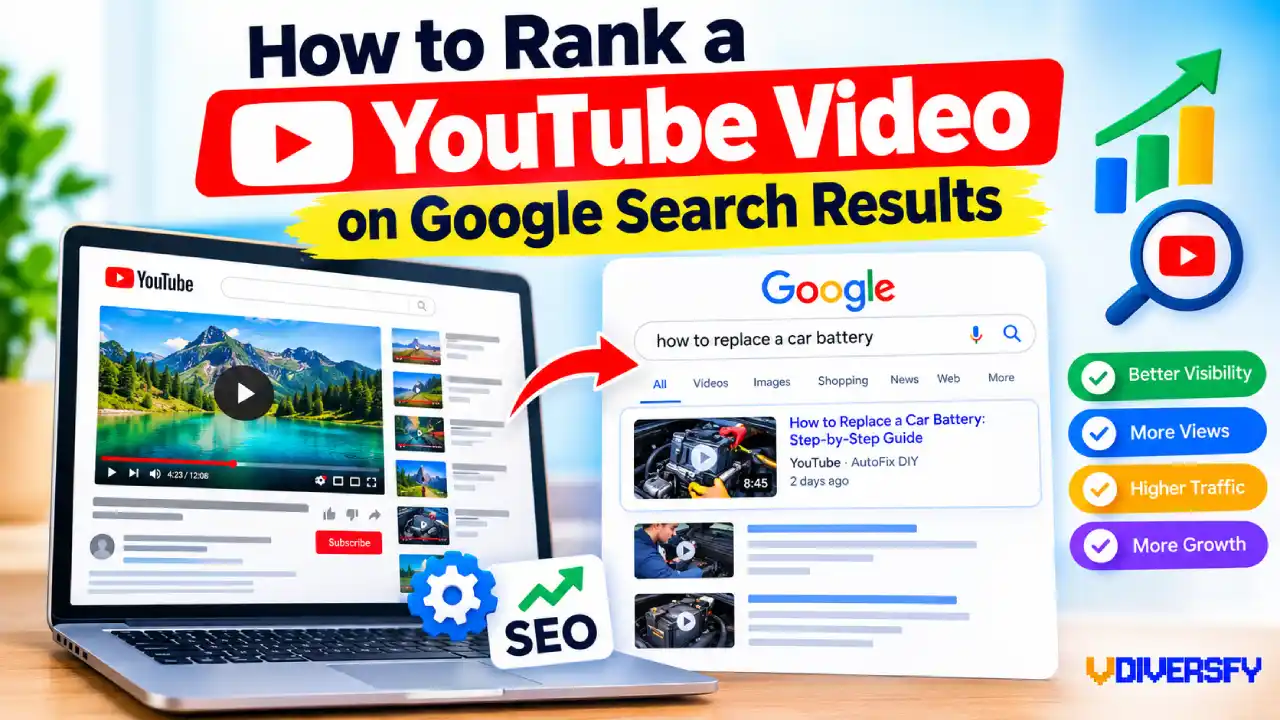
If you want to understand how to rank a youtube video on google, the first thing to know is that ranking on YouTube and appearing in Google Search are related but different goals.
A video can perform well on YouTube and receive thousands of views without getting meaningful traffic from Google, while another video with a smaller YouTube audience can appear prominently in Google for a useful search query.
The difference usually comes down to search intent, video relevance, content quality, technical accessibility, and whether Google believes a video is the right format for that particular search.
Google can show videos in several places, including the main Search results, Video mode, Google Images, and Discover. This means YouTube videos have opportunities to reach people beyond YouTube itself. Google also explains that video content needs to be discoverable and indexable before it can become eligible for video-related search features.
That creates an important opportunity for bloggers, website owners, content creators, businesses, and SEO professionals. Instead of treating a YouTube upload as an isolated piece of content, you can build a video around a real search demand and then optimize the video and its supporting content so that both YouTube and Google can understand what it is about.
This guide explains the process from the beginning, including how to choose topics with video potential, understand Google’s video results, create useful videos, optimize titles and thumbnails, improve descriptions, and build content that gives your video a better chance of being discovered.
Contents
- 1 How Google Ranks YouTube Videos
- 2 Find Keywords With Google Video Potential
- 3 Create a Video That Deserves to Rank
- 4 YouTube Title Optimization
- 5 Optimize the Thumbnail for More Clicks
- 6 Make the Video Useful From Beginning to End
- 7 Why Google Video Results Are Different From YouTube Results
- 8 Build for People First, Then Optimize for Search
- 9 The Foundation of a Google-Friendly Video
- 10 Optimize the YouTube Video Before Publishing
- 11 Write a Search-Friendly YouTube Description
- 12 Use YouTube SEO Tags Correctly
- 13 Make the Spoken Content Clear
- 14 Create an Accurate Video Transcript
- 15 Add Chapters and Key Moments
- 16 Embed the Video on a Relevant Website Page
- 17 Use Video Schema Markup
- 18 Do Not Use Structured Data as a Shortcut
- 19 Create a Video Sitemap When Appropriate
- 20 Make Sure Google Can Index the Video
- 21 Understand the Difference Between Video Indexing and Ranking
- 22 Build a Strong Supporting Page
- 23 Connect the Video With Your Broader Content
- 24 Use Internal Links Around Video Content
- 25 Add Original Information Around Embedded Videos
- 26 Optimize for Mobile Viewers
- 27 Think Beyond the YouTube Upload
- 28 Prepare the Video for Google’s Different Search Surfaces
- 29 The Role of Search-Friendly Video Metadata
- 30 A Practical Example: Ranking a Tutorial Video
- 31 What to Do Before You Publish
- 32 Understand Video Engagement and Viewer Satisfaction
- 33 Improve the First 30 Seconds
- 34 Do Not Confuse YouTube Engagement With a Guaranteed Google Ranking Signal
- 35 Use Google Search Console to Measure Website Video Visibility
- 36 Use the Video Indexing Report
- 37 Optimize for Google Video Search Results
- 38 Create Content for AI Overviews and Modern Search Experiences
- 39 Optimize for AEO, GEO, and LLM Search Without Chasing Tricks
- 40 Build Topical Authority Around Your Video
- 41 Use External References Carefully
- 42 Keep Product Recommendations Relevant
- 43 Avoid These Common Video SEO Mistakes
- 44 A Complete YouTube-to-Google SEO Workflow
- 45 The Complete Google Video SEO Checklist
- 46 How Long Does It Take for a YouTube Video to Rank on Google?
- 47 What If Your Video Is Not Ranking?
- 48 A Simple Example of the Entire Strategy
- 49 The Most Important Principle to Remember
- 50 Final Thoughts
How Google Ranks YouTube Videos
Google does not have a simple formula such as “put the keyword in the title and your YouTube video will rank.” Search systems consider many signals and attempt to show results that best satisfy the user’s query.
This is especially important for video.
Someone searching for “how to change a car battery” may benefit from watching someone perform the process. Someone searching for “2026 federal tax brackets” may initially prefer a table or official government page. The format that best satisfies the search can therefore be different from one query to another.
Google’s current guidance emphasizes helpful, reliable, people-first content rather than content created primarily to manipulate rankings. Google also says that creators should focus on original information, accuracy, effort, expertise, and providing a satisfying experience.
For video creators, this means SEO should begin with the viewer rather than with a list of keywords.
Relevance Comes First
Google needs to understand what your video is about.
It can use information from the video page, metadata, structured data, and other available signals to understand the content. For YouTube videos, the title, description, spoken content, captions, thumbnail, and surrounding context can all contribute to how clearly the topic is understood.
For example, imagine two videos:
Video A:
“MY CRAZY WEEKEND!!!”
Video B:
“How to Replace a Car Battery: Step-by-Step Guide”
If someone searches for “how to replace a car battery,” the second video gives Google a much clearer indication of its subject.
The lesson is simple: make the topic obvious without making the content sound robotic.
You should not repeat the same keyword ten times. Instead, explain the subject naturally and cover the related questions a real viewer would expect.
Search Intent Matters More Than Keyword Repetition
Search intent is the reason behind a search.
Consider these examples:
Search Query | Likely Intent | Video Potential |
how to install a ceiling fan | Learn a process | Very high |
how to use Google Search Console | Learn a process | Very high |
best cameras for beginners | Compare products | High |
Apple stock price today | Get current information | Low to variable |
what is a meta description | Learn a definition | Medium |
Walmart near me | Find a location | Very low |
A video can technically be relevant to a keyword and still fail to perform because the searcher does not actually want a video.
This is one of the biggest mistakes beginners make.
They find a keyword with high search volume, create a video around it, and assume that traffic will follow. But search volume alone does not create video traffic.
A better approach is to look for search demand plus video intent.
Find Keywords With Google Video Potential
Before recording your video, search your target topic on Google.
Do not rely entirely on a keyword tool.
Type the query into Google and examine what actually appears.
Look for:
- YouTube videos
- Video carousels
- Video thumbnails
- Short-form video results
- How-to results
- Key moments
- Video results near the top of the page
- Multiple videos competing for the same query
If Google consistently displays videos for a particular query, that is a strong clue that video is useful for that search.
Ahrefs has long highlighted this approach: a topic is more attractive for video SEO when there is both search demand and video intent. Its research also points out that having millions of YouTube views does not automatically mean a video will receive Google search traffic.
Use Google as Your First Research Tool
Suppose you run a home improvement channel and want to create a video.
You could target:
“How to fix a leaking kitchen faucet.”
Search that phrase on Google.
If you see several videos, step-by-step guides, and video-rich results, you have evidence that users may want visual instructions.
Now compare it with a query such as:
“kitchen faucet definition.”
The second search may be better answered with a short text definition.
This does not mean a video can never rank for it. It means the first topic provides a much clearer reason for someone to watch a video.
Study the Videos Already Ranking
Once you find a video-heavy search result, study the competitors.
Do not copy them.
Instead, ask:
- What question does each video answer?
- How long are the videos?
- Do they demonstrate the process?
- What does the opening 30 seconds look like?
- What information is missing?
- Are the titles clear?
- Are the thumbnails easy to understand?
- Do they use chapters?
- Do viewers ask unanswered questions in the comments?
- Can you explain the topic more clearly?
This is where competitor research becomes useful.
For example, imagine the top-ranking videos for “how to create a Google Business Profile” all explain the setup process but none explains what to do when verification fails.
That missing section could become your opportunity.
You are not trying to create a longer video merely because the competitors are long. You are trying to create a more useful answer.
Create a Video That Deserves to Rank
SEO can help Google discover and understand your video, but optimization cannot rescue a video that fails to satisfy viewers.
Google’s people-first guidance asks whether users leave a page feeling that they have learned enough to accomplish their goal and whether the experience is satisfying.
The same principle works for video.
If your video promises:
“How to Fix a Leaking Faucet in 10 Minutes”
the viewer should not have to watch five minutes of channel introductions before reaching the repair.
Start solving the problem.
A strong tutorial usually has a simple structure:
- State the problem.
- Explain what the viewer will learn.
- Show the required tools or information.
- Start the process.
- Explain important steps.
- Warn about common mistakes.
- Summarize the solution.
This structure is useful because it respects the viewer’s time.
Make the Opening Strong
The beginning of your video has a major job: convince the viewer that they are in the right place.
Instead of:
“Hey everyone, welcome back to my channel. Before we get started, make sure you subscribe…”
consider:
“In this video, I’ll show you how to fix a leaking kitchen faucet and identify the three most common causes. You can usually find the problem in a few minutes.”
The second opening immediately communicates topic, benefit, and relevance.
That does not mean every video needs a dramatic hook.
For educational and professional content, clarity is often a better hook than hype.
YouTube Title Optimization
Your title is one of the clearest signals explaining what your video is about.
YouTube itself says its Search system considers relevance, engagement, and quality, and that relevance includes how well the title, description, tags, and video content match the viewer’s query.
That does not mean your title should be a keyword list.
A good title should tell the viewer:
- What the video is about
- What they will learn
- Why they should click
For example:
Weak:
“Google Search Console Tutorial”
Better:
“How to Use Google Search Console: Beginner’s Step-by-Step Guide”
The second title provides more context while remaining natural.
Another example:
Weak:
“Car Battery Replacement”
Better:
“How to Replace a Car Battery Safely: Step-by-Step”
The stronger version matches a practical search more closely.
Avoid Clickbait
A high-click title can attract attention, but if the video does not deliver what the title promises, viewers may leave quickly.
For example:
“I FIXED THIS CAR FOR $5!!!”
may generate curiosity.
But if someone searching for “how to replace brake pads” clicks the video and discovers that the actual repair is barely explained, the packaging has failed the search intent.
A better title is specific:
“How to Replace Brake Pads: Beginner-Friendly Step-by-Step Guide”
The goal is not simply to get a click.
The goal is to attract the right click.
Optimize the Thumbnail for More Clicks
Your thumbnail and title work together.
The title explains the subject while the thumbnail provides a visual reason to stop scrolling.
This is where video thumbnail CTR becomes useful as a practical performance metric. A thumbnail with strong visual clarity can help more people notice your video when it is presented among competing results.
A useful thumbnail normally has:
- One clear subject
- Strong visual contrast
- Few words
- Large readable text
- A clear outcome or problem
- No unnecessary clutter
For example, a tutorial about fixing a leaking faucet could show:
Leaking faucet → visible water → repaired faucet
rather than a screenshot filled with tiny tools and text.
Do not try to place the entire title on the thumbnail.
The thumbnail should complement the title, not repeat it word for word.
Make the Video Useful From Beginning to End
Ranking should not become an excuse to stretch a three-minute explanation into a 20-minute video.
Google’s guidance does not establish a preferred word count for content, and the same principle applies to video length: length should serve the user rather than an arbitrary SEO target.
If a useful answer takes six minutes, make a six-minute video.
If the topic genuinely requires 25 minutes, make a 25-minute video.
For example, a complete beginner’s tutorial on setting up Google Analytics may require several steps, screenshots, examples, and troubleshooting. A video explaining one simple setting may only need a few minutes.
The best duration is the amount of time required to solve the viewer’s problem clearly.
Why Google Video Results Are Different From YouTube Results
One of the most important concepts to understand is that Google Search and YouTube Search are not the same search environment.
YouTube Search is designed around discovering videos within YouTube. YouTube says its Search system considers relevance, engagement, and quality, including how well video information matches a user’s query.
Google Search, however, has to decide among many content formats.
For the same query, Google could potentially show:
- A web page
- A YouTube video
- A video carousel
- An image
- A featured result
- A news result
- A product result
- A local result
- A forum discussion
- Other specialized search features
This makes format alignment extremely important.
If users searching a particular question frequently need to see a process, Google has a stronger reason to surface video content.
Google’s own documentation confirms that videos can appear across the main Search results, Video mode, Google Images, and Discover.
That means your goal should not be:
“Make a video and somehow force Google to rank it.”
Your goal should be:
“Find a search where a useful video is genuinely one of the best answers, then create the best version of that answer.”
Build for People First, Then Optimize for Search
The most sustainable approach to video SEO is to combine good content with clear optimization.
Think of the process as two layers.
Layer 1: The Content
Your video should:
- Solve a real problem
- Be accurate
- Demonstrate useful knowledge
- Provide original value
- Match the viewer’s intent
- Be easy to follow
- Deliver what the title promises
Layer 2: The Optimization
Then make the content easier for search systems to understand through:
- A clear title
- An accurate description
- A useful thumbnail
- Captions
- Chapters
- Relevant metadata
- A strong supporting page
- Appropriate structured data
- Good technical accessibility
Google explicitly recommends helping Search discover videos through metadata such as structured data, video sitemaps, and Open Graph information.
This distinction is important because SEO should clarify good content, not disguise weak content.
A beautifully optimized video that does not answer the question is still a weak result.
A highly useful video with a confusing title, poor thumbnail, and weak metadata may also miss opportunities.
You need both.
The Foundation of a Google-Friendly Video
Before moving into advanced technical optimization, make sure the foundation is correct.
Your video should have:
A clear topic:
Viewers and search engines should understand what the video covers.
A matching title:
The title should accurately describe the content.
A useful thumbnail:
People should be able to understand the topic at a glance.
A helpful description:
Explain what the viewer will learn rather than filling the field with keywords.
Accurate captions:
Make the spoken content accessible and easier to understand.
Logical chapters:
Break longer videos into meaningful sections where appropriate.
Strong viewer value:
The video should actually solve the problem promised by the title.
Google’s video SEO documentation also notes that third-party embedded players such as YouTube can be indexed both on the video platform and on an owner’s own page when the relevant indexing requirements are met.
That becomes particularly important when you use your YouTube video as part of a broader website SEO strategy.
And that is where the next stage begins: optimizing the video itself and building the technical signals that help Google understand, index, and display it.
Optimize the YouTube Video Before Publishing
Once you have selected a topic with genuine video search intent and created a useful video, the next step is to make the video easier for both viewers and search systems to understand.
This is where many creators make a mistake. They spend hours editing the video but treat the title, description, captions, chapters, and other publishing details as an afterthought. Those elements do not replace good content, but they provide useful context about what the video contains and who it is intended to help.
YouTube’s own documentation explains that its Search system looks at how well a video’s title, description, tags, and content match a viewer’s query, alongside engagement and quality signals.
The goal, therefore, is not to add as many SEO elements as possible. The goal is to make every important element clear, accurate, and useful.
Write a Search-Friendly YouTube Description
Your YouTube description gives you space to explain the video in more detail.
A useful description should help a potential viewer understand what they will learn before watching. It can also provide additional context to YouTube and, when the video is used on your website, support the overall information architecture around the topic.
For example, suppose your video is titled:
How to Create a Google Business Profile: Beginner’s Guide
A weak description might be:
Google Business Profile tutorial. Google Business Profile guide. Google Business Profile SEO. Google Business Profile setup. Google Business Profile tutorial for beginners.
This looks like keyword stuffing.
A better description could explain the actual process:
Learn how to create and set up a Google Business Profile from scratch. This beginner-friendly tutorial walks through the basic setup process, business information, categories, verification, and common mistakes to avoid.
The second version naturally describes the subject while giving the viewer a reason to watch.
Use YouTube Description Keywords Naturally
YouTube description keywords should describe the subject, not manipulate rankings.
You can naturally include:
- The main topic
- Important subtopics
- Related questions
- Product or service names
- Relevant locations
- Important terminology
- Resources mentioned in the video
For example, a video about filing an LLC in Texas could naturally mention:
- Texas LLC formation
- Articles of Organization
- registered agent
- Texas Secretary of State
- business formation
- LLC filing process
You do not need to repeat the same phrase in every sentence.
Google’s people-first guidance is useful here: content should primarily be created to help people, rather than being produced mainly to attract search traffic.
Make the First Lines Useful
The beginning of your description is particularly important because viewers may see it before expanding the full description.
Use the opening lines to answer three questions:
- What is this video about?
- Who is it for?
- What will the viewer learn?
For example:
Learn how to fix a leaking kitchen faucet with this step-by-step tutorial. This guide is designed for beginners and covers how to identify the leak, choose the right replacement part, and complete the repair.
That is far more useful than a block of repeated keywords.
Use YouTube SEO Tags Correctly
YouTube SEO tags are one of the most misunderstood parts of video optimization.
Many older SEO guides recommend adding dozens or even hundreds of tags. That advice is outdated.
YouTube’s current guidance says tags can be useful for helping with common misspellings, but otherwise they play a minimal role in helping viewers discover videos. YouTube also states that the title, thumbnail, and description are more important metadata for discovery.
That means you should not spend an hour trying to find every possible variation of your keyword.
Use tags where they make sense.
For example, a video about Google Search Console could reasonably include variations such as:
- Google Search Console
- GSC
- Google Search Console tutorial
- Google Search Console for beginners
- Google Search Console setup
If your topic contains a term that people commonly misspell, a tag can also help.
The important point is that tags should support clarity, not become a keyword-stuffing exercise.
What Tags Cannot Do
Tags cannot compensate for:
- A poor video
- Wrong search intent
- A misleading title
- A weak thumbnail
- Poor audience retention
- An irrelevant topic
- A confusing explanation
Adding 30 extra tags will not transform an irrelevant video into a relevant result.
If you have limited time, spend it improving the topic, title, thumbnail, opening, and actual video content before worrying about tags.
Make the Spoken Content Clear
A video is not just a title and description.
The actual words spoken in the video matter because they provide context about the subject.
Imagine a video titled:
How to Install a Ceiling Fan
But the creator spends most of the video discussing home decoration and only briefly mentions installation.
The title creates one expectation while the content delivers something else.
A better video would naturally discuss:
- Ceiling fan installation
- Electrical safety
- Mounting hardware
- Wiring
- Ceiling support
- Testing the fan
- Common installation mistakes
You should not force keywords into your script.
Instead, explain the subject naturally.
For example:
“Before installing the ceiling fan, turn off the circuit breaker and verify that the wires are not carrying electricity.”
This sentence contains useful topical information without sounding like an SEO sentence.
That is the standard you want.
Create an Accurate Video Transcript
A transcript can make your video content more accessible to viewers and can provide useful textual context around the video.
This is where video transcript SEO can become part of a broader content strategy.
However, you should not create a transcript simply to insert hundreds of keywords.
The transcript should reflect what was actually said.
If automatic captions contain errors, review and correct them whenever possible. Names, technical terms, product names, locations, and numbers are especially likely to be transcribed incorrectly.
For example, a video discussing schema markup could accidentally turn the phrase into something that sounds like a completely different word.
Correct captions make the video more useful for:
- People watching without sound
- People with hearing disabilities
- Viewers who speak English as a second language
- People searching for specific information
- Viewers who want to follow technical terminology
Accessibility and usefulness should be the primary reasons for improving captions.
Use Natural Language in the Script
If you are writing a script before recording, think about the questions your audience is actually asking.
Instead of:
“Google Search Console is an SEO tool. Google Search Console helps with SEO. SEO professionals use Google Search Console for SEO.”
Say:
“Google Search Console helps website owners understand how their pages appear in Google Search. You can use it to find search queries, inspect URLs, identify indexing problems, and monitor search performance.”
The second version provides more information while remaining natural.
It also creates a stronger explanation for viewers.
Add Chapters and Key Moments
Longer videos can become easier to navigate when you divide them into logical sections.
For example, a 15-minute video about local SEO might use chapters such as:
- 00:00 Introduction
- 01:10 What Local SEO Means
- 03:05 Google Business Profile
- 06:20 Local Citations
- 09:15 Reviews
- 11:40 Local Content
- 14:10 Final Checklist
Chapters help viewers find the section they need instead of manually searching through the entire video.
Google also supports key moments for eligible videos. Its documentation explains that Google can use information supplied by creators, including timestamps and descriptions, to better understand important moments in a video.
For YouTube videos, Google’s documentation specifically explains how creators can provide timestamps in descriptions to help identify key moments.
Make Chapter Names Descriptive
Avoid vague chapter names such as:
- Part 1
- Part 2
- Step 3
- More Information
Use names that explain what the section contains.
For example:
Weak:
05:00 Step 2
Better:
05:00 Connect Your Google Search Console Property
The second version gives viewers useful information before they even watch that section.
Embed the Video on a Relevant Website Page
If you own a website, you can use your YouTube video as part of a larger piece of content.
This is where embedding video for SEO becomes useful.
But embedding a video does not automatically make a page rank higher.
The surrounding page should provide genuine value.
For example, suppose you publish a YouTube tutorial called:
How to Perform a Technical SEO Audit
You could create a supporting article that contains:
- A written explanation
- The embedded video
- A checklist
- Screenshots
- Important definitions
- Links to relevant resources
- Examples
- Common mistakes
- A downloadable template
The video and article can then serve different preferences.
Some visitors want to read.
Others want to watch.
Some will use both.
Put the Video Where It Makes Sense
Google’s video documentation explains the concept of a watch page: a page whose main purpose is to show an individual video. Google can understand video information on pages where videos are embedded, including third-party platforms such as YouTube, when the relevant conditions are met.
This does not mean every blog post containing a small embedded video automatically becomes a video watch page.
Think about user experience.
If the page is a 3,000-word article and the video is hidden near the bottom after several unrelated sections, the video is less central to the page.
If the page is specifically designed to teach the subject and the video is prominently presented as part of the main answer, the relationship is much clearer.
Use Video Schema Markup
For websites that embed videos, structured data can provide additional information to Google.
The most important structured data type here is VideoObject.
Google’s documentation says VideoObject structured data can help Google understand information about a video, such as:
- Video title
- Description
- Thumbnail
- Upload date
- Duration
- Content location
- Embed location
- Other video properties
This is commonly referred to as video schema markup.
What VideoObject Does
Structured data does not guarantee a ranking.
It does not force Google to display a video result.
Instead, it provides machine-readable information that can make it easier for Google to understand the video.
Think of it as providing a clearly labeled information sheet.
For example, your page might visibly show:
Title:
How to Fix a Leaking Faucet
Duration:
PT8M32S
Upload date:
2026-09-20
Thumbnail:
A URL pointing to the video’s thumbnail
The structured data can communicate these details in a standardized format.
Google can then use the information as part of its understanding of the page and video.
Important VideoObject Properties
Depending on your implementation, useful properties can include:
- name
- description
- thumbnailUrl
- uploadDate
- duration
- contentUrl
- embedUrl
Google’s documentation distinguishes between required and recommended properties and explains that structured data must accurately represent the visible content.
Do not add information to schema that users cannot actually find on the page.
For example, if your page says the video is 12 minutes long but the actual video is 7 minutes, your structured data is inaccurate.
Accuracy matters.
Do Not Use Structured Data as a Shortcut
Schema markup is useful, but it is not a ranking hack.
A common beginner mistake is to add VideoObject markup to every page and assume Google will immediately start showing rich video results.
That is not how structured data works.
Google explains that structured data can make pages eligible for certain search features, but eligibility does not guarantee that a feature will appear.
The underlying content still needs to be useful and accessible.
Think of structured data as better communication with search engines, not as a substitute for content quality.
Create a Video Sitemap When Appropriate
A video sitemap can provide Google with additional information about videos on your website.
Google describes video sitemaps as a way to provide information about video content that may otherwise be difficult for Google to discover or understand.
A video sitemap can include information such as:
- Video title
- Video description
- Thumbnail
- Video location
- Player location
- Duration
- Publication date
- Other supported metadata
This can be particularly useful for websites with a large number of videos.
For example, imagine an education website with 2,000 tutorial pages.
Each page contains a different instructional video.
Providing structured video information through a sitemap can help search engines discover the site’s video content more efficiently.
Who Should Consider a Video Sitemap?
It can be particularly useful for:
- Large websites
- Video publishers
- Educational platforms
- News publishers
- Ecommerce sites with many product videos
- Websites with dynamically loaded video content
- Sites where videos are not easily discoverable through normal crawling
A small website with five YouTube embeds does not necessarily need to build a complicated video sitemap simply because it is possible.
Use technical SEO where it solves a real discovery or indexing problem.
Make Sure Google Can Index the Video
Before worrying about rankings, confirm that Google can actually discover and index the relevant page.
This sounds obvious, but indexing problems can make every other optimization irrelevant.
Check whether the page:
- Can be crawled
- Is not accidentally blocked
- Is not marked noindex
- Is accessible without unnecessary login requirements
- Has the correct canonical URL
- Contains the video in a way Google can understand
- Is internally linked from relevant pages
Google’s Video Indexing report can help site owners determine which videos Google found and identify reasons why videos may not have been indexed.
Use Google Search Console
Google Search Console is one of the most useful free tools for monitoring your website’s video visibility.
The Video Indexing report can provide information about:
- Pages where Google found videos
- Indexed videos
- Videos that were not indexed
- Reasons for video indexing problems
- Example URLs affected by specific issues
Google introduced this reporting specifically to help site owners understand how Google is finding and indexing video content.
This is much more useful than guessing whether Google can see your video.
Understand the Difference Between Video Indexing and Ranking
This distinction is critical.
Indexing means Google has discovered and stored information about the content.
Ranking means Google has decided where and when to show it for a particular search.
A video can be indexed and still receive very little search traffic.
For example:
You publish:
“How to Change a Refrigerator Water Filter”
Google finds the video.
The video is indexed.
But there may be thousands of competing pages and videos, and perhaps your video has weak relevance for the exact query.
Indexing does not guarantee visibility.
This is why SEO should be viewed as a complete system rather than a checklist of technical tasks.
Build a Strong Supporting Page
A YouTube video can stand on its own, but a relevant website page can create another useful discovery path.
Suppose you operate a digital marketing website and publish:
YouTube Video:
“How to Set Up Google Search Console”
You could create a supporting page titled:
Google Search Console Setup Guide for Beginners
The page could include:
- The embedded video
- Step-by-step written instructions
- Screenshots
- Troubleshooting tips
- A checklist
- Links to Google’s official documentation
- Frequently asked questions
Now the written page and video complement each other.
The video provides visual instruction.
The article provides searchable text and additional details.
The user gets a choice.
Avoid Creating Thin Video Pages
Do not create hundreds of pages like this:
“Watch our video about SEO.”
Then embed a YouTube video underneath with no useful supporting information.
That adds little value.
If you are going to build a page around a video, make the page genuinely useful.
For example, a page about how to perform a technical SEO audit could include an actual checklist and explain each audit stage.
The video then becomes one part of a larger resource.
That is much stronger than embedding a video simply because you heard that “Google likes pages with videos.”
Connect the Video With Your Broader Content
Your YouTube video should not exist in isolation.
If you have related articles, connect them naturally.
Suppose your website has these pages:
- How to Do Keyword Research
- How to Optimize Title Tags
- How to Fix Crawl Errors
- Internal Linking Guide
- Technical SEO Audit Guide
You create a video about technical SEO audits.
The supporting page can naturally link to the other relevant guides.
Your YouTube description can also reference useful resources when appropriate.
This creates a connected content ecosystem.
It can help users continue learning instead of reaching a dead end after one video.
Use Internal Links Around Video Content
Internal linking can be particularly useful when the video is part of a broader topic cluster.
For example:
Pillar page:
Technical SEO Guide
Links to:
- Crawl Budget Guide
- Robots.txt Guide
- XML Sitemap Guide
- Canonical Tags Guide
- Core Web Vitals Guide
A video about technical SEO can then support the pillar topic.
This does not mean every page needs an embedded video.
Use videos where they improve the explanation.
Add Original Information Around Embedded Videos
One of the strongest ways to make an embedded video page more useful is to add information that is not simply a transcript of the video.
For example, after embedding a tutorial about changing a car battery, the article could include:
Tools Required
- Socket wrench
- Safety gloves
- Replacement battery
Before You Start
- Park the vehicle safely.
- Turn off the engine.
- Keep metal tools away from exposed terminals.
Common Mistakes
- Connecting terminals incorrectly
- Using the wrong battery size
- Ignoring corrosion
- Forgetting to secure the battery
The video demonstrates the process.
The page gives the viewer a quick reference.
That is a useful combination.
Optimize for Mobile Viewers
A large percentage of video consumption happens on mobile devices, so your presentation must work on smaller screens.
Check:
- Thumbnail readability
- Title clarity
- Page layout
- Video width
- Captions
- Chapter names
- Font size
- Page loading
- Embedded-player behavior
A thumbnail that looks impressive on a desktop monitor may become unreadable on a smartphone.
Likewise, a website page with a huge video player may create a poor experience on mobile.
Technical SEO and user experience are closely connected.
Think Beyond the YouTube Upload
A common mistake is to publish a video on YouTube and then forget about it.
A better strategy is to treat the video as one piece of a content system.
For one topic, you might create:
YouTube video
A visual tutorial.
Website article
A detailed written explanation.
Transcript
An accessible text version.
Checklist
A practical resource.
Related articles
Additional information.
Social posts
Short excerpts that bring people back to the main resource.
This creates multiple ways for people to discover and consume the same core expertise.
The key is to avoid simply duplicating the same content everywhere.
Each format should provide a reason to exist.
Prepare the Video for Google’s Different Search Surfaces
Your video may appear in more than one place.
Google’s documentation says videos can be surfaced in:
- Main Search
- Video mode
- Google Images
- Discover
This means you should not measure success only by whether a video appears as the first traditional web result.
For example, a video could receive valuable visibility through Google’s Video mode while appearing lower in the standard web results.
Another video could appear alongside relevant web pages in a video carousel.
Search visibility is broader than one blue link.
The Role of Search-Friendly Video Metadata
By now, you can see that optimization is not one action.
It is a combination of connected elements:
Element | Main Purpose |
Topic | Match search demand |
Title | Communicate relevance |
Thumbnail | Earn attention |
Description | Explain context |
Captions | Improve accessibility |
Chapters | Improve navigation |
Tags | Clarify limited variations |
Website page | Provide additional context |
VideoObject | Help machines understand video |
Video sitemap | Support discovery |
Search Console | Monitor indexing |
None of these should be viewed in isolation.
For example, a great title with a poor video can create disappointment.
A useful video with a misleading title can attract the wrong audience.
A technically perfect page with no search demand may receive almost no impressions.
The strongest results come from aligning topic, intent, content, packaging, and technical accessibility.
A Practical Example: Ranking a Tutorial Video
Imagine you run a website about home improvement.
You notice that Google frequently displays videos for:
“How to replace a kitchen faucet.”
You decide to create a video.
First, you research the existing results.
You notice that most videos:
- Are more than 15 minutes
- Spend too much time introducing the creator
- Do not clearly explain which tools are required
- Skip the reason a faucet starts leaking
- Have cluttered thumbnails
You create a better resource.
Your video begins by showing the leaking faucet and explaining what the viewer will accomplish.
Then you cover:
- Tools required
- Turning off the water
- Removing the old faucet
- Cleaning the mounting surface
- Installing the replacement
- Connecting the water lines
- Checking for leaks
- Common mistakes
You create a clear title and a simple thumbnail.
You write a useful description.
You add accurate chapters.
You upload accurate captions.
Then you create a supporting article with photographs, written instructions, safety information, and troubleshooting tips.
Finally, you implement appropriate VideoObject structured data and monitor the page through Search Console.
Notice what happened.
You did not try to “hack” Google.
You built a resource that fits the search intent better than a generic video.
That is the foundation of sustainable video SEO.
What to Do Before You Publish
Use this quick pre-publishing review.
Topic
- Does the topic have real search demand?
- Does Google show videos for related searches?
- Is video genuinely useful for the topic?
- Can you provide something better or clearer than existing results?
Video
- Does the opening quickly explain the benefit?
- Does the video answer the actual question?
- Is the information accurate?
- Is the audio easy to understand?
- Are the visuals clear?
- Does the video avoid unnecessary filler?
YouTube Optimization
- Is the title clear?
- Is the thumbnail easy to understand?
- Does the description accurately explain the video?
- Are chapters useful?
- Are captions accurate?
- Are tags used only where they provide value?
Website Optimization
- Is the video embedded on a relevant page?
- Does the page provide original value?
- Can Google crawl the page?
- Is the page indexable?
- Is the video clearly associated with the page?
- Is VideoObject structured data accurate?
- Would a video sitemap provide value?
Getting these basics right puts you in a much stronger position before you begin measuring performance.
The next step is understanding what happens after publication—how engagement affects performance, how to use Search Console to find opportunities, how to improve visibility across Google video results, and how to approach AI Overviews, AEO, GEO, and newer search experiences without relying on unsupported SEO tricks.
Understand Video Engagement and Viewer Satisfaction
Publishing the video is not the end of the SEO process.
Once your video starts receiving impressions and views, you have real data that can tell you whether the topic, packaging, and content are working.
This is where video engagement ranking factor needs to be understood carefully. There is no reliable basis for saying that one engagement metric, such as watch time or likes, automatically pushes a YouTube video to the top of Google. Instead, engagement metrics are valuable because they help you understand whether people find the video useful after they choose to watch it.
YouTube’s current Analytics guidance breaks video performance into a useful journey: appeal, engagement, and satisfaction. It recommends looking at impressions and CTR for appeal, views and viewing behavior for engagement, and metrics such as average view duration and retention for understanding viewer satisfaction.
That distinction matters.
You should not chase a specific CTR number simply because someone on the internet says “10% CTR ranks videos.”
There is no universal ideal CTR.
Look at CTR in Context
YouTube defines impressions click-through rate as the percentage of impressions that resulted in someone watching the video. But YouTube also warns that CTR can vary significantly depending on the traffic source and audience.
For example, a video shown to people actively searching for a specific tutorial may receive a different CTR from the same video shown on the YouTube homepage.
That makes comparisons between unrelated traffic sources misleading.
Suppose your video receives:
- 5,000 impressions
- 8% CTR
- 400 views
Later, YouTube expands its reach and gives the video:
- 50,000 impressions
- 5% CTR
- 2,500 views
The CTR went down, but the video actually received substantially more views.
YouTube specifically notes that CTR can decrease as a video reaches a broader audience because the new audience may be less likely to click than the creator’s core audience.
So never judge CTR by itself.
Study Audience Retention
Audience retention shows where viewers continue watching and where they leave.
YouTube’s retention reports identify patterns such as gradual declines, spikes, and dips. A spike can indicate that viewers are rewatching or sharing a particular section, while a dip can indicate that viewers are leaving or skipping that part.
This information is extremely useful for improving future videos.
For example, suppose your video has this pattern:
0:00–0:30: Large drop
0:30–4:00: Stable viewing
4:00–4:30: Large drop
4:30–8:00: Stable viewing
That tells you something.
Perhaps the introduction is too long.
Perhaps the section around four minutes is repetitive.
You can use those observations to improve the next video.
YouTube currently also provides an intro-retention comparison. Its guidance notes that videos with 50% or more of their audience still watching after 30 seconds can appear in its “above typical intros” group, but this should be treated as an Analytics comparison rather than a universal ranking target.
Improve the First 30 Seconds
The first 30 seconds deserve special attention.
If the viewer searched:
“How to fix a leaking faucet”
and your video begins with:
“Hey guys, welcome back to the channel. Today we’re going to talk about something really interesting…”
you have already delayed the answer.
A stronger opening could be:
“If your kitchen faucet is leaking from the handle, I’ll show you the most common cause and how to fix it. First, turn off the water supply under the sink.”
The second version starts solving the problem immediately.
This is not about manipulating retention.
It is about respecting the viewer’s intent.
YouTube’s own Analytics guidance recommends comparing intro performance and experimenting with the first 30 seconds when viewers are dropping off early.
Do Not Confuse YouTube Engagement With a Guaranteed Google Ranking Signal
This distinction is worth repeating.
A video receiving:
- More likes
- More comments
- More subscribers
- More watch time
does not mean Google automatically moves it to position one.
Google and YouTube are different systems with different search environments.
The practical approach is to use engagement data as evidence about content quality and audience response, while continuing to focus on search relevance and user satisfaction.
If viewers consistently leave within the first 20 seconds, investigate why.
If viewers replay one section, consider whether that section reveals an important content opportunity.
If viewers repeatedly ask the same question in comments, consider making another video that answers it.
That is how analytics becomes a content strategy.
Use Google Search Console to Measure Website Video Visibility
If your YouTube video is embedded on your website, Google Search Console can help you understand how the supporting page performs in Google.
Search Console reports can show:
- Impressions
- Clicks
- CTR
- Search queries
- Pages
- Countries
- Search types
Google’s current documentation says the Search results Performance report can be filtered by search type, including Web, Image, and Video.
This is especially useful when your website is receiving Google visibility from video-related results.
Look for Queries You Did Not Target
One of the best SEO opportunities often comes from queries you did not originally plan for.
Imagine you publish a page around:
“How to Perform a Technical SEO Audit.”
After several weeks, Search Console shows impressions for:
- technical SEO audit checklist
- technical SEO audit for beginners
- website technical SEO check
- how to audit a website
- technical SEO mistakes
- SEO audit tools
Some of these may not have been in your original keyword research.
They can reveal what Google and users associate with the page.
You can then improve the page and potentially create additional videos around those related questions.
Compare Impressions and Clicks
Suppose a page receives:
20,000 impressions
300 clicks
The page is being shown, but the number of clicks may suggest that the search result is not attracting as much traffic as its visibility could potentially generate.
That does not automatically mean the title is bad.
Check:
- What queries generated the impressions?
- What competitors appear?
- Is the video actually the best answer?
- Is the title accurate?
- Is the thumbnail compelling?
- Is the page satisfying the query?
- Is the search intent different from what you assumed?
Google’s Search Console guidance specifically recommends examining queries, pages, CTR, and search results to understand where performance can be improved.
Use the Video Indexing Report
If your video is embedded on your website, check the Video Indexing report in Search Console.
It can help answer a basic but critical question:
Does Google understand that there is a video on this page?
Google’s Video Indexing report is designed to show which videos Google found on your site and provide information about indexing problems.
If Google cannot properly discover or index the video, spending time rewriting the description will not solve the underlying problem.
Check Pages With Multiple Videos
Suppose one article contains:
- A primary 10-minute tutorial
- Three related YouTube embeds
- A video from another creator
- Several social-media video widgets
Google may have to determine which video is the main video associated with the page.
If video visibility is important, make the page’s primary video obvious and ensure that the content surrounding it supports the page’s purpose.
This is particularly important when you are trying to create a dedicated watch page.
Optimize for Google Video Search Results
Google provides several ways for people to discover video content.
A person may encounter your video through:
- Standard Google Search
- Video mode
- Google Images
- Google Discover
Google confirms these surfaces in its current VideoObject documentation.
This is why you should think about Google video search results as a wider ecosystem rather than one specific ranking position.
Video Mode
Google’s Video mode provides a search experience focused on video content.
Someone searching:
“how to install a smart thermostat”
may have a much stronger desire to watch a demonstration than someone searching for a simple definition.
If your content clearly addresses the process, the video format becomes naturally relevant.
Standard Search Results
A YouTube video can also appear within the standard Google Search experience.
For example, Google may display video content alongside:
- Articles
- Forums
- Official websites
- Product pages
- Other video results
Your video therefore competes not only with other YouTube creators but potentially with every other content format Google believes can answer the query.
That is why search intent should come before video production.
Create Content for AI Overviews and Modern Search Experiences
Search is changing.
Google now provides AI-powered features in Search, and users increasingly ask complete questions instead of typing only two or three keywords.
This makes clear, well-structured answers more important.
However, you should be careful with claims about “AI Overview SEO.”
There is no legitimate shortcut such as:
“Add these five words to your video description and Google AI will cite you.”
Be skeptical of anyone making that promise.
Google’s guidance continues to emphasize helpful, reliable, people-first content. Its documentation asks creators whether content provides original information, substantial coverage, and a satisfying experience rather than being created primarily to manipulate search rankings.
Answer Questions Clearly
Suppose your video answers:
“How long does SEO take to work?”
Do not spend the first three minutes avoiding the question.
Give a useful answer early:
“There is no fixed timeline for SEO. New websites may need months to build meaningful visibility, while established sites can see changes sooner when they already have authority and relevant content.”
Then explain the factors.
This format works well for people, traditional search, and systems that need to identify the main answer.
Use Clear Information Structure
For educational videos, structure the content around questions.
For example:
What is technical SEO?
Answer.
Why does technical SEO matter?
Answer.
What should beginners check first?
Answer.
How often should you audit a website?
Answer.
This does not mean turning the video into a robotic FAQ.
It means organizing the information in a way that is easy for humans and machines to understand.
Optimize for AEO, GEO, and LLM Search Without Chasing Tricks
The same principle applies to Answer Engine Optimization, Generative Engine Optimization, and visibility in AI-powered systems.
You cannot guarantee that an AI system will mention your video.
But you can make the underlying information easier to understand and trust.
Focus on:
- Clear explanations
- Original examples
- Accurate facts
- First-hand experience
- Strong topical relevance
- Consistent terminology
- Useful supporting resources
- Good website structure
- Author or creator credibility
- Direct answers to real questions
For example, a video about how to fix crawl errors is stronger when the creator actually demonstrates the process in Google Search Console instead of simply reading a generic list of errors.
That demonstration creates original value.
It shows experience.
It makes the information easier to verify.
Show First-Hand Experience
Suppose you are reviewing a camera.
Instead of saying:
“This camera has good low-light performance.”
show actual sample footage and explain the conditions.
For a software tutorial, show the interface.
For a home improvement video, show the repair.
For an SEO tutorial, show the actual Search Console report.
Demonstration creates evidence.
That is one of the strongest ways to make video content more useful than a generic article assembled from information found elsewhere.
Build Topical Authority Around Your Video
One video rarely needs to answer every question related to a subject.
Instead, create a collection of closely related resources.
For example, a website about SEO could have:
Core video:
How to Perform an SEO Audit
Supporting videos:
- How to Fix Crawl Errors
- How to Find Indexing Problems
- How to Improve Internal Links
- How to Optimize Title Tags
- How to Find Keyword Opportunities
- How to Fix Duplicate Content
Each video answers a different question.
Together, they demonstrate deeper coverage of the topic.
The same strategy works in other industries.
A personal finance website could create separate videos about:
- Building an emergency fund
- Understanding credit scores
- Creating a budget
- Paying down credit card debt
- Comparing retirement accounts
The goal is not to publish dozens of videos for the sake of volume.
The goal is to build useful coverage around problems your audience actually has.
Use External References Carefully
External links can strengthen a supporting article when they lead users to authoritative information.
For example, an SEO article can reference:
- Google Search Central
- Google Search Console documentation
- YouTube Help
- Official government websites
- Official product documentation
- Established research organizations
Do not add external links simply to make the page look authoritative.
A link should give the reader something useful.
For example, if you explain Google Search Console in your video, linking readers to the official Search Console documentation gives them a reliable place to learn more.
Similarly, if you explain structured data, linking to Google’s official documentation is more useful than linking to an unknown SEO blog.
Keep Product Recommendations Relevant
Some videos naturally involve products.
Examples include:
- Cameras
- Microphones
- Laptops
- Home improvement tools
- Kitchen equipment
- Software
- Lighting
- Recording equipment
If you publish a review or tutorial, product links can be useful when they help the viewer make a decision.
However, avoid turning an educational video into a long sales pitch.
For example, a video called:
“How to Record Better YouTube Audio”
could naturally explain microphones, room treatment, recording distance, and editing.
Product recommendations should appear where they genuinely solve a problem.
This improves user experience and can also create legitimate monetization opportunities through affiliate links or direct product sales.
Avoid These Common Video SEO Mistakes
Targeting Every High-Volume Keyword
High search volume does not mean high video potential.
Always examine the actual Google results.
Making the Video Too Broad
A video titled:
“Everything About SEO”
has an enormous topic scope.
A video titled:
“How to Fix Crawl Errors in Google Search Console”
has a much clearer purpose.
Specific topics often make it easier to satisfy search intent.
Using Clickbait
If your title promises one thing and the video delivers another, you create a poor viewer experience.
Accuracy should come first.
Stuffing Keywords
Do not repeat the same phrase in:
- Title
- Description
- Tags
- Chapters
- Transcript
- Spoken script
Natural language is enough.
Obsessing Over Tags
Current YouTube guidance makes clear that tags have limited importance and are mainly useful for spelling variations.
Ignoring Audio
Viewers can tolerate average video quality more easily than difficult-to-understand audio.
Invest in:
- Clear microphone placement
- Lower background noise
- Consistent volume
- Clean editing
Making Long Introductions
Get to the point.
Creating Thin Supporting Pages
An embedded video alone does not make a useful article.
Ignoring Search Console
Without data, you are guessing.
Assuming Schema Guarantees Rankings
Structured data can help Google understand content, but it does not guarantee a rich result or higher ranking. Google’s documentation explicitly treats structured data as a way to help Search understand and potentially surface content in supported features.
A Complete YouTube-to-Google SEO Workflow
Here is a practical process you can repeat for almost any topic.
Step 1: Find a Search Topic
Start with a question people actually search for.
Step 2: Check Google
Search the topic manually.
Look for video-heavy results.
Step 3: Study the Competition
Identify what existing videos do well and where they are weak.
Step 4: Define the Search Intent
Write down exactly what the searcher wants.
Step 5: Create the Better Answer
Plan a video that addresses the problem directly.
Step 6: Improve the Opening
Deliver the main value quickly.
Step 7: Record Clearly
Prioritize understandable audio, useful visuals, and accurate information.
Step 8: Optimize the Packaging
Create:
- Clear title
- Useful description
- Strong thumbnail
- Relevant chapters
- Accurate captions
Step 9: Use Tags Sensibly
Add only relevant tags and useful spelling variations.
Step 10: Publish
Make sure the video is public and accessible.
Step 11: Build a Supporting Page
Where appropriate, create a useful article around the video.
Step 12: Add Technical Signals
Use appropriate VideoObject structured data and a video sitemap where they make sense.
Step 13: Verify Indexability
Use Search Console and the Video Indexing report.
Step 14: Monitor Performance
Watch:
- Impressions
- CTR
- Views
- Average view duration
- Audience retention
- Search queries
- Google traffic
- YouTube traffic
Step 15: Improve
Do not abandon the video just because it did not perform immediately.
Look at the data.
Find the weak point.
Improve the content or packaging where appropriate.
The Complete Google Video SEO Checklist
Use this checklist before and after publishing.
Keyword and Topic Research
- The topic has real search demand
- Google shows video results for related queries
- Video is an appropriate format
- Search intent is clearly understood
- Competing videos have been reviewed
- A clear content gap or better angle exists
Video Production
- The video answers the target question
- The opening gets to the point
- The information is accurate
- The audio is clear
- The visuals are useful
- The content contains original value
- Unnecessary filler has been removed
YouTube Optimization
- Title accurately describes the video
- Main topic is naturally represented
- Thumbnail is clear
- Thumbnail text is readable on mobile
- Description explains the video
- Relevant description terms are used naturally
- Captions are accurate
- Chapters are added where useful
- Tags are used appropriately
Website Optimization
- Video is embedded on a relevant page
- Supporting page provides original value
- Page is indexable
- Page is crawlable
- Video is clearly associated with the page
- VideoObject structured data is accurate
- Thumbnail information is correct
- Video sitemap is used when appropriate
- Search Console is configured
Post-Publishing Analysis
- YouTube impressions are monitored
- YouTube CTR is reviewed in context
- Audience retention is checked
- First 30 seconds are evaluated
- Search queries are reviewed
- Google Search Console performance is monitored
- Video indexing issues are checked
- Content gaps are identified
- Future videos are planned from actual audience questions
How Long Does It Take for a YouTube Video to Rank on Google?
There is no guaranteed timeline.
A video can appear quickly for a low-competition query, while a competitive topic may take considerably longer to gain meaningful visibility.
Several factors can influence the process:
- Competition
- Search demand
- Topic relevance
- Content quality
- Website authority
- Existing YouTube channel strength
- Search intent
- Indexing
- Freshness where relevant
- User response
- The quality of competing content
Do not judge the strategy after only a few hours.
Instead, establish a reasonable monitoring period and look for signs of progress.
You may initially see impressions without clicks.
Then clicks may increase.
Later, the video may begin appearing for additional related queries.
That progression is more informative than expecting an instant number-one ranking.
What If Your Video Is Not Ranking?
Do not immediately delete it.
Diagnose the problem.
Problem 1: No Impressions
Ask:
- Does the topic have demand?
- Is there video intent?
- Is the video indexed?
- Is the page accessible?
- Is the topic too competitive?
- Is the content too narrow?
Problem 2: Impressions but Few Clicks
Review:
- Title
- Thumbnail
- Search intent
- Competing results
- Video positioning
A low CTR can indicate that users do not find the result compelling enough, although CTR must always be interpreted in context. YouTube itself warns against evaluating CTR in isolation.
Problem 3: People Click but Leave Quickly
Review the opening.
Does the video actually deliver what the title promised?
Did you spend too much time introducing yourself?
Is the answer buried?
YouTube’s retention reports can show exactly where viewers are dropping out.
Problem 4: People Watch but Google Traffic Is Low
Look at the search itself.
Maybe YouTube viewers love the topic, but Google does not show many videos for that query.
This is an important distinction.
A successful YouTube video is not automatically a successful Google video result.
Google may simply prefer other content formats for that particular search.
A Simple Example of the Entire Strategy
Imagine a creator in the United States runs a website about small-business marketing.
They want to create a video targeting:
“How to create a Google Business Profile.”
They first search Google.
They discover that videos appear for several related searches.
They review competing videos and find that many cover the setup process but provide limited troubleshooting.
The creator creates a tutorial covering:
- What a Google Business Profile is
- Who should create one
- How to begin
- Business information
- Category selection
- Service areas
- Verification
- Common verification problems
- Profile optimization
- Mistakes to avoid
The video title clearly communicates the topic.
The thumbnail shows the Google Business Profile interface with a short, readable message.
The description explains what the video covers.
Chapters make the long tutorial easier to navigate.
Captions are reviewed.
The video is embedded into a detailed website guide.
The page contains screenshots, additional explanations, and links to official Google resources.
Appropriate VideoObject structured data is implemented.
Search Console is used to monitor the page.
After publication, the creator reviews YouTube Analytics and Search Console.
Perhaps the first version receives many impressions but a lower-than-expected CTR.
The creator improves the thumbnail.
Perhaps viewers consistently leave during a five-minute explanation.
The creator shortens that section in future videos.
Perhaps Search Console shows impressions for “Google Business Profile verification problems.”
That becomes the topic of the next video.
This is what a sustainable video SEO system looks like.
It is research → creation → optimization → measurement → improvement.
The Most Important Principle to Remember
There is no single button that makes a YouTube video rank on Google.
You cannot guarantee a position by:
- Adding more tags
- Repeating keywords
- Adding schema
- Increasing video length
- Buying views
- Adding hundreds of backlinks
- Stuffing descriptions
- Copying a competitor’s title
The strongest strategy is much simpler.
Find a real search problem.
Create the right type of video for that problem.
Answer the question better than the alternatives.
Make the topic clear to both people and search systems.
Measure what happens and improve based on evidence.
Google’s current direction remains strongly focused on useful, reliable, people-first information rather than content produced mainly to manipulate rankings.
Final Thoughts
Ranking a YouTube video in Google Search is best understood as an extension of good content strategy, not as a separate trick that exists outside normal SEO.
Start with search intent.
Before recording anything, determine whether people actually want video for the topic. Search the query on Google, examine the results, study the competing videos, and identify what viewers are missing.
Then create a video that genuinely solves the problem.
Give the viewer the answer quickly. Use a clear title, an attractive but accurate thumbnail, a useful description, accurate captions, and chapters where appropriate. Use tags carefully rather than treating them as a major ranking lever.
If you have a website, give the video a useful home. Create a page that adds original information instead of simply embedding a YouTube player and calling it SEO. Where appropriate, use VideoObject structured data, a video sitemap, and Search Console to help Google discover and understand the content.
After publication, let the data guide your decisions.
Look at impressions and CTR together. Study audience retention. Find the points where viewers leave. Check which queries generate impressions. Look for questions you did not originally target. Then use those insights to improve the existing resource and plan your next video.
For modern search, this approach is especially important. Google increasingly has to understand not only keywords but also what the user is trying to accomplish and which format can best satisfy that need. A clear, useful video can therefore become more than a YouTube upload: it can become part of a broader search resource that includes written content, demonstrations, transcripts, structured information, and first-hand experience.
The creators most likely to build lasting visibility are not the ones searching for a secret ranking trick.
They are the ones consistently asking:
“What does the searcher actually need, and can my video give them the best answer?”
That is the foundation of sustainable YouTube SEO and Google video visibility.

“Hey, I am Sachin Ramdurg, the founder of VDiversify.com.
I am QA/QC Manager, Certified Lead Auditor and Quality Champion. I am an Engineer and Passionate Blogger with a mindset of Entrepreneurship. I have been experienced in Blogging for more than 15+ years and following as a youtuber along with blogging, online business ideas, affiliate marketing, and make money online ideas since 2012.