
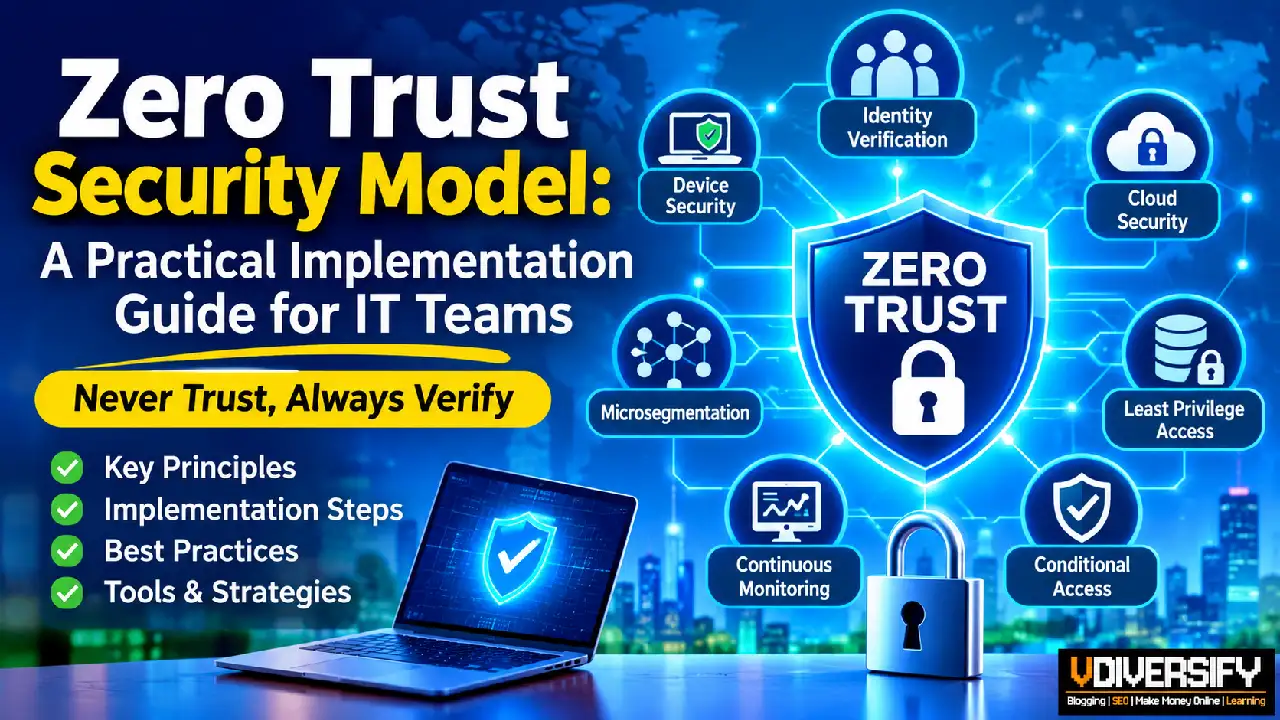
A zero trust security model implementation guide helps IT teams understand how to verify every access request, reduce unnecessary permissions, and protect critical business resources without relying on network location alone.
As organizations adopt cloud services, support remote employees, and connect more devices to corporate systems, traditional security approaches are becoming less effective at protecting modern IT environments.
Zero Trust provides a structured approach to managing these risks by requiring continuous verification of identities, devices, applications, and access requests.
For US businesses, cybersecurity is no longer simply about keeping unauthorized users outside the corporate network. Threat actors may steal employee credentials, exploit vulnerable endpoints, compromise third-party services, or move through an environment after gaining initial access.
Employees and contractors also routinely access company resources from different locations and devices, making it difficult to rely on a traditional network perimeter.
The Zero Trust security model addresses these challenges by following a straightforward principle: never trust automatically; always verify explicitly.
Access decisions are based on identity, device security, requested resources, permissions, and other relevant security signals rather than on whether a user happens to be connected to an internal network.
This guide explains how Zero Trust works, why organizations need it, which technologies support it, and how IT teams can begin implementing it in a practical, measurable way.
Contents
- 1. What Is Zero Trust Security?
- 2. What Does “Never Trust, Always Verify” Mean?
- 3. Why Are Organizations Adopting Zero Trust?
- 4. Zero Trust and the Modern Security Perimeter
- 5. Traditional Security vs. Zero Trust Security
- 6. The Main Components of a Zero Trust Architecture
- 7. Understanding Zero Trust Through a Practical Example
- 8. How to Prepare for Zero Trust Implementation
- 9. Step 1: Establish Strong Identity Verification
- 10. Step 2: Enforce Least Privilege Access
- 11. Step 3: Secure Devices and Endpoints
- 12. Step 4: Implement Conditional Access Policies
- 13. Step 5: Apply Microsegmentation and Zero Trust Network Access
- 14. Step 6: Protect Cloud Applications and Data
- 15. Step 7: Integrate Monitoring, Logging, and Incident Response
- 16. A Real-World Zero Trust Implementation Example
- 17. Best Zero Trust Security Tools and Platforms
- 18. Common Zero Trust Implementation Challenges and How to Solve Them
- 19. How to Measure Zero Trust Maturity and Success
- 20. Zero Trust Implementation Checklist for IT Teams
- 21. A Practical 90-Day Zero Trust Roadmap
- 22. Zero Trust Security: Best Practices for Long-Term Success
- 23. Conclusion: Building a Stronger Security Foundation With Zero Trust
- 24. Additional Resources for Learning and Implementation
What Is Zero Trust Security?
Zero Trust is a cybersecurity approach in which no user, device, application, or network connection is automatically trusted simply because it is inside an organization’s network. Every access request must satisfy the relevant authentication, authorization, and security-policy requirements before access is granted.
Traditional security architectures often assume that users inside a corporate network are more trustworthy than users connecting from outside. This assumption becomes increasingly risky when organizations support remote work, use cloud-based applications, integrate third-party services, and operate across multiple locations.
Zero Trust removes this implicit trust assumption. Instead, it requires organizations to evaluate access based on verified identity, device health, permissions, resource sensitivity, and relevant contextual information.
For example, an employee who signs in to a company application from a managed laptop may be permitted to access approved business information. However, that same employee may be denied access to a restricted financial system if their role does not authorize it. If the laptop becomes compromised or fails required security checks, access may be restricted even if the employee’s credentials are valid.
Zero Trust does not mean that every employee is treated as a potential criminal or that users must repeatedly authenticate for every action. It means that access is granted according to explicit policies and trustworthy evidence rather than assumptions.
A Simple Definition of Zero Trust
Zero Trust is a security model that verifies access requests, enforces least privilege, and assumes that a breach may occur.
It combines identity verification, multifactor authentication (MFA), device security, access controls, network segmentation, and continuous monitoring to reduce unauthorized access and limit the potential impact of an attack.
The objective is to protect individual resources—including applications, data, devices, and workloads—regardless of where they are located.
Why Is Zero Trust Different From Traditional Security?
Traditional network security commonly relies on firewalls, VPNs, and perimeter defenses to separate internal systems from external networks. These controls remain important, but they cannot establish that every user or device inside the network is safe.
An attacker who obtains valid credentials may be able to connect through an approved remote access service. If the organization then permits broad access to internal systems, the attacker may be able to move laterally and reach additional resources.
Zero Trust adds resource-specific access decisions, stronger identity controls, device validation, and monitoring to reduce this risk.
The main differences include:
- Network access versus resource access: Traditional approaches may grant broad connectivity after a user connects to the network. Zero Trust limits access to specifically authorized resources.
- Implicit trust versus explicit verification: Zero Trust does not automatically trust a connection because it originates inside the corporate network.
- Broad permissions versus least privilege: Zero Trust limits users and services to the permissions needed for their tasks.
- One-time checks versus ongoing evaluation: Access may be reassessed when security conditions or risk signals change.
- Perimeter-focused protection versus layered security: Zero Trust combines identity, device, application, network, and data controls.
The two approaches are not mutually exclusive. Firewalls, VPNs, and other traditional security technologies can continue to support an organization while its access architecture evolves.
What Does “Never Trust, Always Verify” Mean?
“Never trust, always verify” is the principle most closely associated with Zero Trust. It means that access should not be granted solely because a user has authenticated previously, belongs to the corporate network, or uses a familiar device.
Instead, the organization evaluates each request against the relevant security policies.
Depending on the application and its sensitivity, that evaluation may consider:
- The identity of the user or service requesting access.
- The strength of the authentication method.
- The security status of the device.
- The resource being requested.
- The permissions assigned to the identity.
- The risk associated with the session or activity.
- Whether the request matches the organization’s access policies.
For example, an employee accessing a public company directory may need fewer controls than an administrator changing identity-management settings.
A Zero Trust architecture can apply stronger requirements to the administrator’s request, such as phishing-resistant MFA, a managed administrative device, restricted privileges, and detailed activity logging.
The goal is to match the security requirements to the risk without creating unnecessary barriers for legitimate users.
Does Zero Trust Require Verification for Every Action?
Not necessarily. Zero Trust does not mean that every click must trigger a new login or authentication challenge.
Instead, access policies should determine when verification is required, when existing evidence remains valid, and when a change in circumstances should trigger a new decision.
For example, a system may permit an established session to continue while the identity and device remain compliant. If the account is flagged as compromised or the device loses its required security status, the system may require reauthentication, restrict access, or terminate the session.
The exact behavior depends on the technologies deployed, the available security signals, and the organization’s risk requirements.
Why Are Organizations Adopting Zero Trust?
Modern business environments have changed significantly. Employees work remotely, applications operate across cloud and on-premises infrastructure, and business processes depend on third-party platforms and automated services.
These changes make it difficult to define one network boundary that contains all legitimate activity and separates it from every possible threat.
Zero Trust helps organizations address several important security challenges.
Increasing Risk From Compromised Credentials
Phishing, password reuse, credential theft malware, and social engineering can expose legitimate login credentials.
When an attacker uses a valid account, traditional defenses may have difficulty distinguishing malicious activity from legitimate access.
Zero Trust strengthens access decisions through MFA, identity-based authorization, contextual policies, and monitoring. Least privilege also limits what an attacker can do if an account is compromised.
Remote Work and Distributed Environments
Remote employees may connect from home networks, public Wi-Fi, branch offices, and other locations. Cloud applications may be accessed directly over the internet rather than through a central corporate network.
Zero Trust enables organizations to apply access policies based on identity, device posture, and resource sensitivity instead of relying exclusively on physical location or network connectivity.
Cloud Adoption and SaaS Applications
Cloud environments introduce additional identities, APIs, workloads, and access relationships. A user may access a SaaS application directly, while an application service communicates with a database in a cloud environment.
Each connection needs appropriate authentication, authorization, and monitoring.
Cloud Zero Trust applies the same core principles to cloud identities, applications, workloads, and data while accounting for the specific capabilities and responsibilities associated with each service.
Ransomware and Lateral Movement
Some attacks involve more than compromising one endpoint. Attackers may attempt to obtain administrative privileges, move between systems, access sensitive information, or interfere with backups.
Least privilege, microsegmentation, endpoint security, and monitoring can help restrict these activities and limit the potential impact of a breach.
These measures should complement vulnerability management, secure backups, incident response, and other essential cybersecurity controls.
Insider Risk and Excessive Access
Employees, contractors, and third-party service providers may have access that exceeds their current responsibilities.
Excessive permissions can increase risk through intentional misuse, accidental changes, or compromised accounts.
Zero Trust encourages organizations to review permissions regularly, limit administrative access, and ensure that access remains appropriate as business roles and requirements change.
Compliance and Security Governance
Organizations may need to demonstrate that sensitive information is protected, access is controlled, and security events can be investigated.
Zero Trust practices can support broader security and governance efforts by improving identity management, access reviews, logging, and policy enforcement.
However, adopting Zero Trust does not automatically make an organization compliant with a particular law, regulation, or security framework. The organization must still identify its obligations and verify that its actual controls satisfy the applicable requirements.
Zero Trust and the Modern Security Perimeter
The traditional network perimeter was designed around the idea that an organization could establish a relatively clear boundary between internal and external systems.
That boundary has become less meaningful as organizations use cloud platforms, remote access, mobile devices, third-party applications, and distributed infrastructure.
Zero Trust shifts the focus from protecting a single network boundary to protecting the resources themselves.
This does not make network security unnecessary. Firewalls, secure gateways, network monitoring, and segmentation remain valuable. The difference is that network location is treated as one factor in a broader security decision rather than proof that access should be allowed.
A modern Zero Trust architecture can therefore combine network controls with identity verification, device compliance, application-level authorization, data protection, and continuous monitoring.
The result is a layered approach that helps organizations control access more precisely and respond more effectively when a user, device, or application becomes compromised.
Traditional Security vs. Zero Trust Security
Understanding the difference between traditional security and Zero Trust helps IT teams decide which controls need improvement.
Traditional security often relies on a defined network perimeter. Firewalls, VPNs, and other controls help protect the boundary between internal systems and external networks. Once a user connects successfully, additional internal controls determine what that user can access, but some environments still rely too heavily on broad network-level trust.
Zero Trust takes a different approach. It requires access decisions to be based on identity, permissions, device conditions, and the sensitivity of the requested resource.
Neither approach requires organizations to discard their existing security investments. The practical objective is to reduce implicit trust and strengthen access controls throughout the environment.
Security area | Traditional perimeter-based security | Zero Trust security |
Trust decisions | May rely heavily on network location | Based on identity, resource, policy, and risk |
User authentication | May use conventional login controls | Uses explicit verification and appropriate authentication strength |
Device security | May be checked mainly at network entry | Can be evaluated as part of resource access decisions |
Access permissions | May grant broad internal network access | Favors resource-specific, least-privilege access |
Remote access | Often relies on VPN connections | Can use ZTNA and other identity-aware access controls |
Network security | Focuses strongly on perimeter defenses | Combines perimeter defenses with internal segmentation |
Monitoring | May emphasize boundary traffic | Can combine identity, endpoint, application, and network signals |
Breach containment | Depends on existing internal controls and segmentation | Uses multiple layers of restrictions to limit unnecessary access |
Cloud security | May require additional controls for cloud services | Applies consistent access principles across cloud and on-premises resources |
Does Zero Trust Replace Traditional Security?
No. Firewalls, intrusion detection systems, endpoint protection, encryption, and secure network connections remain important.
A firewall can prevent unauthorized network connections. Endpoint detection and response can identify suspicious activity on a laptop. A VPN can protect traffic traveling across an untrusted network. Zero Trust helps determine which users, devices, and applications should be permitted to access protected resources.
Consider a business that already uses a VPN for remote employees. Rather than replacing the entire system immediately, the IT team can begin by enforcing MFA, checking device compliance, restricting administrative access, and limiting which internal applications each user can reach.
Over time, the organization can introduce more precise application-level access controls and reduce unnecessary network access.
The key difference is that Zero Trust treats network access as only one part of the security decision, not proof that everything inside the network should be trusted.
The Main Components of a Zero Trust Architecture
A Zero Trust architecture combines several security controls to protect identities, devices, applications, workloads, and data.
There is no single product that automatically delivers a complete implementation. Organizations must select and configure controls according to their infrastructure, risk exposure, and operational needs.
The following components form a practical starting point.
1. Identity and Access Management
Identity and access management (IAM) helps organizations control who can access business resources.
An IAM system can support user authentication, account lifecycle management, role assignments, and access policies. Centralized identity management can also help security teams apply consistent rules across supported applications.
For example, a company may use a central identity provider for email, document storage, and business applications. When an employee leaves, disabling the account and revoking active sessions can help remove access across connected services.
IT teams should also manage non-human identities, such as service accounts and application identities. These identities often support important business processes and should have narrowly defined permissions, protected credentials, and appropriate monitoring.
2. Multifactor Authentication
Multifactor authentication (MFA) requires users to provide additional proof of identity beyond a password.
Depending on the implementation, the additional factor may involve a physical security key, an authentication application, a device-bound credential, or another approved method.
MFA can reduce the risk associated with stolen passwords, but not all methods provide the same level of protection. Phishing-resistant methods, including appropriately configured FIDO2 security keys and passkeys, can provide stronger protection against many credential theft and phishing attacks than codes that users manually enter.
For business environments, a sensible approach is to prioritize administrators, remote access, email, financial applications, and other high-impact systems.
For example, an administrator might be required to use a phishing-resistant authentication method from a managed workstation before accessing a cloud management console.
MFA should be combined with access restrictions, account monitoring, and secure recovery procedures. It is an important layer of defense, not a complete security strategy by itself.
3. Conditional Access
Conditional access policies determine whether access should be granted based on relevant conditions.
These conditions can include:
- The identity and role of the user.
- The application or resource being requested.
- Whether the device is managed and compliant.
- The strength of the authentication method.
- Available sign-in risk signals.
- The sensitivity of the requested information.
For instance, a company may allow employees to read internal announcements from approved personal devices while requiring managed devices for access to confidential financial records.
A conditional access policy can also require additional verification or deny access when supported risk signals indicate a problem.
Policies should be tested carefully. If they are too restrictive, employees may lose access to legitimate business applications. If they are too permissive, they may fail to reduce the intended risks.
IT teams should establish emergency access procedures, test policy changes, and monitor authentication failures before applying major changes across the organization.
4. Endpoint Security and Device Management
A user’s identity is only one part of an access decision. The device being used can also affect the organization’s risk.
Endpoint security tools help detect malware, identify suspicious behavior, and protect workstations and servers. Device management platforms help organizations enforce configuration requirements, deploy updates, and determine whether devices meet company policy.
For example, a business may require managed Windows laptops to have supported operating systems, disk encryption, endpoint protection, and current security updates before they can access sensitive applications.
A device that fails these requirements may be directed to remediation or denied access to selected resources.
Organizations should also consider smartphones, tablets, developer workstations, virtual machines, and other devices that can access business data.
Device checks must be integrated with access policies where supported. Merely installing endpoint protection does not ensure that every application checks whether a device is compliant.
5. Network Segmentation and Microsegmentation
Network segmentation divides a network into separate sections to limit unnecessary communication.
Microsegmentation applies more precise restrictions between individual workloads, applications, or groups of systems. It can help control which systems are allowed to communicate, even when they operate within the same broader network.
For example, a business might allow its web application to communicate with a designated application server and database while blocking direct access from ordinary employee workstations to the database.
This arrangement reduces unnecessary connections and can help contain compromised systems.
However, microsegmentation requires careful planning. IT teams need to understand existing application dependencies before enforcing restrictions. If legitimate communication is blocked, business services may fail.
A practical implementation begins with discovering communication patterns, documenting required connections, testing policies, and introducing restrictions in stages.
6. Zero Trust Network Access
Zero Trust Network Access (ZTNA) provides controlled access to specific applications or services based on identity and applicable security policies.
Unlike a conventional VPN configuration that may provide broad access to a private network, a ZTNA deployment can limit users to the applications they are authorized to use.
Consider a third-party support engineer who needs to troubleshoot a particular business application. The organization can provide access to that application without automatically allowing the engineer to connect to unrelated servers or internal databases.
ZTNA products differ in their architecture and capabilities. IT teams should evaluate identity integration, device checks, application compatibility, logging, administrative controls, and how the solution handles legacy systems.
ZTNA does not eliminate the need for secure application configuration, endpoint protection, or network controls. It is one component of a broader access strategy.
7. Cloud Security and Data Protection
Organizations must apply Zero Trust principles to information stored and processed in cloud environments.
Cloud services introduce additional identities, permissions, APIs, storage locations, and administrative interfaces. Misconfigured access policies can expose sensitive data even when other security controls are working correctly.
A cloud zero trust strategy should address:
- Cloud identity security: Restrict access to cloud accounts, subscriptions, and projects.
- Workload security: Apply appropriate protections to virtual machines, containers, and serverless applications.
- Data protection: Use encryption, access restrictions, classification, and appropriate retention controls.
- API security: Authenticate applications and restrict their permissions.
- Administrative access: Protect privileged cloud operations with strong authentication and narrowly scoped roles.
- Audit logging: Record important access and administrative events for investigation.
For example, an employee may be permitted to view a customer report but not download the entire customer database. Access controls, data loss prevention capabilities, and application permissions can help enforce that distinction where supported.
Secure Access Service Edge (SASE) is another technology approach worth understanding. It brings networking and security capabilities together through a service-based architecture. Depending on the solution, SASE can include secure web access, firewall capabilities, and identity-aware controls that support remote users and distributed offices.
SASE and Zero Trust are related but not interchangeable. SASE describes an approach to delivering networking and security services, while Zero Trust provides principles for making access decisions and protecting resources.
8. Security Monitoring and Incident Response
Zero Trust requires organizations to monitor important activity and respond when security conditions change.
Security teams can combine logs from identity providers, endpoints, applications, cloud services, and network devices to investigate suspicious behavior.
A security information and event management (SIEM) platform can help collect and correlate security events. Endpoint detection and response (EDR) tools can help identify suspicious endpoint activity and support investigation or containment.
For example, a SOC analyst may notice an unusual sign-in followed by attempts to access several restricted applications. The analyst can investigate the identity logs, check device activity, review the access policy, and determine whether the account or device needs to be isolated.
Useful response actions may include revoking sessions, disabling a compromised account, isolating an endpoint, removing excessive permissions, and investigating affected resources.
Monitoring should support the same principle as access control: users and systems should not receive unlimited trust simply because they passed an earlier security check.
Organizations should also establish clear incident response procedures so that security teams know who can revoke access, isolate devices, approve exceptions, and restore normal operations.
Understanding Zero Trust Through a Practical Example
Imagine a US-based company with 500 employees, a headquarters office, remote workers, cloud applications, and several external IT contractors.
The company currently uses a VPN for remote access and passwords for many business applications. Employees have different levels of access, but some accounts retain permissions from previous roles.
The IT team identifies three important risks:
- A compromised employee account could expose confidential business information.
- Remote devices may not consistently meet the company’s security requirements.
- Contractors may have broader internal access than their work requires.
The organization begins improving its security controls in stages.
First, it strengthens authentication and reviews privileged accounts. Next, it checks device compliance for access to sensitive applications. It then restricts contractors to approved resources and introduces segmentation between important systems.
Finally, the security team improves logging and creates procedures for responding to suspicious sign-ins.
The company does not need to replace every security product at once. Instead, it reduces the most important risks first, tests the controls, and expands the implementation as its capabilities improve.
This example illustrates an important point: Zero Trust is an ongoing security program, not a one-time product installation. Its effectiveness depends on how well the organization defines access policies, applies them consistently, monitors activity, and updates controls as business needs change.
How to Prepare for Zero Trust Implementation
Before introducing new security technologies, IT teams should understand their current environment, identify their most important risks, and decide which problems to solve first.
A successful implementation does not begin with purchasing a ZTNA platform or deploying new security software across the organization. It begins with understanding which users, devices, applications, and data need protection.
The Cybersecurity and Infrastructure Security Agency (CISA) organizes its Zero Trust Maturity Model around five pillars: identity, devices, networks, applications and workloads, and data. It also identifies visibility and analytics, automation and orchestration, and governance as capabilities that support progress across those pillars. This provides a useful structure for organizations planning their implementation. See the official CISA Zero Trust Maturity Model.
Step 1: Define Business Objectives and Security Priorities
Start by identifying the business problems Zero Trust should address.
For example, an organization may want to reduce the risk of stolen employee credentials, restrict access to financial records, secure remote workers, or prevent contractors from accessing unnecessary internal systems.
The objectives should be specific enough to guide technical decisions.
A practical starting point includes:
- Protect critical resources: Identify systems that would cause significant damage if compromised.
- Reduce unnecessary access: Find users and accounts with excessive permissions.
- Secure remote work: Establish requirements for identity verification and device compliance.
- Improve breach containment: Restrict unnecessary connections between applications and systems.
- Strengthen monitoring: Ensure important access events are recorded and reviewed.
- Support compliance: Map security controls to applicable legal, contractual, and regulatory requirements.
For example, a financial services company might begin by protecting administrator accounts and systems that store sensitive customer information. A small software company might prioritize its cloud management console, source code repositories, and production environment.
The best starting point depends on the organization’s actual risks rather than the number of security products it already owns.
Step 2: Create an Inventory of Users, Devices, Applications, and Data
IT teams cannot enforce reliable access policies if they do not know what exists in their environment.
Create an inventory that includes:
Asset category | What to identify | Example security action |
Users | Employees, contractors, guests, administrators | Remove inactive accounts and review access |
Devices | Laptops, desktops, phones, servers | Identify unmanaged or unsupported devices |
Applications | SaaS, internal applications, business systems | Document owners and authentication methods |
Data | Customer records, financial information, intellectual property | Classify sensitive information |
Cloud resources | Virtual machines, storage, databases, APIs | Review permissions and exposure |
Service accounts | Automated jobs, application identities, integrations | Remove excessive permissions and secure credentials |
Network connections | Application dependencies and communication paths | Restrict unnecessary connections |
Use available identity directories, endpoint management platforms, cloud inventories, network discovery tools, and configuration management systems to build the inventory.
The inventory should also identify application owners and business dependencies. A server that appears unnecessary to the IT team may support a critical application used by the finance department.
Practical tip: Begin with your highest-risk systems instead of attempting to document every asset perfectly before making any improvements. Maintain the inventory as a living record and expand coverage over time.
Step 3: Establish Ownership and Governance
Zero Trust involves more than the security team. Identity administrators, network engineers, cloud engineers, application owners, compliance staff, and business managers may all need to participate.
Assign clear responsibilities before making major changes.
For example:
- The identity team manages authentication and identity lifecycle controls.
- Endpoint administrators manage device enrollment and compliance.
- Network engineers implement segmentation and connectivity restrictions.
- Cloud engineers secure cloud identities, workloads, and storage.
- SOC analysts monitor suspicious activity and investigate incidents.
- Application owners validate that access restrictions do not break business workflows.
- Management approves risk decisions, budgets, and acceptable exceptions.
Create a process for approving access exceptions, documenting policy changes, reviewing permissions, and responding to security incidents.
This is particularly important when an organization has legacy systems that cannot immediately support modern authentication or device checks.
A documented exception should have an owner, a business justification, compensating security controls, and a review date. It should not become a permanent way to avoid improving security.
Step 1: Establish Strong Identity Verification
Identity is a natural starting point because almost every request to access a business resource is associated with a user, application, device, or other identity.
A weak identity system can undermine otherwise strong security controls. If attackers can easily compromise an administrator account, they may gain access to important systems even when the network is segmented.
Centralize Identity Management Where Practical
A central identity provider can simplify authentication and access management across supported applications.
Depending on the environment, organizations may use services such as Microsoft Entra ID, Okta, or Google Cloud Identity. The appropriate choice depends on existing infrastructure, application compatibility, business requirements, and licensing.
Centralized identity management can help IT teams:
- Apply consistent authentication policies.
- Manage employee onboarding and offboarding.
- Control access to connected applications.
- Review account activity.
- Reduce the number of separate credentials employees must manage.
- Revoke access more efficiently when a user leaves the organization.
Centralization does not mean every system must use the same identity platform immediately. Legacy applications and specialized systems may require additional integration work.
Start with important applications and gradually expand coverage.
Enforce Multifactor Authentication
MFA should be prioritized for administrators, remote access, email, financial applications, and other systems where account compromise could have a major impact.
Where possible, use phishing-resistant authentication for privileged accounts and other high-risk access.
For example, an organization could require administrators to authenticate using a security key or another supported phishing-resistant method before accessing cloud management tools.
Avoid relying exclusively on passwords sent through email or reused across applications. Strong authentication should be supported by secure account recovery, session management, and monitoring.
IT teams should also protect emergency administrator accounts. These accounts should be tightly controlled, monitored, and tested according to a documented emergency access procedure.
Secure Privileged Accounts
Privileged accounts can change system configurations, manage user permissions, access sensitive information, and disable security controls.
They deserve stricter protection than ordinary user accounts.
Recommended controls include:
- Maintain separate administrative accounts where appropriate.
- Require strong authentication for privileged operations.
- Limit administrative access to approved devices and environments.
- Use privileged access management tools when justified by organizational needs.
- Grant temporary elevated permissions for tasks that require them.
- Record and review important administrative activity.
- Remove unused administrative privileges.
Example: A cloud engineer may need elevated permissions to deploy a production update. Instead of retaining unrestricted administrator access throughout the day, the engineer can request temporary access for the approved maintenance task.
This approach reduces the time during which elevated privileges are available to a compromised account.
Step 2: Enforce Least Privilege Access
Strong authentication verifies who is requesting access. Authorization determines what that identity can do.
A Zero Trust implementation must address both.
The goal of least privilege access is to give each identity the minimum permissions required to perform its approved responsibilities.
Review Existing Permissions
Start by identifying accounts with excessive or outdated permissions.
Look for:
- Employees who retain access from previous roles.
- Contractors whose projects have ended.
- Dormant accounts.
- Shared administrator accounts.
- Service accounts with broad permissions.
- Users who can access sensitive data without a business requirement.
- Applications with permissions that exceed their actual needs.
Reviewing access should involve application owners and business managers when the technical team cannot determine whether a permission is necessary.
For example, an employee in the marketing department may need access to customer engagement reports but not to payroll records or production database administration.
Remove permissions that are no longer justified, after validating operational dependencies.
Apply Role-Based Access Control
Role-based access control (RBAC) assigns permissions according to defined job responsibilities.
An organization might establish roles such as:
- Help desk technician.
- Finance analyst.
- Software developer.
- Cloud administrator.
- SOC analyst.
- Human resources manager.
Each role receives an appropriate set of permissions. Employees can then be assigned to roles based on their work responsibilities.
RBAC makes access management easier to maintain, but roles must be reviewed regularly. If a role accumulates permissions over time without proper review, it can become excessively powerful.
Some environments benefit from combining RBAC with attributes such as department, device status, application sensitivity, or project membership.
Introduce Just-in-Time and Just-Enough Access
Just-in-time (JIT) access provides elevated permissions for a limited period. Just-enough access restricts the permissions granted to those needed for the specific task.
Together, these approaches can reduce the risks associated with permanently assigned administrative privileges.
Consider a database administrator who needs to troubleshoot a production issue. The organization can grant the required permissions for an approved maintenance period and remove them afterward.
A practical workflow may include:
- The administrator submits an access request.
- The system checks the requested role and business justification.
- An authorized approver reviews the request when required.
- Access is granted for a defined period.
- The activity is logged.
- The elevated permission expires or is revoked.
- The organization reviews unusual or high-risk activity.
Automation can make this process more efficient, but the workflow should be tested before it is applied to critical systems.
Step 3: Secure Devices and Endpoints
An authenticated user may still be a security risk if the device being used is compromised or poorly maintained.
Endpoint security is therefore an important part of Zero Trust. Organizations should understand which devices connect to business resources and whether those devices meet the required security standards.
Establish a Device Compliance Baseline
Define minimum requirements for devices that access sensitive applications.
A baseline may include:
- A supported operating system.
- Current security updates.
- Active endpoint protection.
- Disk encryption where appropriate.
- Screen-lock and authentication requirements.
- Secure device configuration.
- Restrictions on unauthorized software.
- Enrollment in an approved management system where required.
For example, a company may allow access to public-facing company information from a personal device but require a managed and compliant device for financial reporting or administrative operations.
Device requirements should reflect the sensitivity of the information being accessed.
Use Endpoint Detection and Response
Endpoint detection and response (EDR) tools monitor endpoint activity and help security teams investigate suspicious behavior.
Depending on the product and configuration, EDR can identify unusual processes, suspicious connections, malicious files, and other signs of compromise. Some tools also support automated containment actions.
Integrating endpoint signals with identity and access policies can improve security decisions.
For instance, if an endpoint protection platform identifies a device as compromised, the organization may restrict that device’s access to sensitive applications while the security team investigates.
Not every EDR platform automatically controls access across every application. IT teams must verify that the required integrations and response actions are supported.
Handle Personal Devices Carefully
Bring-your-own-device (BYOD) environments require particular care because employees may use personal phones or computers for work.
Organizations should decide which applications can be accessed from personal devices and what information can be stored locally.
Possible controls include application-level protection, restricted downloads, browser-based access, and separate work profiles where supported.
Policies should also explain what the organization can monitor, what data it can manage, and what happens when a device is lost or an employee leaves.
A blanket ban on personal devices may not be practical for every business. The more important objective is to control access and protect company data according to its sensitivity.
Step 4: Implement Conditional Access Policies
Conditional access allows organizations to evaluate the circumstances of an access request before granting or maintaining access.
Depending on the technology, policies can consider identity, application, device compliance, authentication strength, and available risk signals.
This makes it possible to apply stronger controls to sensitive activities without imposing the same restrictions on every user and application.
Build Policies Around Risk
Begin by identifying the applications and activities that require the strongest protection.
For example, a company could establish the following policies:
Access scenario | Example policy | Intended security benefit |
Administrator accesses a cloud console | Require strong authentication and an approved device | Reduce the risk of administrative account compromise |
Employee accesses confidential financial data | Require authentication and a compliant device | Reduce unauthorized access from unmanaged endpoints |
Contractor accesses a support application | Permit only the assigned application and approved role | Limit third-party access |
Employee signs in from a device that fails security checks | Restrict access until the device meets requirements | Reduce exposure from vulnerable devices |
Account shows suspicious sign-in activity | Require additional verification or block access according to risk | Reduce the chance of continued unauthorized access |
These are illustrative policies, not universal configurations. The available conditions and enforcement actions vary across platforms.
Test Policies Before Broad Deployment
A policy that looks correct on paper may disrupt legitimate work when applied to a real environment.
For example, a strict device requirement could block an employee who needs to access a business-critical application from an approved but not yet enrolled device.
To reduce disruption:
- Document the policy’s purpose and scope.
- Test it with a small pilot group.
- Review sign-in logs and denied requests.
- Confirm that legitimate business workflows still operate.
- Establish a documented exception process.
- Expand the policy gradually.
- Review its effectiveness after deployment.
Maintain secure emergency access procedures so that administrators can recover from accidental lockouts without weakening everyday controls.
Important: Do not introduce broad access restrictions without validating their effect on business-critical systems and documenting a safe recovery path.
Step 5: Apply Microsegmentation and Zero Trust Network Access
After strengthening identity and device controls, organizations can reduce unnecessary network access and limit the connections between systems.
This step is especially valuable in environments where employees, contractors, applications, and servers share broad internal network access.
Map Application Dependencies First
Before implementing segmentation, identify which systems need to communicate with each other.
For example, an online business application might require connections between a web server, an application server, and a database. Blocking those connections without understanding the dependencies could interrupt the service.
Network engineers should document required traffic, review firewall rules, examine network flows, and consult application owners before introducing restrictions.
Introduce Segmentation in Stages
A practical sequence is:
- Identify critical systems and sensitive workloads.
- Map the communication paths they require.
- Remove clearly unnecessary connections.
- Test proposed rules in a controlled environment.
- Apply restrictions to a limited group of systems.
- Monitor blocked traffic and application performance.
- Expand the policy after validating the results.
For example, a company may separate its production database from employee workstations and allow database connections only from approved application servers and designated administrative systems.
This reduces the number of pathways available to an attacker who compromises an ordinary workstation.
Use ZTNA for Application-Level Access
ZTNA can provide a more precise alternative to broad remote network access for supported applications.
Instead of connecting a remote employee to an entire private network, the organization can authorize access to a particular application according to identity and security policies.
A practical example is an external IT contractor who needs to maintain one internal application. ZTNA can help restrict the contractor to that approved service rather than granting unrestricted access to unrelated systems.
ZTNA should be introduced according to application compatibility, identity integration, logging requirements, and operational needs. Some legacy applications may require additional controls or a staged migration.
For further technical background, consult the NIST Zero Trust Architecture publication, which explains the architecture’s core access decision and enforcement concepts.
Step 6: Protect Cloud Applications and Data
Cloud security requires organizations to apply access controls consistently across identities, applications, workloads, and information.
A company may use cloud services from multiple providers, retain older applications in its own data center, and rely on SaaS products for daily operations. The implementation should account for these different environments rather than assuming that one platform automatically protects everything.
Secure Cloud Identities and Workloads
Cloud administrators should review permissions assigned to users, groups, service accounts, application identities, and automated workloads.
Recommended actions include:
- Require strong authentication for privileged cloud access.
- Restrict permissions at the subscription, project, account, and resource levels as appropriate.
- Protect application credentials and secrets.
- Review externally accessible storage and services.
- Monitor administrative changes.
- Remove unused identities and permissions.
- Apply security configuration baselines to supported workloads.
For example, an automated application may need permission to read a particular storage location. It should not receive broad administrative access to every resource in the cloud environment simply because that permission is convenient to configure.
Protect Data at the Application Level
Access to an application does not necessarily mean that every record or document within it should be available to the user.
Use data classification, application permissions, encryption, and data loss prevention controls where appropriate.
A customer support employee may need to view an individual customer’s account details but should not be able to export the entire customer database without authorization.
Similarly, employees should not automatically receive permission to download sensitive information to unmanaged devices.
Organizations should also consider how access controls apply to APIs, backups, data exports, and integrations between cloud services.
Understand the Role of SASE
Secure Access Service Edge (SASE) combines networking and security capabilities in a service-based model. Depending on the product, it can bring together functions such as secure web access, network connectivity, cloud-delivered firewall services, and identity-aware access controls.
SASE can be useful for organizations that need consistent security policies across offices, remote employees, and cloud environments.
However, SASE does not replace the need for sound identity management, least privilege, application security, or data protection.
Before selecting a platform, IT teams should evaluate application support, integration requirements, logging, performance, administrative complexity, and total cost.
Step 7: Integrate Monitoring, Logging, and Incident Response
A Zero Trust program needs visibility into access requests, security events, policy decisions, and activity involving critical resources.
Without useful logs, security teams may struggle to determine whether access restrictions are working or whether an account has been compromised.
Centralize Relevant Security Logs
Where practical, collect and correlate logs from:
- Identity providers and authentication systems.
- Endpoint protection and device management platforms.
- Firewalls and network security tools.
- Cloud platforms and SaaS applications.
- ZTNA and remote access systems.
- Privileged access management tools.
- Critical business applications.
A SIEM platform can help security teams identify patterns across these sources. The usefulness of the results depends on log quality, correct configuration, retention, and the detection rules being used.
Prioritize events that could indicate meaningful risk, such as unusual privileged access, repeated authentication failures, changes to security policies, or attempts to access restricted resources.
Define Response Actions in Advance
Monitoring is most useful when the organization knows how to respond to suspicious activity.
For example, if a user account shows signs of compromise, the response procedure may include:
- Validate the alert and assess the affected identity.
- Revoke active sessions where appropriate.
- Disable or restrict the account if necessary.
- Check endpoint and application logs for related activity.
- Review the resources the account accessed.
- Reset credentials or restore access securely.
- Document the incident and update detection or access policies.
Not every alert should trigger an automatic account shutdown. An incorrect response can interrupt business operations, particularly when an identity supports critical services.
Automated actions should therefore be tested, scoped to the relevant risk, and supported by a clear recovery process.
Measure Whether the Controls Are Working
IT teams should review whether the implementation is reducing the risks it was designed to address.
Useful measures include:
- The percentage of privileged accounts protected by strong authentication.
- The number of critical applications covered by access policies.
- The number of unmanaged devices accessing sensitive systems.
- The number of excessive permissions removed.
- The percentage of critical resources sending useful security logs.
- The time required to investigate and contain relevant incidents.
- The number of unresolved access policy exceptions.
These measures should be based on a defined baseline and reviewed regularly. Improvement should be demonstrated through evidence rather than assumed simply because a new security product has been deployed.
The Microsoft Zero Trust deployment guidance provides an additional practical reference for coordinating identity, device, application, data, and monitoring controls.
A Real-World Zero Trust Implementation Example
Consider a hypothetical US-based company with 500 employees, a hybrid workforce, cloud-based business applications, an internal finance system, and several external IT contractors.
The company has MFA enabled for some applications, uses a VPN for remote access, and operates endpoint protection on most employee laptops. However, it has not reviewed all permissions recently, and some contractors have access to broad internal network segments.
The IT team decides to introduce Zero Trust in phases.
Phase 1: Identify and Reduce the Highest Risks
The team inventories important applications, privileged accounts, remote devices, and sensitive data.
It then prioritizes administrator accounts, the finance system, cloud management access, and external contractor connections.
Inactive accounts are removed, excessive privileges are reviewed, and MFA coverage is expanded for high-risk access.
Phase 2: Strengthen Device and Application Access
The company establishes minimum security requirements for devices that access sensitive resources.
It introduces conditional access policies for selected applications and tests them with a pilot group. Devices that fail the required checks are directed through a documented remediation process.
The team also reviews the access granted to finance employees, developers, and contractors to ensure that each group receives only the permissions it needs.
Phase 3: Restrict Network Access
Network engineers document the connections required by important applications.
They separate sensitive workloads, remove unnecessary communication paths, and introduce application-level access for selected remote users and contractors.
The company keeps existing VPN connections where they remain necessary, but it reduces broad access where more precise controls are practical.
Phase 4: Improve Monitoring and Response
The company brings together relevant identity, endpoint, cloud, and network logs.
The SOC team develops procedures for investigating suspicious sign-ins, responding to compromised devices, and revoking unauthorized access.
The organization then reviews its metrics to identify remaining gaps.
Implementation area | Example success measure |
Identity | Privileged accounts use approved strong authentication methods |
Access control | Unnecessary permissions are removed from critical systems |
Devices | Access to selected sensitive applications requires compliant devices |
Network | Critical workloads have documented and enforced communication rules |
Remote access | Contractors can access only approved applications |
Monitoring | Critical identity and application events are collected and reviewed |
Incident response | Procedures for restricting compromised identities and devices are tested |
These are illustrative outcomes, not guaranteed results or universal benchmarks. The company should set measurable targets based on its starting position, business needs, and risk tolerance.
The main lesson is that Zero Trust does not require a business to transform its entire infrastructure overnight. A carefully planned, risk-based rollout can improve security while allowing the organization to continue operating.
Best Zero Trust Security Tools and Platforms
Choosing the right technology is an important part of implementing Zero Trust, but organizations should not select tools based on marketing claims alone. The right solution depends on existing infrastructure, the applications being protected, the number of users and devices, compliance requirements, available staff, and the organization’s budget.
Zero Trust is an architecture, not a product category that one vendor can completely cover for every organization. Most implementations combine identity management, endpoint security, application access, network controls, cloud protection, and security monitoring. NIST’s practical implementation project illustrates how different products and technologies can be combined to support different Zero Trust designs. pages.nist.gov
1. Microsoft Security and Identity Products
Microsoft provides identity, device management, endpoint security, cloud security, and monitoring capabilities that can support a Zero Trust implementation.
Relevant products and services include:
- Microsoft Entra ID: Identity management, authentication, and access control.
- Microsoft Intune: Device management and compliance policies.
- Microsoft Defender: Endpoint and other security capabilities, depending on the product and license.
- Microsoft Sentinel: Security information and event management (SIEM) and security analytics.
- Microsoft Entra Private Access: Private application access capabilities that can support a Zero Trust Network Access strategy.
These products can be useful for organizations that already depend on Microsoft 365, Windows devices, and Azure services. However, the available capabilities depend on licensing, configuration, and the specific services deployed.
Example: A company can use identity policies to require strong authentication, Intune to assess managed device compliance, and supported security integrations to investigate suspicious activity. These controls can work together to improve access decisions.
Official reference: Microsoft Zero Trust Guidance Center
2. Google Cloud BeyondCorp
Google Cloud BeyondCorp is based on the idea that access should depend on user and device context rather than simply on network location.
Google developed BeyondCorp as an approach to securing access to corporate resources without relying on traditional VPN-based trust. Its documented principles include authentication, authorization, encryption, and user- and device-based access decisions. Google Cloud
Organizations evaluating Google’s approach should examine the current BeyondCorp-related products and their suitability for the applications they need to protect.
It may be worth considering for businesses that rely on Google Cloud and Google Workspace or that need identity-aware access to supported private applications.
Official reference: Google Cloud BeyondCorp
3. Cloudflare Zero Trust
Cloudflare offers security and connectivity services that can support identity-aware application access, secure web traffic, and protection for distributed users.
Depending on the selected services and configuration, Cloudflare Zero Trust can help organizations control access to private applications and apply security policies to user traffic.
It may be worth evaluating for distributed teams, businesses with remote employees, and organizations looking to reduce broad access to internal applications.
Before deployment, IT teams should check application compatibility, identity provider integration, device requirements, logging, and the level of control required for internal systems.
Official reference: Cloudflare Zero Trust
4. Zscaler Zero Trust Exchange
Zscaler provides cloud-delivered security services, including private application access and secure internet access.
Its offerings include Zscaler Private Access and Zscaler Internet Access, which address different aspects of secure access and traffic protection.
These services may suit organizations seeking a cloud-delivered approach to remote access and security policy enforcement across distributed users and applications. The specific features available depend on the purchased services and deployment.
IT teams should evaluate performance, integration requirements, user experience, application compatibility, and the operational effort required to migrate existing access policies.
Official reference: Zscaler Products and Solutions
5. Palo Alto Networks Security Solutions
Palo Alto Networks offers network security, cloud security, and secure access products that organizations may use as part of a broader Zero Trust architecture.
Its offerings can be relevant when an organization needs to combine network controls, access policies, cloud protection, and threat prevention.
However, a firewall or secure access product alone does not establish a complete Zero Trust architecture. Identity verification, least privilege, device security, data protection, and monitoring must also be addressed.
Organizations already using Palo Alto Networks products should evaluate how their existing deployments can support the planned architecture before purchasing additional tools.
Official reference: Palo Alto Networks
Zero Trust Tools Comparison
The following table summarizes the types of needs each option may help address. It is not a product ranking; the suitability of each platform depends on the organization’s requirements.
Platform | Main areas to evaluate | Potential use case |
Microsoft security ecosystem | Identity, endpoint management, security monitoring, private access | Organizations using Microsoft infrastructure |
Google Cloud BeyondCorp-related services | Identity-aware access and device-based controls | Organizations evaluating Google’s access model and services |
Cloudflare Zero Trust | Application access and secure connectivity | Distributed teams and cloud-connected businesses |
Zscaler Zero Trust Exchange | Private access and cloud-delivered security | Enterprises seeking centralized secure access |
Palo Alto Networks | Network security, cloud security, and secure access | Organizations integrating network and security controls |
Before purchasing a platform, assess your current tools first. Your organization may already own licenses that support some required capabilities. Improving the configuration of existing tools can sometimes deliver more value than adding another product.
A practical evaluation should include a proof of concept, integration testing, support requirements, licensing costs, data handling, and a plan for measuring the security improvements.
Common Zero Trust Implementation Challenges and How to Solve Them
Zero Trust can improve security, but implementation requires careful planning. Organizations may encounter technical limitations, outdated systems, budget constraints, and resistance to changes in how employees access applications.
Understanding these challenges early helps IT teams build a realistic plan and avoid unnecessary disruptions.
1. Legacy Applications That Cannot Support Modern Authentication
Some organizations depend on older applications that do not support modern authentication, centralized identity providers, or device-based access policies.
Replacing these applications may be expensive or operationally risky, especially when they support critical business processes.
How to address the problem:
- Identify legacy applications during the initial inventory.
- Determine which applications support modern authentication or identity federation.
- Place appropriate access controls around systems that cannot be updated immediately.
- Restrict network access to approved users and systems.
- Monitor activity and investigate suspicious behavior.
- Develop a longer-term migration or replacement plan where necessary.
For example, a company may have an older financial application that cannot integrate directly with its identity provider. The IT team can restrict access to approved devices and network paths while evaluating a supported modernization option.
These compensating controls can reduce risk, but they should not be treated as equivalent to fully supported modern authentication.
2. Employees Resist Additional Security Requirements
Employees may become frustrated when new authentication prompts, device checks, or access restrictions interfere with their daily work.
Poorly planned security policies can lead to support requests, delays, and attempts to bypass approved processes.
How to address the problem:
- Explain why the new controls are being introduced.
- Use single sign-on where appropriate to reduce repeated logins.
- Choose authentication methods that balance security and usability.
- Test policies with representative users before broad deployment.
- Provide clear instructions for resolving access problems.
- Review unnecessary prompts and policy exceptions.
For example, instead of requiring every employee to complete the same additional checks for every low-risk activity, an organization can apply stronger controls to sensitive applications and administrative operations.
The goal is to provide the access employees need while applying security requirements that match the risk.
3. Limited Budgets and Shortage of Skilled Staff
Smaller organizations may not have dedicated identity engineers, cloud security specialists, network security teams, or a full-time SOC.
A large enterprise may be able to fund several specialized security platforms, but a small business needs to prioritize carefully.
How to address the problem:
Start with controls that address the most important risks and that can be implemented with existing resources.
For example:
- Enable strong authentication for administrators and other high-risk accounts.
- Remove inactive accounts and unnecessary permissions.
- Establish a reliable process for onboarding and offboarding users.
- Ensure supported devices receive security updates.
- Review cloud access permissions and public exposure.
- Centralize important security logs where practical.
- Introduce more advanced access and network controls as resources allow.
A small business does not need to deploy every enterprise security technology immediately to make meaningful progress.
It should, however, avoid claiming complete Zero Trust coverage simply because MFA or a ZTNA product has been deployed.
4. Poor Visibility Into Devices, Applications, and Data
An organization cannot reliably enforce access policies if it does not know which assets exist, who owns them, or which systems depend on each other.
Unknown devices, abandoned cloud resources, forgotten service accounts, and undocumented application connections can all create security gaps.
How to address the problem:
Maintain an asset inventory and assign ownership to important systems. Use existing device management, cloud inventory, identity, and network discovery capabilities to improve visibility.
Review the inventory regularly and establish a process for registering new applications and devices.
Where complete visibility is not immediately possible, prioritize systems that store sensitive information or have elevated privileges.
5. Misconfigured Policies Can Disrupt Business Operations
A conditional access rule or network segmentation change can block legitimate activity if the IT team does not understand the system’s dependencies.
For example, restricting communication to a database may interrupt a reporting application that relies on a connection the team did not document.
How to address the problem:
- Test policy changes in a controlled environment.
- Use pilot groups and staged deployments.
- Review access logs before enforcing broad restrictions.
- Document approved exceptions.
- Maintain emergency recovery procedures.
- Monitor application performance after each change.
- Roll back changes when a significant, unexpected impact occurs.
Security changes should be treated as controlled operational changes rather than isolated configuration tasks.
6. Third-Party Access Creates Additional Risk
External contractors, software providers, and managed service providers may require access to business systems.
If that access is not reviewed, organizations may retain unnecessary external accounts or grant vendors broader permissions than their work requires.
Use named accounts where possible, strong authentication, time-limited access, and resource-specific permissions.
Review vendor access when contracts change, projects end, or the vendor’s responsibilities are reduced.
For example, a contractor responsible for maintaining one application should not automatically have administrative access to the organization’s entire cloud environment.
7. Security Tools Do Not Always Integrate Easily
An organization may use one platform for identity management, another for endpoint protection, a third for network access, and a separate SIEM.
These products may expose different logs, support different policy signals, or require additional integration work.
Before purchasing a new product, identify the data it can exchange with existing tools, the response actions it supports, and the operational requirements of maintaining the integration.
A successful implementation depends on how well the controls work together, not simply on how many products the organization owns.
How to Measure Zero Trust Maturity and Success
Zero Trust implementation should be measured through observable security improvements rather than the number of tools deployed.
Organizations need to understand their starting position, define achievable targets, and review whether the controls are reducing unnecessary access and improving their ability to detect and contain incidents.
The CISA Zero Trust Maturity Model provides a structured approach to assessing progress across identity, devices, networks and environments, applications and workloads, and data, supported by visibility, automation, and governance. It identifies four maturity stages: Traditional, Initial, Advanced, and Optimal. Organizations can use this model to organize improvement efforts without assuming that every pillar must advance at the same pace. (Microsoft Learn).
Key Metrics for Evaluating Progress
The following table provides example metrics an IT team can adapt to its environment.
Measurement area | Example metric | Why it matters |
Identity security | Percentage of privileged accounts using approved strong authentication | Shows whether high-risk identities are protected |
Access management | Number of excessive permissions identified and removed | Indicates whether unnecessary access is being reduced |
Device security | Percentage of devices accessing sensitive applications that meet defined requirements | Measures endpoint policy coverage |
Application security | Percentage of critical applications covered by approved access policies | Shows how much of the important application environment is protected |
Network security | Percentage of critical workloads with documented and enforced communication rules | Helps assess segmentation coverage |
Cloud security | Number of critical cloud resources with excessive or unintended exposure | Helps identify risky configurations |
Monitoring | Percentage of critical systems sending required security logs | Indicates visibility into important activity |
Incident response | Time taken to investigate and contain relevant incidents | Helps assess response effectiveness |
Governance | Percentage of required access reviews completed on schedule | Measures whether access management is maintained over time |
User experience | Number of access-related support incidents and policy exceptions | Helps identify operational problems caused by controls |
Setting Realistic Targets
Metrics are most useful when the organization establishes a baseline and defines a target based on its risks and resources.
For example, a company might set a goal of ensuring that all privileged accounts use an approved strong authentication method, subject to documented emergency access arrangements.
It might also target a reduction in excessive permissions over a defined period or aim to bring all critical applications into its access review process.
These are example objectives, not universal benchmarks. A business should choose targets that reflect its operational needs, regulatory obligations, and current security posture.
Avoid measuring success only by counting MFA enrollments or installed security agents. Those numbers do not necessarily show whether access is appropriately restricted or whether suspicious activity can be detected.
Review Maturity Across All Security Areas
Progress in one area does not compensate automatically for weaknesses in another.
For example, an organization may have strong authentication but weak network segmentation. Another may have excellent endpoint protection but excessive permissions for cloud administrators.
Use a regular review process to identify these gaps and decide which improvements should come next.
A useful review should include:
- Changes in the organization’s business and technology environment.
- New applications, cloud services, and third-party connections.
- Access review findings.
- Security incidents and lessons learned.
- Device compliance and identity protection results.
- Outstanding exceptions and their expiration dates.
- Progress against defined security objectives.
The aim is to maintain a security program that improves as the organization changes.
Zero Trust Implementation Checklist for IT Teams
IT teams can use the following checklist to organize implementation activities, assign responsibilities, and track progress. It is designed to work for both small businesses beginning their Zero Trust journey and larger organizations improving an existing security architecture.
Phase 1: Assessment and Planning
Before making significant changes, establish a clear understanding of the organization’s current security posture.
- Identify critical applications, systems, and sensitive data.
- Inventory employees, contractors, administrators, devices, and service accounts.
- Document existing authentication and access management systems.
- Identify applications that support modern authentication.
- Review current VPN, firewall, and network segmentation rules.
- Assess existing endpoint protection and device management coverage.
- Identify excessive permissions and inactive accounts.
- Assign security responsibilities to the relevant IT and business teams.
- Establish measurable objectives and an implementation budget.
- Document regulatory, contractual, and business requirements.
Expected outcome: A documented baseline, a list of priority risks, and a realistic implementation roadmap.
Phase 2: Identity and Access Security
Identity controls should be among the first areas to improve because compromised accounts can expose multiple business resources.
- Enforce MFA for privileged and other high-risk accounts.
- Introduce phishing-resistant authentication where appropriate.
- Review administrative permissions.
- Separate everyday user accounts from privileged accounts where necessary.
- Remove inactive accounts and unnecessary access.
- Establish role-based access policies.
- Introduce temporary elevated access for suitable administrative tasks.
- Protect service accounts and application identities.
- Establish a reliable employee onboarding and offboarding process.
- Review authentication and access logs regularly.
Expected outcome: Stronger identity verification and fewer opportunities for unauthorized access.
Phase 3: Device and Application Security
After establishing identity controls, focus on the devices and applications that handle important business information.
- Define minimum device security requirements.
- Enforce security updates and supported operating systems.
- Ensure endpoint protection is installed and functioning.
- Establish device enrollment and compliance procedures.
- Restrict sensitive application access from devices that fail required checks.
- Review permissions within business applications.
- Introduce conditional access policies.
- Test access policies with pilot users.
- Document procedures for lost or compromised devices.
- Review access to sensitive data and downloads.
Expected outcome: Access decisions reflect both the user’s permissions and the security of the device being used.
Phase 4: Network and Cloud Security
Once the most important identity and device controls are established, reduce unnecessary access between systems.
- Document application communication requirements.
- Identify unnecessary network connections.
- Segment critical systems and sensitive workloads.
- Evaluate ZTNA for suitable remote and third-party access scenarios.
- Review VPN access and restrict unnecessary network permissions.
- Secure cloud identities, workloads, storage, and APIs.
- Review externally accessible cloud resources.
- Protect administrative cloud operations.
- Apply encryption and appropriate data access controls.
- Evaluate whether SASE capabilities would support business requirements.
Expected outcome: Fewer unnecessary connections and more precise access to internal and cloud resources.
Phase 5: Monitoring and Continuous Improvement
Zero Trust must be maintained as users, devices, applications, and business requirements change.
- Collect important identity, endpoint, network, and application logs.
- Integrate relevant security events with the SIEM where practical.
- Establish incident response procedures for compromised accounts and devices.
- Test access revocation and device isolation procedures.
- Review privileged access and permissions regularly.
- Track device compliance and application policy coverage.
- Measure incident detection and response performance.
- Review and expire temporary access exceptions.
- Conduct periodic security assessments.
- Update policies as new threats and business requirements emerge.
Expected outcome: A security program that adapts to changing risks and maintains measurable improvements over time.
A Practical 90-Day Zero Trust Roadmap
Organizations that need a clear starting point can divide their initial work into three phases. The schedule below is an example for planning purposes, not a guarantee that a complete implementation can be finished in 90 days.
Period | Main activities | Example deliverables |
Days 1–30 | Assess the environment, identify critical assets, review identities and permissions | Asset inventory, risk assessment, implementation priorities |
Days 31–60 | Strengthen authentication, reduce excessive privileges, establish device requirements, test conditional access | Improved identity policies, access review results, pilot findings |
Days 61–90 | Expand successful controls, begin targeted segmentation, improve logging, test response procedures | Updated access policies, segmentation plan, monitoring metrics, next-phase roadmap |
Days 1–30: Establish the Foundation
Focus on visibility and the most urgent risks.
The team should identify critical assets, examine privileged accounts, review MFA coverage, and determine which applications are most exposed to unauthorized access.
Document the current state before changing major controls. This makes it easier to demonstrate progress and identify unexpected consequences.
Days 31–60: Introduce High-Value Controls
Prioritize identity security, access reviews, device compliance, and conditional access for selected applications.
Use a pilot group to validate the policies before expanding them. Address legitimate access problems and document exceptions rather than weakening the controls without analysis.
Days 61–90: Expand and Measure
Expand the controls that have been tested successfully. Begin targeted network segmentation, improve centralized logging, and test the response procedures for compromised accounts and devices.
At the end of the initial period, review the results and identify the next set of improvements.
The organization may need additional phases to address legacy applications, complex network dependencies, and advanced workload security.
Zero Trust Security: Best Practices for Long-Term Success
Implementing Zero Trust is only the beginning. Maintaining it requires consistent policy management, regular reviews, and cooperation between IT, security, and business teams.
The following practices can help organizations maintain progress.
1. Start With the Highest-Risk Resources
Do not attempt to secure every application and device at the same time.
Begin with privileged accounts, sensitive information, critical business applications, and externally accessible systems. Expand coverage as the organization gains experience.
2. Avoid Relying on a Single Security Control
MFA, endpoint protection, segmentation, and monitoring solve different problems.
A strong Zero Trust architecture combines appropriate controls so that the failure of one safeguard does not automatically expose every protected resource.
3. Make Access Policies Practical
Security controls should reflect real business requirements.
Overly restrictive policies can disrupt work, while overly permissive policies may provide little protection. Test changes, monitor their effects, and adjust them according to evidence.
4. Keep Reviewing Permissions
Employees change roles, contractors finish projects, and applications gain new features.
Access that was appropriate six months ago may no longer be necessary. Regular reviews help prevent unnecessary privileges from accumulating.
5. Include Non-Human Identities
Service accounts, application identities, automated jobs, and other non-human identities can hold powerful permissions.
Inventory these identities, protect their credentials, limit their permissions, and monitor their activity.
6. Measure Results Instead of Counting Products
Buying a Zero Trust product does not demonstrate that the organization has reduced risk.
Evaluate whether critical applications are protected, unnecessary permissions have been removed, devices meet security requirements, and incidents can be detected and contained effectively.
7. Treat Zero Trust as an Ongoing Program
Business systems and security risks change over time.
Review the architecture regularly, test important controls, and update policies when new applications, threats, or business requirements appear.
Conclusion: Building a Stronger Security Foundation With Zero Trust
The Zero Trust security model provides a practical way to improve cybersecurity by reducing implicit trust and making access decisions according to identity, permissions, device conditions, and the sensitivity of the requested resource.
For modern organizations, this approach is particularly useful because employees, applications, and data no longer operate within a single, clearly defined network perimeter. Remote work, cloud platforms, external vendors, and interconnected business systems require security controls that protect resources wherever they are used.
However, Zero Trust is not a single product, and it does not eliminate every cybersecurity risk. Its effectiveness depends on how well an organization combines identity verification, MFA, least privilege access, conditional access, endpoint security, microsegmentation, cloud protection, and continuous monitoring.
IT teams should begin by identifying their most important assets and understanding their current risks. They can then strengthen authentication, remove unnecessary permissions, improve device security, restrict access to critical applications, and expand monitoring in manageable stages.
Organizations should also measure progress through meaningful results, including reduced excessive access, improved application coverage, stronger protection for privileged accounts, and more effective incident response.
The best implementation is not necessarily the one with the largest budget or the greatest number of security products. It is the one that applies appropriate controls to the organization’s actual risks, supports legitimate business operations, and improves as those risks change.
For IT teams beginning their Zero Trust journey, the next step is straightforward: inventory your critical resources, review privileged access, strengthen authentication, and build a phased roadmap based on measurable security objectives. Consistent improvements across these areas can create a stronger foundation for protecting business systems and sensitive information.
Additional Resources for Learning and Implementation
The following authoritative resources provide further guidance for security professionals, IT administrators, and organizations planning a Zero Trust implementation.
- NIST SP 800-207: Zero Trust Architecture — The foundational US government publication explaining Zero Trust principles, architecture, and deployment considerations.
Official resource: NIST Zero Trust Architecture - CISA Zero Trust Maturity Model — A practical framework for assessing maturity, organizing security improvements, and tracking progress across the major Zero Trust domains.
Official resource: CISA Zero Trust Maturity Model - Microsoft Zero Trust Guidance Center — Guidance for implementing identity, endpoint, application, data, infrastructure, and network security controls.
Official resource: Microsoft Zero Trust Guidance Center - Google Cloud BeyondCorp — An overview of Google’s identity- and device-based approach to enterprise access.
Official resource: Google Cloud BeyondCorp - National Security Agency Zero Trust Implementation Guidelines — Additional implementation guidance, including phased activities and security capabilities.
Official resource: NSA Zero Trust Implementation Guidelines
These resources can help organizations move from general Zero Trust concepts to a documented architecture and a practical implementation plan.
Final Takeaways
- Zero Trust means verifying access, not automatically trusting a user because they are inside a corporate network.
- Identity and device security provide an important starting point for implementation.
- Least privilege access reduces the damage that compromised accounts can cause.
- Conditional access, ZTNA, and microsegmentation help restrict access to approved resources.
- Cloud security and monitoring extend protection across modern business environments.
- A phased rollout helps reduce operational disruption and makes progress easier to measure.
- Continuous assessment keeps the implementation aligned with changing business needs and security risks.
A well-planned Zero Trust program gives IT teams a structured way to reduce unnecessary access, improve visibility, and strengthen the organization’s ability to prevent, detect, and contain security incidents.

“Hey, I am Sachin Ramdurg, the founder of VDiversify.com.
I am QA/QC Manager, Certified Lead Auditor and Quality Champion. I am an Engineer and Passionate Blogger with a mindset of Entrepreneurship. I have been experienced in Blogging for more than 15+ years and following as a youtuber along with blogging, online business ideas, affiliate marketing, and make money online ideas since 2012.